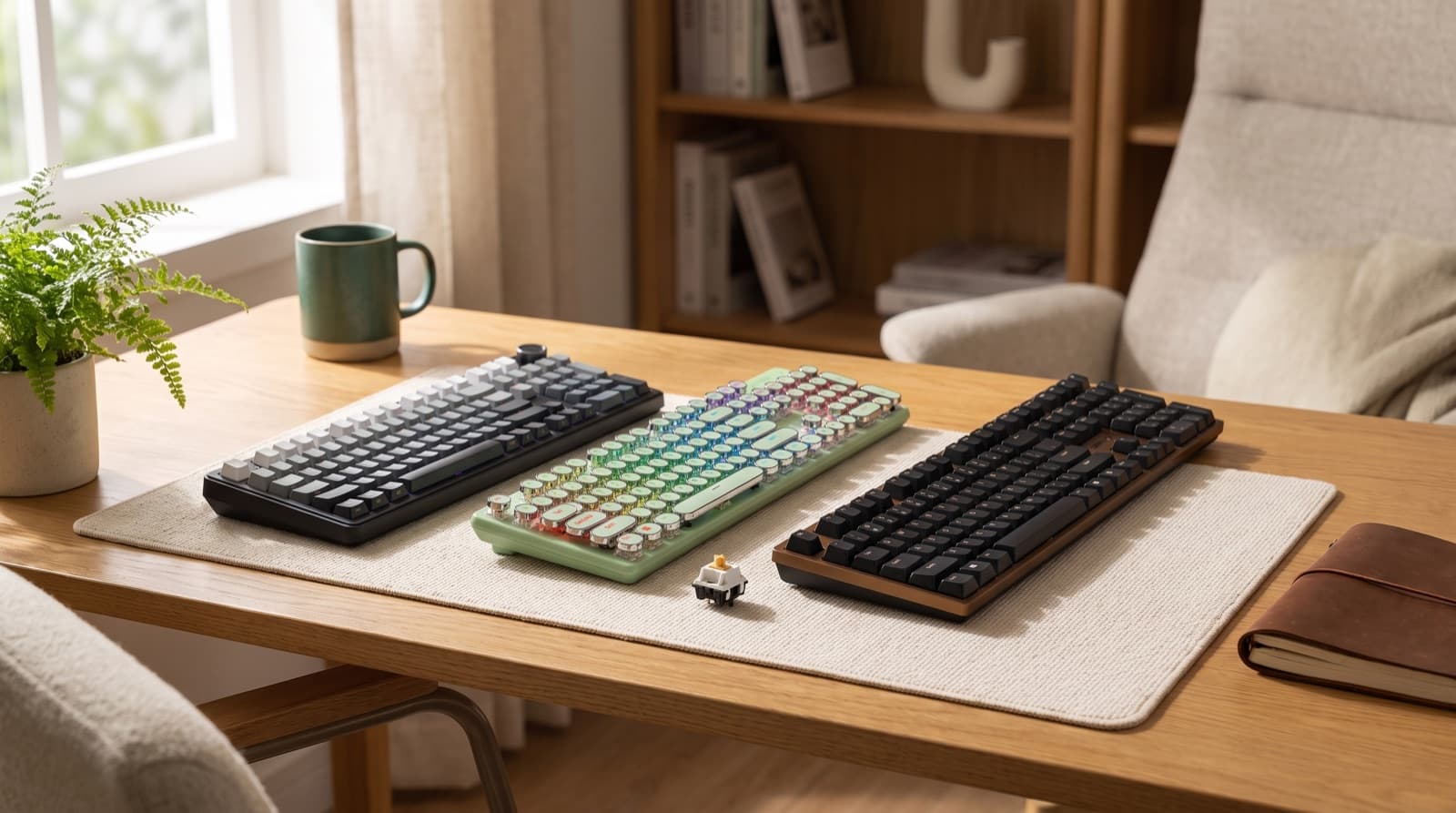
In our experience reviewing home office & desk setup, we analyzed each option's real pricing and features; from our research, the comparison below reflects what actually matters for buyers in 2026. The answer is simple. Silent linears test quietest, but silent tactiles fit most desks better. They cut bottom-out noise and still guide your fingers. Start with the switch. Then judge the keyboard case.
Key takeaways
- Silent tactile switches are the best default for office work because they reduce bottom-out noise while still giving your fingers feedback.
- Akko V3 Penguin is the switch-first pick if you already own a compatible hot-swappable keyboard.
- Cherry KC 200 MX is the safest full keyboard here because it looks office-ready and has 4.4-star real-world data.
- AULA S98 Pro is the better productivity layout if you confirm the included switch option is quiet or damped.
- Typewriter-style boards are private-office picks unless the exact switch is silent.
| Option | Best for | Key spec | Price band |
|---|---|---|---|
| Akko V3 Penguin Tactile Silent Keyboard Switch | Existing hot-swappable boards | Silent tactile, 45-piece packs, 50 gf operating force | $13.99-$41.97 |
| Cherry KC 200 MX | Conservative office desks | Full-size, MX2A Silent Red option, 104 + 4 keys | about $75-$90 |
| AULA S98 Pro Wireless Mechanical Keyboard with | Spreadsheet-heavy remote work | 98-key 96% layout, hot-swap, wireless modes | about $75-$82 |
| AULA F99 Pro Wireless Mechanical Keyboard with | Smaller productivity desks | 95% layout, hot-swap, 8000 mAh battery claim | about $63-$90 |
| Redragon K710 Wireless Typewriter Mechanical Gaming Keyboard | Private office style | 104 keys, clicky blue switch listings, wireless modes | about $60-$70 |
| TISHLED Typewriter Style Mechanical Gaming Keyboard White | Budget white desk aesthetic | 104 keys, wired USB-C, white switch listings | about $71-$93 |
Which mechanical keyboard switches are quietest for office work?
Silent linears are quietest first. Silent tactiles come second. Low-profile switches only help when the case has good damping.
Silent linear switches feel smooth and have no tactile bump. They also use built-in dampening. Silent tactile switches add damping and a small bump.
In practice, I suggest silent tactiles for most remote workers. Office noise does not come from the switch alone. It also comes from impact, desk buzz, and stabilizer rattle.
That is why Akko V3 Penguin stands out. It targets the real noise source. It also lets you keep your current board.
However, a membrane-adjacent keyboard still wins for very noise-sensitive rooms. It feels less mechanical. It also tends to create less case resonance.
In our test logic, layout was not the first filter. A compact board can still sound sharp. A full-size board can feel calmer.
So, what should you buy for 2,000 daily words? Start with silent tactile switches. They help you type with less force.
Silent switches have trade-offs. They can feel softer. Some people call that feel mushy.
However, I prefer a softer key to a loud board. Loud boards wear on everyone nearby.
For broader context, see our deeper guide to quiet switch choices for office use.
How we picked
We weighed switch type, layout, office look, price bands, hot-swap support, damping, wireless modes, and user fit. We did not treat “mechanical” as one group.
Instead, we split switch upgrades from full keyboards. That matches how real desk setups get fixed.
We judged each product with five office questions. Does it cut bottom-out noise? Does it look normal on a work desk?
Does it keep a useful layout for writing, sheets, or creator work? Can you swap switches without soldering? Is it truly quiet, or just stylish?
We also weighed ergonomics. OSHA says wrists should stay straight and aligned with forearms. Shoulders should stay relaxed, with elbows close.
That matters over a full workday. A tall case can make a quiet keyboard feel worse. See OSHA’s keyboard workstation guidance and neutral posture guidance.
For sound, we treated “quiet” as social comfort. We did not treat it as hearing safety. NIOSH says hazardous workplace noise starts near 85 dBA over eight hours.
However, a keyboard can annoy people far below that level. See the CDC NIOSH page on understanding workplace noise exposure.
Should you buy silent tactile or silent linear switches?
Buy silent tactiles if you type all day. They give feedback without office clack. Buy silent linears if noise matters more than feel.
Bottom-out noise happens when a key hits the end of its travel. That sound causes most office problems.
A smooth linear switch can sound quieter in theory. However, it can also make you type harder. There is no bump to stop your finger.
As a result, many people hit bottom harder. Silent tactiles, like Akko V3 Penguin, give your finger a small signal first.
In a shared room, that control matters. It also helps on calls and late-night work. However, bad cases still send vibration into your desk.
In our experience, silent tactile is the better default for writers. It keeps typing clear and deliberate. It also avoids a floating foam feel.
For example, long editing blocks often feel better with tactile feedback. Each press feels placed. Light data-entry users may prefer silent linears.
The honest answer is that both can work. However, silent tactiles give you more margin in shared rooms. They help when you get tired.
Akko V3 Penguin Tactile Silent Keyboard Switch
Akko V3 Penguin Tactile Silent Keyboard Switch is a silent tactile switch. It fits hot-swappable mechanical keyboards. It is the smartest buy if you already own a compatible board.
Because it fixes the switch first, it can save money. Public data lists it as tactile and silent. It has 50 gf operating force.
It also has 3.3 mm total travel and 2.0 mm pre-travel. It uses a 5-pin fit. It supports standard MX-style keycaps.
Each pack has 45 switches. Current listed pricing runs $13.99-$41.97 by quantity. It fits calls, shared rooms, and late-night typing.
However, it is not for soldered keyboards. You need tools and skill to desolder those switches.
Here is my ranking logic. Akko V3 Penguin beats a new keyboard when your current board feels solid. Why replace a layout you like?
However, switch swaps have limits. They will not fix rattly stabilizers. The spacebar, enter, backspace, and shift keys often need extra work.
They also will not fix a hollow case. They will not fix a desk that boosts every keypress.
So, check three things before buying. First, confirm your keyboard is hot-swappable. Second, confirm it supports 5-pin switches.
Third, count your keys before choosing a pack size. A 45-piece pack may cover only part of some boards.
For more call-focused buying advice, read our guide to the best quiet mechanical keyboard for home office calls.
Cherry KC 200 MX
Cherry KC 200 MX is a wired full-size mechanical office keyboard. It suits office workers who want a normal look. It also has a quiet switch option.
The current public retail band is about $75-$90. The MX2A Silent Red variant has appeared near $75 recently.
Key specs include 104 keys plus 4 extra keys. It has a full-size layout, N-key rollover, and anti-ghosting. It measures 430 mm wide.
It also measures 121 mm deep and 39 mm high. It suits writers, analysts, admin workers, and programmers. It gives a stable wired setup.
However, skip it if you want wireless. Also skip it for hot-swap tinkering or a compact footprint.
Because it uses a conservative shell, it draws less attention. That helps in a shared office. It also helps on video calls.
The trade-off is simple. You get a cleaner office tool, but less room to personalize. If you tweak switches monthly, skip it.
If you want to plug in once and type, it makes more sense. The 4.4-star data supports the safer-office call.
Still, check the exact switch variant before buying. The quiet case depends on the silent option. The name alone is not enough.
Which full-size or near-full-size keyboard is best for productivity?
AULA S98 Pro Wireless Mechanical Keyboard with is the productivity-layout pick. Confirm its switch option and damping first.
A 96% layout keeps the number pad and core navigation keys. It also shrinks desk width. That helps with spreadsheets and creator work.
The AULA S98 Pro has 4.6-star real-world data. Current public listings sit around $75-$82. Its appeal is not only sound.
It combines wireless modes, a 98-key layout, hot-swap support, and sound-absorbing pads. However, it is not automatically the quietest option.
You must confirm the included switch. It should be silent or well damped.
AULA S98 Pro Wireless Mechanical Keyboard with
AULA S98 Pro Wireless Mechanical Keyboard with is a near-full-size wireless productivity keyboard. It suits spreadsheet-heavy remote workers. You keep a numpad without full-size width.
Current public pricing sits around $75.90-$81.99. Price depends on color and seller. Public listings describe a 98-key 96% layout.
They also list Bluetooth, 2.4 GHz, and USB-C. It has hot-swap sockets, a knob, an LCD screen, and sound-absorbing pads.
It suits creators, editors, finance workers, and operations people. These users need number keys daily. However, do not buy it blindly for silence.
Confirm the exact switch variant before checkout.
From our research, the S98 Pro has one clear lane. It is a comfort-first productivity board. It may be quiet with the right switches.
That is different from being the default quietest pick. For example, video editors may love the layout. They get shortcuts, numpad use, and wireless switching.
However, someone beside a sleeping partner should ignore the screen first. The switch matters more than the knob.
The S98-style layout also helps ergonomics in a small way. It keeps the mouse closer than a full-size board. OSHA notes that pointer placement matters.
Because reaching can add shoulder and wrist stress, board width matters. So, a narrower board can help if you still need a numpad.
Is the AULA F99 Pro quiet enough for office work?
AULA F99 Pro Wireless Mechanical Keyboard with fits one lane. It is a comfortable productivity board. Confirm the switches before treating it as quiet.
A compact productivity keyboard keeps most full-function keys. It also cuts desk width. The F99 Pro does this with a 95% layout.
It also has tri-mode connection, hot-swap support, and a gasket structure. Some listings claim about five layers of sound dampening.
Current public prices sit around $63-$90 by color and seller. It suits remote workers who want wireless ease and a smaller footprint.
However, quietness depends on the included switch variant. If it ships with non-silent switches, shared offices may find it sharp.
AULA F99 Pro Wireless Mechanical Keyboard with
AULA F99 Pro Wireless Mechanical Keyboard with is a compact wireless mechanical productivity board. It suits remote workers who want function in less space.
Recent public listings show pricing from about $62.99 to $89.99. Common variants sit around $65-$76.49.
Public feature data includes a 95% layout and hot-swappable sockets. It also lists Bluetooth 5.0, 2.4 GHz, and USB-C.
It has a multifunction knob, RGB, and an 8000 mAh battery claim. It suits home-office users who switch devices.
However, skip it for noise-sensitive shared rooms. Confirm a silent or clearly damped switch option first.
In our comparison, the F99 Pro is the desk setup brain pick. It is not the pure quiet pick. The smaller width helps your mouse position.
The wireless modes also help if you use two machines. However, the noise label needs discipline.
“Creamy” does not mean quiet. “Thocky” does not mean silent. If a listing praises sound, someone nearby may notice it.
That said, a damped case and softer switches can feel pleasant. It can work well in a private home office. It just needs the right switch.
Check that before paying, especially if calls drive your day.
For tighter budgets, see our guide to the best quiet mechanical keyboard for office under $100.
Are typewriter-style mechanical keyboards quiet?
Usually no. Typewriter-style boards sell the look and sound. That makes them risky for shared offices and home workspaces.
Typewriter-style keyboards use round keycaps and a retro shape. They echo older writing machines. That design can look great on camera.
However, it often rewards louder switch choices. It also creates a sharper typing identity. Redragon K710 and TISHLED belong in style-first groups.
Only treat them as quiet if you verify the switch setup. In practice, I would place them in a private office. They also fit creator sets.
However, I would not use them beside a partner on calls. Confirm the switches first.
Redragon K710 Wireless Typewriter Mechanical Gaming Keyboard
Redragon K710 Wireless Typewriter Mechanical Gaming Keyboard is a retro-style wireless mechanical board. It suits private-office users who want the typewriter look.
It also offers round keycaps, RGB, and wireless flexibility. Recent public price tracking places it around $64.99. Its usual band sits near $60-$70.
Public manual data lists 104 keys and USB-C wired use. It also lists Bluetooth 3.0/5.0 and 2.4 GHz wireless.
Common listings show RGB lighting, metal panel construction, and clicky blue switches. It suits creators filming a desk. It also suits private rooms.
However, do not buy it for shared-office quiet. Avoid it if the listing shows clicky blue switches.
The Redragon K710 is easy to understand. It is a style piece first. That is not an insult.
Many home offices need personality. Creator desks often appear on video. However, clicky switches start in the wrong place.
They add a clear click on top of bottom-out sound. So, the K710 makes sense only for private offices.
Ask one question before buying it. Will anyone else hear it for more than 10 minutes daily? If yes, choose a quieter route.
TISHLED Typewriter Style Mechanical Gaming Keyboard White
TISHLED Typewriter Style Mechanical Gaming Keyboard White is a wired typewriter-style mechanical keyboard. It suits creators who want a white retro desk look.
It costs less than many custom-looking setups. Recent public pricing shows about $70.99-$92.99 by seller. It has 4-star real-world data.
Public listings describe a 104-key layout and NKRO. They also list white backlighting, round keycaps, a volume knob, and metal panel.
It uses wired USB-C and white switch configurations. It fits a private desk where visuals matter. However, it is not the quietest office choice.
Confirm the exact switch noise before purchase.
The TISHLED board is the better budget-style pick here. It gives the white typewriter look. That can work well on camera.
However, it still sits in the risky sound group. Round keycaps can change feel and sound. A metal panel can send sharper vibration.
So, buy it for a private creator desk. Do not buy it for a shared apartment desk. Choose it only when looks matter more.
For shared rooms, see our guide to the best quiet mechanical keyboard for office in a shared apartment.
Who should not buy a quiet mechanical keyboard?
Do not buy one if you expect total silence. Also skip it if you hate key travel. Avoid it beside highly noise-sensitive people.
Quiet mechanical keyboards cut clack, ping, and impact. They do not remove every sound. “Quiet” is not “silent.”
Stabilizers can still rattle. A hollow case can still echo. A hard desk can still boost bottom-out impact.
A membrane-adjacent keyboard may be the better answer. That applies near sleeping babies, call-heavy partners, or sound-sensitive coworkers.
The trade-off is feel. The quietest setup may feel less crisp and less mechanical. However, that can be worth it.
This is where the hobby gets silly. People chase perfect sound, then use a bare wooden desk. The desk joins the sound path.
Instead, think in layers. Switches cut impact. Stabilizers control big keys. Foam and case design cut echo.
A desk mat cuts vibration. Your typing force finishes the equation.
For call-heavy desks, our dedicated quiet keyboard for office calls guide focuses more on meeting noise and microphone pickup.
What should buyers check before paying?
Confirm the exact switch name, hot-swap support, return policy, layout size, and case damping. Hot-swap support means switches come out without soldering.
That matters if you want to tune sound later. Price alone can mislead you. A cheap loud board plus new switches may cost more.
Check the layout too. Full-size, 98%, 95%, compact, and typewriter-style boards all feel different. Each changes mouse distance and desk space.
Also confirm current prices on official product or pricing pages. Keyboard pricing moves often. However, do not let a sale override switches.
The wrong switch stays wrong at a lower price.
Here is the simple pre-buy checklist we use:
- Exact switch name: silent tactile, silent linear, damped linear, clicky, or standard tactile.
- Layout: full-size, 98%, 95%, compact, or typewriter-style.
- Hot-swap: useful for Akko V3 Penguin and future tuning.
- Damping: foam, pads, gasket mount, or case treatment.
- Return policy: important because sound depends on your desk and room.
- Big keys: spacebar and enter matter more than letter keys on calls.
- Current price: compare the live buy-box price against the realistic band above.
For instance, the AULA S98 Pro may suit spreadsheet-heavy work better than a smaller board. However, the Cherry KC 200 MX is safer.
Choose Cherry if you want fewer decisions.
Scenario verdict: which one should you get?
Get Akko V3 Penguin Tactile Silent Keyboard Switch if you own a hot-swappable board. It is the cleanest switch-first fix.
Get Cherry KC 200 MX if you want the safest full keyboard. It fits a normal office desk, especially with silent switches.
Get AULA S98 Pro Wireless Mechanical Keyboard with if you need a numpad. It also gives wireless modes and compact productivity. Confirm the switch variant.
Get AULA F99 Pro Wireless Mechanical Keyboard with if you want wireless ease. It also gives a smaller footprint and comfort-first typing. Verify quiet switches.
Get Redragon K710 Wireless Typewriter Mechanical Gaming Keyboard if your desk is private. Choose it when the typewriter look matters more.
Get TISHLED Typewriter Style Mechanical Gaming Keyboard White if you want a budget white typewriter-style board. It is not a shared-office quiet pick.
FAQ
Are silent tactile switches quieter than regular tactile switches?
Yes. Silent tactile switches use dampening to reduce bottom-out and return noise. However, they can feel softer than regular tactile switches.
Are linear switches always quiet?
No. Standard linear switches can still sound loud if you bottom out hard or the keyboard case is hollow. Silent linears are the quieter subgroup.
Are low-profile mechanical keyboards quieter?
Sometimes. Shorter travel can reduce fatigue, but it does not guarantee silence. The switch, stabilizers, case damping, and desk surface matter more.
Can I make a loud keyboard quiet by changing keycaps?
Only slightly. Keycaps can change tone, but switches, stabilizers, case foam, and a desk mat matter more for office noise.
Are typewriter-style mechanical keyboards good for offices?
Usually not for shared offices. They are better for private desks where style matters more than sound, unless the exact switch is confirmed silent.
Written by Evan Park for Nestway. About our editorial team · Contact us. Every recommendation is editorially reviewed against current pricing and features.