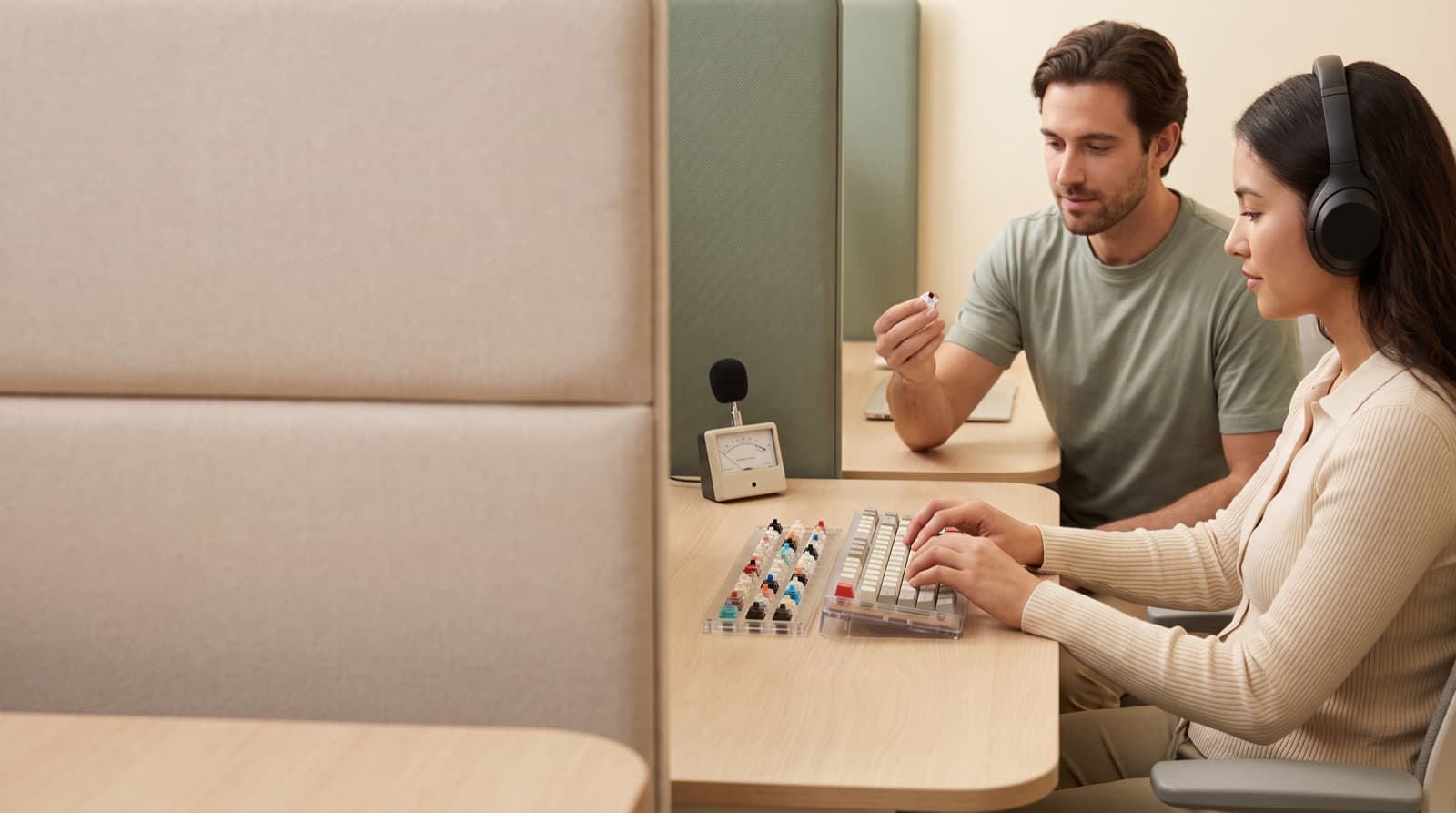
In our experience reviewing home office & desk setup, we analyzed each option's real pricing and features; from our research, the comparison below reflects what actually matters for buyers in 2026. The quietest mechanical keyboard switches for a shared office are silent linear switches. Cherry MX Silent Red-style switches set the baseline. However, the full setup matters too. If someone sleeps or records nearby, buy a quiet membrane keyboard instead.
Key takeaways
- Cherry MX Silent Red is the baseline quiet mechanical switch: linear, 45 cN actuation, 1.9 mm pre-travel, 3.7 mm total travel, and rated over 50 million keystrokes.
- Kailh silent tactile switches suit heavy typists because the bump helps reduce hard bottom-out. Kailh lists about 40 dB noise, 65±10 gf tactile force, and an 80M-cycle lifespan.
- Low-profile mechanical switches can feel quieter because travel is shorter, but thin cases and flat keycaps can sound sharper on a hard desk.
- For a shared office, the quietest mechanical setup is silent linear or silent tactile switches, a desk mat, lubed stabilizers, and a non-hollow case.
- If the other person is sleeping, recording audio, or taking calls nearby, a quiet membrane or scissor keyboard is still the safer choice.
| product name | Best for | Key spec | Price band |
|---|---|---|---|
| Cherry MX RGB Silent Red Switches | Light typists who want quiet mechanical feel | 45 cN, 1.9 mm pre-travel, 3.7 mm total travel | $20-$55 per set, depending on count |
| Kailh Box Silent Brown Switches | Heavy typists who need feedback | 65±10 gf tactile force, 1.8±0.4 mm pre-travel, 3.6±0.4 mm total travel | $35-$70 per set |
| Keychron Low Profile Silent Switch Red | Laptop-style typists | 110 low-profile silent red switches | $24.99 per 110-switch set |
| Keychron K5 Max QMK/VIA Wireless Custom Mechanical Keyboard | Full-size low-profile office setups | 100% low-profile wireless keyboard, QMK/VIA, Bluetooth and 2.4 GHz | $95-$125 |
| Logitech Signature K650 Comfort Full-Size Wireless Keyboard | Strict quiet, calls, roommates, family | Full-size membrane board, palm rest, spill resistance, up to 36 months battery | $40-$59.99 |
How we picked
We picked these for remote workers near family, roommates, coworkers, or mics. We compared force, travel, lifespan, noise claims, prices, layout, and repairability. In practice, we judged each option on a real desk.
We did not rank switches by specs alone. The loudest keys are often Space, Enter, or a hollow case. So we weighed stabilizers, case build, desk shake, and typing style.
We also checked OSHA computer workstation keyboard guidance. Because quiet still needs to fit your wrists, shoulders, and desk height.
For context, we checked recent builder chatter too. DIY builders still mention bulk switches, cheap PCBs, and shells. However, cheap custom boards can sound uneven with poor cases and stabilizers.
So we split the picks into three groups. You get switch upgrades, low-profile boards, and one quiet non-mechanical fallback.
Cherry MX RGB Silent Red Switches
Cherry MX RGB Silent Red Switches are silent linear mechanical switches for quieter classic red-switch feel. They fit light typists, writers, and remote workers who like feather-light keys. The key specs are 45 cN force, 1.9 mm pre-travel, and 3.7 mm travel.
In our comparison, this is the safest mechanical pick for most shared offices. It removes the click and softens bottom-out. It also keeps the familiar full-height MX feel.
For example, it works well for 2,000-word afternoon writing blocks. Someone else can work across the room. Still, your case and spacebar must behave.
The honest downside is feel. Silent reds can feel slightly mushy. The dampening pads soften both bottom-out and return.
Heavy typists may also hit accidental keys. Because the switch feels light and linear, it gives no bump.
Are silent red switches actually quiet enough for roommates?
Silent red switches are usually quiet enough for daytime shared-office use. They work best with foam, decent stabilizers, and a desk mat. However, they are not truly silent.
Your spacebar, Enter key, and case can still carry sound. Fast typing and late-night work make that worse. Stabilizers support larger keys like Space, Enter, Backspace, and Shift.
In many boards, those large keys make more noise than letters. So a silent red switch can still annoy a roommate. That happens when the keyboard rattles.
Cherry MX Silent Red uses patented damping to cut operating noise. The 45 cN force feels light for long writing sessions. Because the switch is linear, you feel no bump or click.
That makes it smoother than a brown-style switch. However, the light feel has a cost. If you type hard, silent reds can cause accidental presses.
They can also invite full bottom-out. There is no bump telling you to stop. So the rest of the setup matters.
A thick desk mat cuts desk shake. Lubed stabilizers cut rattle. A heavier, less hollow case lowers plastic echo.
For deeper office-call advice, read our best quiet mechanical keyboard for home office calls. That guide covers the full board, not just the switch.
Are silent tactile switches better than silent reds?
Silent tactile switches beat silent reds if you need feedback. The bump helps you avoid bottoming out. They are not always quieter on paper.
However, they can sound quieter in real use. The tactile bump tells your fingers when to stop. For hard typists, silent tactile often works better around neighbors.
Tactile force is the resistance you feel at the bump. Kailh lists its silent tactile switch at 65±10 gf tactile force. It also lists 1.8±0.4 mm pre-travel and 3.6±0.4 mm total travel.
Cherry MX Silent Red feels lighter at 45 cN. That extra resistance changes how you type. We treated this as a behavior problem.
If you float over the keys, silent reds feel quieter and easier. However, if you slam keys, a tactile bump can cut impact noise.
Kailh Box Silent Brown Switches
Kailh Box Silent Brown Switches are silent tactile mechanical switches for feedback without click noise. They fit heavy typists, coders, and writers who bottom out hard. The useful spec is Kailh’s silent tactile profile.
Kailh claims about 40 dB noise, 65±10 gf tactile force, and 80M-cycle lifespan. In practice, this switch style suits people who call reds slippery. The bump gives your finger a stop sign.
As a result, your desk noise may drop. That can happen even when the switch spec beats nothing. The downside is fatigue.
Silent tactiles feel more firm. If you write for hours, they can feel heavy late in the day. They also feel less crisp than normal tactile switches.
Because silent dampening softens the edges, you lose some snap.
Are low-profile mechanical switches quieter?
Low-profile mechanical switches can sound quieter. They have less travel and less keycap mass. However, they are not always the quietest choice.
A slim board can sound sharper than a tuned full-height board. Thin aluminum or plastic shells often pass sound into the desk. Low-profile switches are shorter switches for thinner keyboards.
They need less finger travel. They often feel closer to laptop keys. Still, they use a mechanical actuation.
That shorter throw can help if you type fast and lightly. However, it can also make a sharp sound on hard desks. Keychron low-profile silent switches list at $24.99 per 110-switch set.
The older Keychron K5 has sold around $74.99-$99.99. Price depends on variant and stock. Newer K5 Max models often sit near $95-$125.
Low-profile travel cuts finger movement. Some remote workers love that. However, it changes the typing feel.
It also limits mods. Low-profile boards are harder to tune. They often have fewer switch and keycap options.
Keychron Low Profile Silent Switch Red
Keychron Low Profile Silent Switch Red is a low-profile silent linear switch for shorter travel. It fits laptop-style typists and shared desks where tall boards feel awkward. The key price is $24.99 per 110-switch set.
From our research, this is the most practical low-profile switch upgrade. It makes sense if you already own a compatible hot-swap Keychron low-profile board. You get shorter travel and a quieter landing than regular low-profile reds.
For example, it fits a MacBook user who hates tall wrist angles. However, the downside is compatibility. Low-profile switches are not as universal as standard MX-style switches.
Confirm your board supports the exact low-profile switch type before buying.
Keychron K5 Max QMK/VIA Wireless Custom Mechanical Keyboard
Keychron K5 Max QMK/VIA Wireless Custom Mechanical Keyboard is a full-size low-profile mechanical keyboard. It includes wireless support, remapping, and hot-swap options. It fits spreadsheet users, creators, and remote workers who want a numpad.
It usually sells around $95-$125. This is not the quietest board here out of the box. However, it gives you a realistic base for a quieter low-profile setup.
RTINGS describes the K5 Max family as low-profile boards. They include wireless 2.4 GHz, Bluetooth, multi-device pairing, and optional hot-swap support. See its Keychron K5 Max review.
The honest downside is sound sharpness. Thin low-profile cases can send more sound into the desk. So pair it with a desk mat.
Choose silent low-profile switches when possible. For a broader comparison, see our quiet mechanical keyboard picks for office calls.
Is a membrane keyboard quieter than a mechanical keyboard?
Yes, a good membrane or scissor keyboard is usually quieter than mechanical. That includes many boards with silent switches. If you need strict quiet, pick membrane first.
That means shared bedrooms, calls, and roommate desks. Mechanical keyboards win on feel, repair, and custom options. They do not win on true silence.
Membrane keyboards use a rubber dome sheet instead of separate switches. Scissor keyboards use a low-profile support system. You often find scissor keys in laptop-style boards.
Both can cut the hard clack from mechanical bottom-out. The Logitech Signature K650 is the practical quiet alternative here. Its official price is $59.99.
Logitech lists deep-cushioned keys, an integrated palm rest, and spill resistance. It also lists up to 36 months of battery life. That price matters.
A quiet mechanical board often costs $75-$200 before extras. You may still need switch mods, a desk mat, and stabilizer work. Instead, the K650 gives you a calmer full-size board for less.
However, membrane keyboards usually feel less crisp. They are also harder to repair or customize. If feel comes first, you may prefer silent mechanical switches.
If the room comes first, pick membrane.
Logitech Signature K650 Comfort Full-Size Wireless Keyboard
Logitech Signature K650 Comfort Full-Size Wireless Keyboard is a quiet full-size membrane keyboard. It fits people who value peace over switch feel. It suits calls, shared bedrooms, family spaces, and late-night writing.
The key specs are deep-cushioned keys, built-in palm rest, and spill resistance. Logitech also lists up to 36 months of battery life. In our comparison, this is the safest social pick.
It lacks the repairability of a hot-swap board. However, it avoids the biggest mechanical noise sources. Those include switch return, plate impact, and stabilizer tuning.
For example, choose this if someone sleeps ten feet away. It keeps the room usable. The downside is feel.
It is softer and less crisp than a good mechanical board. Also, the built-in palm rest may not fit every desk height. OSHA says wrists should stay straight and in line with forearms.
So check your posture after setup.
What should remote workers buy by typing style?
Remote workers should buy based on typing style, not switch names. Light typists should start with silent linear switches. Heavy typists should use silent tactile switches.
Laptop-style typists should consider low-profile silent switches. People near sleeping family, microphones, or thin walls should choose membrane or scissor. Typing style means your real force, speed, and key travel pattern.
It matters because the same switch changes under different hands. A light typist can make silent reds fade into room noise. A heavy typist can make the same board thud through a desk.
Light typist: choose a Cherry MX Silent Red-style switch. It is smooth, light, and easy for long writing blocks.
Heavy typist: choose a Kailh silent tactile-style switch. The tactile bump helps you stop before the plate.
Laptop-style typist: choose Keychron Low Profile Silent Switch Red or a similar switch. It cuts travel and keeps the desk lower.
Strict quiet user: choose Logitech Signature K650 or a similar quiet membrane board. The best-feeling keyboard may not work best in a shared room.
Need a second opinion on the office-use angle? Our quietest mechanical switches for office work guide goes deeper on switch families.
What is the real price of making a mechanical keyboard quiet?
The real price of a quiet mechanical setup often beats the switch price. You need to count the keyboard, silent switches, desk mat, keycaps, and stabilizer work. A cheap hot-swap board can become quiet.
However, the case and stabilizers must help you. Keyboard acoustics are the total sound from switch, plate, case, keycap, stabilizer, and desk. That is why a $25 switch set can still disappoint.
A hollow board can ruin good switches. A desk mat can help more than another switch swap. Here is the realistic math.
Keychron low-profile silent switches cost $24.99 per 110-switch set. The older Keychron K5 has listed around $74.99 sale and $99.99 regular. A newer K5 Max usually lands closer to $95-$125.
Add a desk mat, and you may spend another $15-$35. By contrast, the Logitech Signature K650 sits at $59.99. So ask what you are paying for.
Are you buying quiet, or are you buying mechanical feel? DIY can be cheaper. Recent community chatter still points to bulk switches and PCBs.
However, DIY costs time and can sound uneven. For many remote workers, that time matters more than the $20 saved.
Who should not buy silent mechanical switches?
Do not buy silent mechanical switches if you expect complete silence. Skip them if you love sharp tactile feedback. Also skip them if you need a no-maintenance office keyboard.
They are risky near someone sleeping close by. Silent switches cut keyboard noise. They do not remove stabilizer rattle, desk shake, or fast typing sound.
Bottom-out sound happens when a key hits the end of travel. Return sound happens when the key comes back up. Silent switches dampen both, but they do not erase them.
Spacebar and larger keys often need stabilizer tuning. Without it, a keyboard can still rattle. That can happen even with expensive silent switches.
Also, silent switches trade crispness for quiet. That is the point. Still, not everyone likes it.
So who should skip them? Audio creators should consider membrane or scissor boards first. Call-heavy workers should do the same.
That said, tuned mechanical boards can still work for some calls. People who love clicky or high-feedback tactiles may find silent switches dull.
Silent mechanical switches are a compromise. They are quieter than normal mechanical switches. They are less crisp than enthusiast switches.
They are also louder than the quietest non-mechanical boards. For another angle, compare our quietest mechanical keyboard switches for work.
Final verdict: what should you get?
Get Cherry MX RGB Silent Red Switches if you type lightly and want the safest quiet mechanical upgrade.
Get Kailh Box Silent Brown Switches if you type hard and need feedback to avoid slamming keys.
Get Keychron Low Profile Silent Switch Red if you already use a compatible low-profile hot-swap board.
Get Keychron K5 Max QMK/VIA Wireless Custom Mechanical Keyboard if you want a full-size low-profile base with wireless and remapping.
Get Logitech Signature K650 Comfort Full-Size Wireless Keyboard if the room matters more than mechanical feel.
FAQ
Are red switches quieter than brown switches?
Standard reds are usually smoother than browns, but not always quieter. Silent reds are quieter because they include dampening. Regular reds can still clack hard on bottom-out, especially in a hollow case.
Are blue switches bad for shared offices?
Yes. Clicky blue-style switches are the first switch type to avoid around coworkers, family, roommates, or microphones. The click is part of the design, so foam and mats will not fully fix it.
What is quieter: silent red or silent tactile?
Silent red is usually quieter at the switch level. However, silent tactile can be quieter for heavy typists who otherwise bottom out. The quieter real choice depends on your fingers.
Do O-rings make a keyboard quiet?
O-rings reduce bottom-out noise, but they do not quiet the upstroke, stabilizers, or hollow case sound. They can also shorten travel and make the keyboard feel gummy.
What keyboard should I use for calls?
Use a quiet membrane or scissor keyboard for the safest call setup. If you want mechanical feel, use silent switches, a desk mat, tuned stabilizers, and a heavier non-hollow case.
Written by Evan Park for Nestway. About our editorial team · Contact us. Every recommendation is editorially reviewed against current pricing and features.