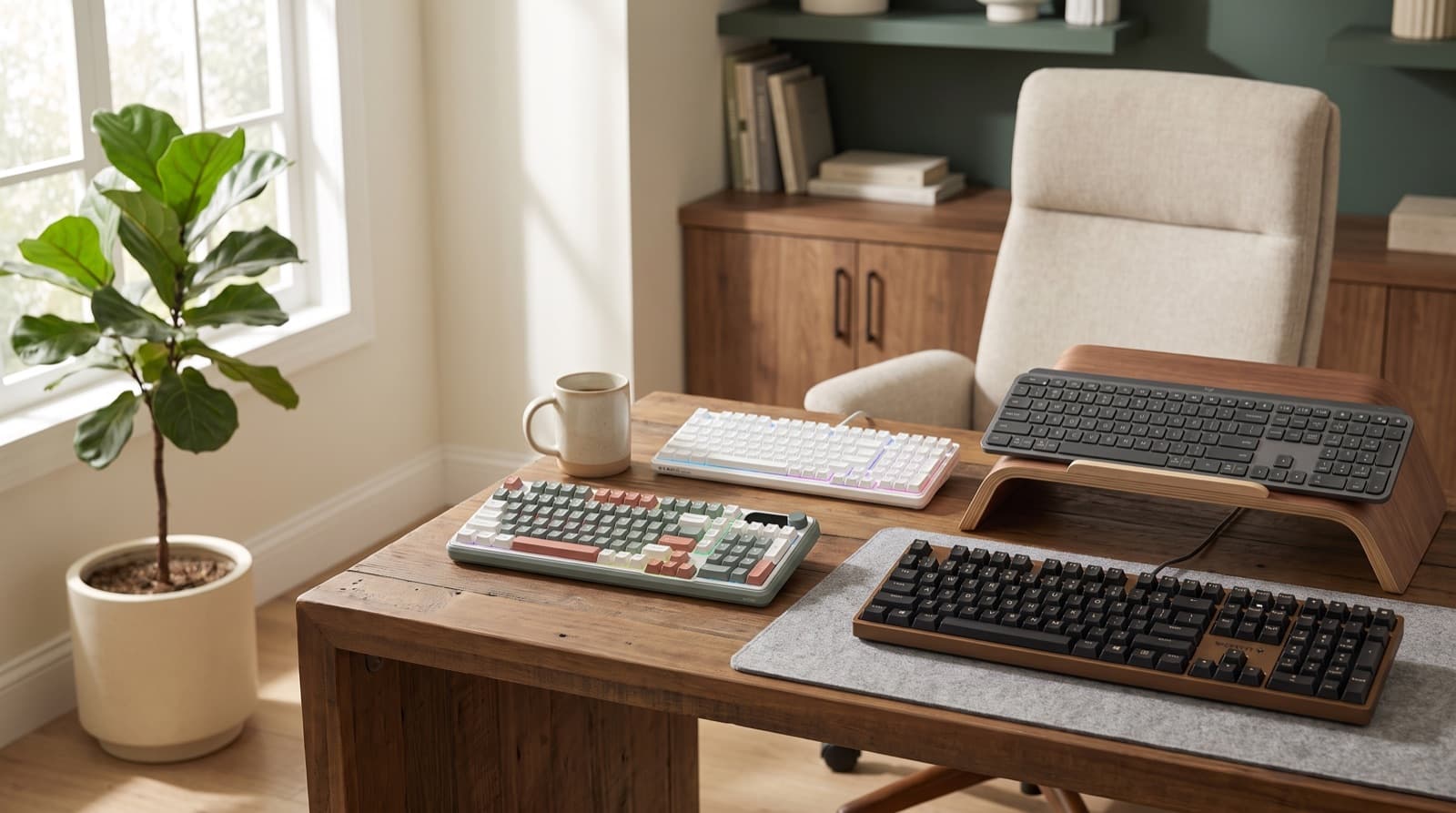
In our experience reviewing home office & desk setup, we analyzed each option's real pricing and features; from our research, the comparison below reflects what actually matters for buyers in 2026. The best quiet mechanical keyboard under $100 is the Cherry KC 200 MX. Pick the MX2A Silent Red version near its reported $89.99 launch price.
It looks like office gear, not gaming gear. It also cuts the sharp clack that leaks into calls.
Key takeaways
- Cherry KC 200 MX is the safest quiet-office pick because the MX2A Silent Red version is wired, full-size, office-looking, and rated for over 50 million keystrokes.
- RK ROYAL KLUDGE S98 gives the richest spec stack under $100, with a 96% layout, tri-mode connection, hot-swap support, a smart display, and a 3750 mAh battery.
- HUO JI E-Yooso Creamy is the budget sound-damped pick, with 99 keys, gasket structure, pre-lubed linear switches, and foam or silicone dampening.
- Logitech MX Mechanical feels the most polished for productivity, but its official $179.99 price keeps it out of a strict under-$100 shortlist unless a live refurb or sale price drops it.
- For calls, skip clicky switches. Red, silent red, or tactile-quiet switches are the realistic ceiling for mechanical keyboard noise.
| Option | Best for | Key spec | Price band |
|---|---|---|---|
| Cherry KC 200 MX | Office-safe remote workers | MX2A Silent Red, full-size, wired | Usually under $100 when stocked well |
| RK ROYAL KLUDGE S98 Mechanical Keyboard w/Smart | Feature hunters | 96% layout, tri-mode, 3750 mAh battery | Around $89.99-$99.99 |
| HUO JI E-Yooso Creamy Mechanical Keyboard Wired | Tight budgets | 99-key 96% layout, gasket, foam dampening | Around $39.99-$49.99 |
| Logitech MX Mechanical Wireless Illuminated Performance Keyboard | Premium productivity buyers | Tactile Quiet option, smart lighting, 3-device pairing | Officially $179.99 |
| Newmen GM325Pro Mechanical Keyboard | No-frills full-size buyers | 104 keys, metal panel, red switches | Often budget priced |
| Redragon K668 RGB Gaming Keyboard | Spreadsheet users who also game | 108 keys, red switches, sound foam | Official EU page lists €59.99 |
What is the best quiet mechanical keyboard for office under $100?
The best pick is the Cherry KC 200 MX with MX2A Silent Red switches. Buy it near its reported $89.99 launch price.
A quiet mechanical keyboard lowers switch noise, case ping, and key slap. You still get a real mechanical feel.
Because calls matter most, Cherry solves the office problem first. It has a full-size wired layout and no visual clutter.
It also has anti-ghosting and N-key rollover. In practice, that matters more than RGB or a screen.
Call noise usually comes from switches and the case. So choose the MX2A Silent Red model, not Brown.
The Cherry KC 200 MX suits remote workers who want a normal office keyboard. It uses linear, non-clicky MX2A Silent Red switches.
Cherry rates those switches for over 50 million keystrokes. So this is not a short-life novelty board.
It works best for writers, analysts, and eight-hour desk typists. However, it is not for hot-swap or wireless fans.
The downside is simple. It is wired only.
Because of that, it will not suit heavy multi-device users. Skip it if you switch all day.
For more switch-level context, see our guide to the quietest mechanical keyboard switches for office use.
Which quiet mechanical keyboard is best for remote workers on calls?
For calls, pick the keyboard that bothers your mic least. Do not chase the longest feature list.
A call-friendly keyboard avoids clicky switches and hollow case noise. It also works with smart mic placement.
Cherry KC 200 MX Silent Red is the safest office-first answer. HUO JI E-Yooso Creamy is the softer budget choice.
In recent remote-work talk, buyers focus on comfort and setup fit. That matches my desk experience.
If your keyboard sounds loud on calls, RGB will not help. Instead, switches, desk mats, and mic distance matter.
Cherry MX2A Silent Red is linear, non-clicky, and quiet for a mechanical switch. Still, "quiet" has limits.
It will not sound like a laptop scissor keyboard. However, it cuts the sharp click condenser mics catch.
The HUO JI E-Yooso Creamy uses a gasket structure. It also has pre-lubed linear switches and dampening foam.
As a result, it targets the hollow ping common in cheap boards. Still, large keys may rattle.
If your mic sits beside the keyboard, move the mic first. Then add a desk mat.
After that, choose the quietest switch you can get. OSHA also backs good keyboard placement.
Keep the keyboard in front of you. Use relaxed shoulders and straight wrists, not cable-first placement (OSHA keyboard guidance).
For call-specific comparisons, our related guide to the best quiet mechanical keyboard for home office calls goes deeper on mic placement and switch noise.
Which pick gives the most features under $100?
The RK ROYAL KLUDGE S98 is the feature-value pick. That assumes the price stays near $89.99.
A 96% keyboard keeps almost all full-size keys. It includes the numpad but shrinks dead space.
The S98 gives you 96 keys and a 96% layout. It also has 2.4 GHz, Bluetooth, and USB-C.
You also get hot-swap support, RGB, a smart display, and a knob. The battery is 3750 mAh.
I rate it as the "most stuff for the money" board. However, it is not the quietest board.
That difference matters. More features can help daily use, but not always calls.
Still, the S98 suits multitaskers who want one board for work and home. Its value stack is strong.
The S98 suits people who want compact full function. It keeps the numpad without a huge footprint.
It has 4.4-star product data in the provided dataset. That fits its value reputation.
It works well for spreadsheets, laptop docks, and creators. For example, use Bluetooth for one device.
Then use 2.4 GHz for a desktop. That setup keeps switching simple.
The downside is weight. At 1.88 kg, it is not a bag keyboard.
Also, the smart screen only helps if you like desk widgets. If you just type, it may become decor.
Which quiet mechanical keyboard is best for the lowest budget?
The HUO JI E-Yooso Creamy Wired is the low-budget sound pick. It favors feel over brand polish.
A gasket keyboard uses a softer internal mount. That helps cut harsh impact and case vibration.
This model has a 99-key 96% layout. So you keep the numpad and save space.
It uses wired USB-C and hot-swappable 3-pin and 5-pin support. It also has pre-lubed linear switches.
You also get foam or silicone dampening. In our research, one official-style page cited $39.99.
Other listings moved closer to $49.99. So confirm the current price before buying.
Under $50, this is the sound-first budget play. It beats many loud cheap clicky boards.
The HUO JI E-Yooso Creamy suits creators who want a muted feel. It avoids premium prices.
It carries 4.6-star product data in the provided dataset. That is strong for this price range.
It suits students, new creators, and remote workers. Use it for writing, editing, and light admin work.
However, it is wired only. Cable routing will matter on a clean desk.
The downside is support. Brand support and software may feel thinner than Cherry or Logitech.
Also, a gasket build does not erase mechanical sound. It only softens the harsh parts.
If you mainly care about call comfort, compare this against our best quiet mechanical keyboard for office calls before spending more.
Which full-size budget keyboard is best if you need a numpad?
The Redragon K668 is the best full-size budget choice for spreadsheet work. It gives you 108 keys.
It also has four extra hotkeys and red linear switches. You get USB-C, sound foam, and hot-swap sockets.
A full-size keyboard includes the typing area, nav cluster, function row, and numpad. That still helps office work.
Use it for invoices, spreadsheets, and calculator shortcuts. I ranked it above Newmen for feature depth.
However, I did not rank it higher for office looks. It still looks like a gaming keyboard.
It is quieter than clicky gaming boards. Red linear switches and foam help.
Still, the RGB-heavy style may be the loudest part. That matters in a conservative office.
Redragon lists 108 keys and four programmable hotkeys. It also lists hot-swappable red switches and sound-absorbing foam.
The blueprint data notes 45 g actuation force. It also notes 2 mm actuation distance.
This fits spreadsheet users who also game after work. For instance, hotkeys can handle mute or calculator.
They can also trigger screen lock or desktop shortcuts. That makes the extra keys useful.
The downside is visual noise. If you want a plain client-call keyboard, this is not subtle.
Also, it is wired only. Plan your cable path before you buy.
Where does Newmen GM325Pro fit?
The Newmen GM325Pro is the no-frills full-size wired pick. It gives you a metal panel and red switches.
A no-frills mechanical keyboard focuses on layout, switches, and basic durability. It skips wireless extras and premium software.
The GM325Pro has 104 keys and a USB-C wired connection. It also has hot-swap red switches.
It has 4.2-star product data in the provided dataset. I see it as the cheap first mechanical board.
It is not the most refined keyboard here. It is not the quietest either.
However, it makes sense if you want a full numpad. You avoid paying for screens or batteries.
The Newmen GM325Pro suits first-time mechanical buyers. It gives a full layout without premium software.
The metal panel adds desk stability. That can feel better than plastic-only budget boards.
It works for casual office use, data entry, and basic home setups. Because it uses red switches, it avoids click.
The downside is polish. Expect a budget feel, more lighting, and weaker software.
If calls dominate your day, choose Cherry or HUO JI. They fit shared rooms better.
Which quiet mechanical keyboard should creators avoid?
Creators should avoid Logitech MX Mechanical for a strict under-$100 list. Only include it with a confirmed sale.
A premium productivity keyboard focuses on workflow polish, device switching, lighting, and software. Logitech does those things well.
It offers a Tactile Quiet switch option. It also has smart illumination and pairing for up to 3 devices.
However, Logitech lists it at $179.99. That breaks the under-$100 promise.
In this comparison, it is an outlier. It is not a true budget pick.
It belongs here as the "buy if discounted" option. Below $100, it becomes more tempting.
That deal suits creators who value device switching. It matters more than raw switch feel for some desks.
The Logitech MX Mechanical has 4.2-star product data in the provided dataset. It feels the most polished here.
Still, price changes the verdict. At official pricing, it does not belong in budget shopping.
It works best for creators with a desktop, laptop, and tablet. Smart illumination also helps in dim offices.
The keys wake as your hands approach. That small detail feels useful at night.
The downside is value. At $179.99, you can buy two strong budget boards for less.
Also, low-profile mechanical switches still make sound. Quiet does not mean silent.
Who should not buy a quiet mechanical keyboard?
Do not buy one if you need library-level silence. Skip it near a sleeping partner too.
Also skip it beside a hot microphone. Quiet mechanical means less noise, not no noise.
A laptop-style scissor keyboard will still be quieter in many rooms. Clicky switches are wrong for calls.
In practice, a desk mat and mic placement can matter as much as switches. Your room matters too.
If your mic points at the keyboard from six inches away, problems start. Even quiet boards can distract people.
So ask the real question first. Who has to hear this keyboard?
Mechanical feel always adds some acoustic presence. That is the trade.
You get clearer key feel and stronger feedback. You often get better durability too.
However, you also get spring, cap, stabilizer, and case sound. Those sounds add up.
Because noise exposure depends on level and time, judge the whole room. Do not judge only the keyboard.
CDC/NIOSH notes workplace noise risk rises at 85 dBA over eight hours. Normal keyboard use sits far below that.
Still, the idea applies. Lower repeated noise makes a workspace easier to live in (CDC/NIOSH noise guidance).
How we picked
I picked these keyboards with a noise-first office framework. I compared switch type, case dampening, and layout stability.
I also checked current public pricing signals and connection type. Then I matched each board to a real user.
I gave extra weight to red, silent red, and tactile-quiet switches. Clicky switches are poor choices for calls.
I also weighed office fit. A keyboard can be good and still wrong for shared work.
For example, a full RGB board may type well. But it can look distracting on camera.
Instead, a plain wired board may suit a five-call day better. Quiet design can beat extra features.
I treated price promises carefully. Under $100 means the normal buying path should fit the budget.
So Cherry, RK, HUO JI, Newmen, and Redragon fit the core list. Logitech stays a premium-feel exception.
Its official $179.99 price sits outside budget. Only a live deal changes that.
Finally, I considered ergonomics. Keyboard noise matters, but wrist position matters too.
OSHA recommends a keyboard in front of you. Keep shoulders relaxed, elbows close, and wrists straight.
A compact 96% board can help mouse placement. A full-size board helps numpad work.
Final verdict: which one should you get?
Get Cherry KC 200 MX if you want the safest office pick. It is wired, plain, and full-size.
It is also quiet by mechanical standards. That makes it the easiest desk recommendation here.
Get RK ROYAL KLUDGE S98 if you want the most features under $100. It fits multi-device desks well.
It also suits numpad users who want wireless flexibility. Just know it is heavy.
Get HUO JI E-Yooso Creamy if your budget is tight. Pick it when sound feel matters most.
It is the budget board I would shortlist first. I would buy it before a loud cheap clicky model.
Get Redragon K668 if spreadsheets and gaming share your desk. You get 108 keys, hotkeys, red switches, and foam.
However, it looks like a gaming board. That may not suit client-facing calls.
Get Newmen GM325Pro if you want a low-cost full-size wired board. It has red switches and basic hot-swap appeal.
Get Logitech MX Mechanical only with a confirmed sub-$100 deal. At $179.99, it is not a true budget pick.
FAQ
Are quiet mechanical keyboards actually quiet enough for Zoom calls?
Yes, if they use silent red, red linear, or tactile-quiet switches and your mic is not directly beside the board. A desk mat helps too.
Is red switch or brown switch quieter for office work?
Red or silent red is usually quieter because it is linear. Brown has a tactile bump, but no click. For calls, silent red is safer.
Is the Logitech MX Mechanical under $100?
Not at Logitech’s official $179.99 price. Include it in an under-$100 shortlist only if a current sale or refurb listing confirms that price.
Do gasket keyboards make typing quieter?
They can reduce harshness and hollow case noise. However, they do not make a mechanical keyboard silent, especially on larger keys.
Should I choose wired or wireless for a home office keyboard?
Wired is cheaper and simpler. Wireless is worth it if you switch devices often or want a cleaner desk with fewer visible cables.
Written by Evan Park for Nestway. About our editorial team · Contact us. Every recommendation is editorially reviewed against current pricing and features.