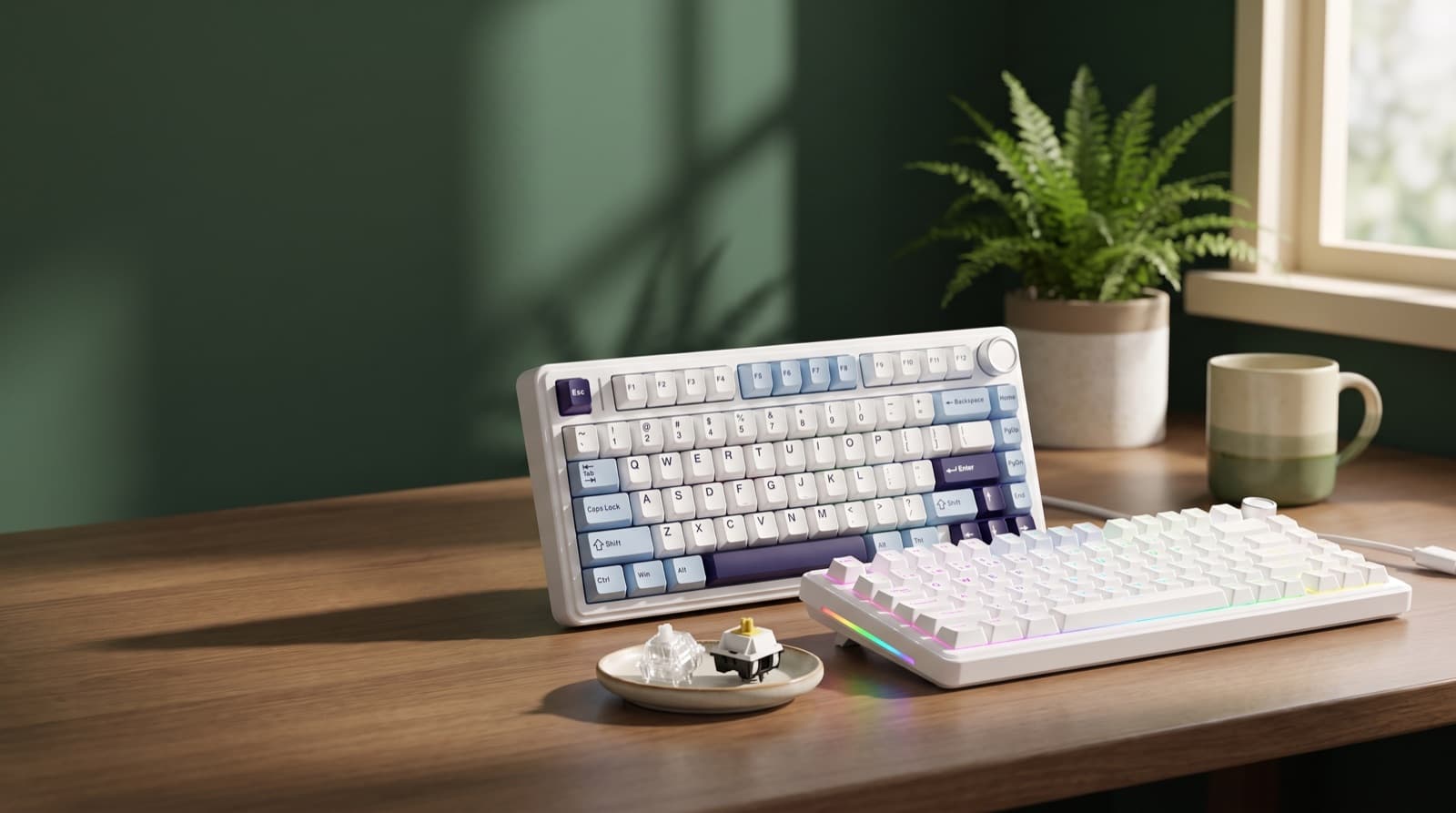
The quietest office switches are silent linear switches. Silent tactile switches come next.
However, the quietest keyboard is not just the softest switch. The board must not boost bottom-out noise.
Key takeaways
- Silent linear switches are the safest office pick because they remove tactile bump noise and reduce repeated key chatter.
- Silent tactile switches, especially Akko V3 Penguin, suit writers who need feedback, but the muted bump is still more noticeable.
- A 75% keyboard is the practical office layout because it keeps function and navigation keys while saving desk width.
- EPOMAKER Silent Mechanical Keyboard Switches Set is the cleanest first upgrade if your current board is hot-swappable.
- HUO JI and RedThunder are budget compromises, not silence-first picks for shared calls or late-night typing.
| Option | Best for | Key spec | Price band |
|---|---|---|---|
| AULA F75 75% Wireless Mechanical Keyboard | Remote workers with clean desks | 75% wireless board | about $60-90 |
| DIERYA DK81E 75% Mechanical Gaming Keyboard | Budget small-desk users | 75% compact layout | about $35-60 |
| EPOMAKER Silent Mechanical Keyboard Switches Set - | Hot-swappable board owners | Silent switch set | about $15-35 |
| Akko V3 Penguin Tactile Silent Keyboard Switch | Writers who need feedback | Silent tactile, 4.7★ | about $15-30 |
| HUO JI Wired Gaming Keyboard with RGB | Ultra-budget wired buyers | Wired RGB board, 4.4★ | about $20-40 |
| RedThunder K10 Wired Gaming Keyboard and Mouse | Low-cost bundle buyers | Wired keyboard and mouse, 4.5★ | about $25-45 |
What mechanical keyboard switches are quietest for office use?
Silent linear switches are quietest for office use. Silent tactile switches are the next best choice.
Silent linear switches use dampening inside the switch. They also skip the tactile bump.
Because the key travel feels smooth, they make less repeat noise. That helps during long typing blocks.
Silent tactile switches use dampening too. They add a small bump that confirms each press.
However, that bump can add a soft tap. You may hear it in a shared room.
In our picks, buy by switch first. Then judge the keyboard.
If your board is hot-swappable, start with EPOMAKER Silent Mechanical Keyboard Switches Set. It targets the part you press all day.
Still, the board matters. Hollow cases, plates, desks, keycaps, stabilizers, and hard typing can add noise.
Many buyers miss this point. A silent switch cuts impact noise.
However, it cannot make a hollow case feel dense. It also cannot fix rattly large keys.
So, check your current board first. Does the layout already work for you?
Then check if it accepts 3-pin or 5-pin switches. If yes, EPOMAKER is the cleaner first move.
Silent switches also feel different. The dampening absorbs impact.
As a result, bottom-out can feel soft or a bit mushy. Some writers love that feel.
Others miss the crisp stop of normal switches.
For broader quiet keyboard picks, our related guide to the best quiet mechanical keyboard for home office calls focuses more on whole boards than switch swaps.
How we picked
We ranked these picks by real remote-work pain. First came repeat typing noise.
Then we weighed comfort, desk fit, price, and downside risk. Switch type came first.
Because every letter press uses a switch, it matters most. After that, we judged the case.
We also checked wired or wireless setup. Then we looked at 75% layout value.
We did not invent lab sound readings. Instead, we used public product claims and current retailer price bands.
We also used the ratings supplied for this article. Then we judged real office fit.
In July 2026, social demand still showed interest in the AULA F75 family. That helped confirm buyer interest.
For ergonomics, we checked neutral workstation guidance. OSHA says wrists should stay straight.
OSHA also says shoulders should relax and elbows should stay close. See its computer workstation keyboard guidance.
That matters because a quiet keyboard can still hurt your setup. It may push your mouse too far away.
OSHA also notes that keyboard and mouse distance can affect reach. See its computer workstation eTool.
For work-from-home desks, Time also supports separate keyboards and mice. This helps when you raise a laptop.
See Time's work-from-home ergonomics guide.
Our original take is simple. Swap switches before buying a new board when your layout works.
That is often the better money move.
Should you choose silent linear or silent tactile switches?
Choose silent linear switches for the lowest office noise. Choose silent tactile switches if feedback cuts mistakes.
Actuation point means where the keyboard registers a press. You feel it during key travel.
For all-day writers, quieter is not always better. More typos can mean more finger strain.
Silent linears feel smooth from top to bottom. So, they cut bump noise.
They also feel calmer during calls. However, they give less feedback.
Silent tactiles add a small bump. That helps some writers keep rhythm.
In our experience, that bump helps with long drafts. It also helps with edits and notes.
However, it can sound louder than silent linear switches in a shared room.
Akko V3 Penguin Tactile Silent Keyboard Switch is the tactile pick here. Its 4.7-star data is strongest here.
More important, it solves a real writing problem. You get key confirmation without a clicky switch.
That said, silent tactile does not mean soundless. The bump can still make a muted tick.
If someone sleeps nearby, choose silent linear first. It is the safer quiet setup.
The buyer question is simple. Do you type lighter when you feel a bump?
If yes, Akko V3 Penguin may be quieter in use. You may bottom out less.
If no, the bump adds sound you do not need.
For office call buyers, compare this logic with our quiet mechanical keyboard for office calls guide, which focuses on meeting-room noise.
Is a 75% keyboard the best layout for quiet office work?
A 75% keyboard is usually best for clean office desks. It keeps useful keys.
75% layout means a compact board with function and navigation keys. It removes the numpad.
It also tightens the spacing. That saves desk width.
So, it fits better beside a mouse. It also fits near notebooks, laptop stands, and desk mats.
That makes AULA F75 75% Wireless Mechanical Keyboard a natural remote-desk fit. DIERYA DK81E 75% Mechanical Gaming Keyboard fits too.
In our comparison, 75% is the office sweet spot. It keeps F1-F12, arrows, and common navigation keys.
However, it is not ideal for heavy spreadsheet users. Daily number entry needs a numpad.
If you use one each day, compact boards may slow you down.
Desk width affects sound more than people expect. A full-size board can push your mouse out.
As a result, your shoulder reaches more. You may type harder with more tension.
A compact board can bring both hands closer to center.
For example, a 75% board on a large mat often sounds quieter. The same switches sound harsher on bare wood.
The mat absorbs some vibration. It also keeps the board from sliding.
However, do not buy 75% only for looks. Accounting, tax sheets, and number entry need speed.
In that case, quietness is not the only metric.
Which quiet mechanical keyboard is best for remote workers?
The AULA F75 is the best fit for most remote workers here. It pairs 75% layout with wireless use.
It also saves desk width. That helps with mouse placement.
Wireless mechanical keyboard means the board connects without a fixed cable. It may use a receiver or wireless mode.
That helps a home office look cleaner. It pairs well with a laptop stand, monitor, and mat.
In July 2026, the AULA F75 Pro family still showed social demand. That supports its creator and student appeal.
However, confirm the current switch option before buying. Also check the live price.
Wireless boards add battery and connection variables. They are not ideal if you want one fixed cable.
AULA F75 75% Wireless Mechanical Keyboard
AULA F75 75% Wireless Mechanical Keyboard is the best whole-board pick here. It suits calls, writing, and daily work.
It is best for remote workers and creators. It also suits small desks that need the function row.
In our research, the F75 family keeps appearing. It hits a useful middle.
It is smaller than full-size. It is more practical than tiny compact boards.
It also feels easier to live with than bare-bones budget boards. The usual price band is about $60-90.
However, confirm the current switch option and live price before buying.
The honest downside is wireless complexity. Battery level, sleep behavior, and connection mode can matter.
It is not for people who want one USB cable and no settings.
If you want more board-level comparisons, see our dB-tested quiet mechanical keyboards for office guide.
Which quiet keyboard is best for budget buyers?
DIERYA DK81E is the budget-friendly 75% pick. Choose it when layout comes before silence.
Budget mechanical keyboard means it keeps the core mechanical feel. It saves money through simpler parts.
That can mean basic dampening. It can also mean less refined stabilizers.
DIERYA DK81E 75% Mechanical Gaming Keyboard fits budget remote workers. It also suits students and small desks.
It gives function-row utility without a higher-end office price. However, treat it as a practical entry point.
It is not the quietest board outright. Budget boards can have more ping.
They may also have more stabilizer noise. Stock switches may sound sharper too.
So, the value depends on your expectations. If price matters most, DK81E makes sense.
If calls matter most, switch and stabilizer quality matter more.
DIERYA DK81E 75% Mechanical Gaming Keyboard
DIERYA DK81E 75% Mechanical Gaming Keyboard is the best budget 75% option here. It suits budget remote workers.
It also works for students and apartment desks. A full-size board can eat too much mouse space.
The main reason to consider it is layout value. You get the 75% format.
It keeps work keys close while saving desk width. In practice, that can help posture.
Because your mouse sits closer, your shoulder reaches less. Price often sits around $35-60.
However, check the current retailer page before naming a dollar amount.
The downside is acoustic refinement. Budget gaming boards can have more case ping.
Stock-switch noise may also stand out. It is not for the quietest shared-office setup.
When should you buy switches instead of a new keyboard?
Buy switches if your current board is hot-swappable. Keep it if the layout works.
Hot-swappable keyboard means you can pull switches out. You can install compatible replacements without soldering.
EPOMAKER Silent Mechanical Keyboard Switches Set is the most direct quieting move here. It targets each noisy key switch.
Before buying, confirm 3-pin or 5-pin support. Also check if the socket accepts the switch style.
Switch replacement can cost less than a new keyboard. That helps if your case and layout already work.
It also helps if you like your keycaps and wireless setup. However, switch swaps do not fix everything.
They will not fix loud stabilizers. They also will not fix hollow cases or thin keycaps.
If your spacebar rattles, new letter switches will not solve that part.
EPOMAKER Silent Mechanical Keyboard Switches Set -
EPOMAKER Silent Mechanical Keyboard Switches Set - is the best switch-first upgrade here. It suits hot-swappable board owners.
It is best for remote workers who like their layout. It lowers repeat typing noise.
From our research, this is the most logical first buy. That assumes compatibility checks out.
You are not paying for a new case. You are not paying for new keycaps.
Instead, you replace the repeated sound source under each key. Expect about $15-35.
That range depends on pack size and sale timing.
The downside is simple. Switches are not magic.
Loud stabilizers and hollow cases can still dominate the sound. Dampened switches can also feel softer.
This is why switch-first logic beats impulse board buying. Do you need a new keyboard?
Or do you need your current keyboard to stop sounding sharp?
Who should buy Akko V3 Penguin silent tactile switches?
Akko V3 Penguin is for typists who want quiet feedback. It keeps a tactile feel.
Silent tactile switch means the switch has internal dampening. It also has a small actuation bump.
It is the best switch pick here for writers. It also suits editors, students, and remote workers.
Choose it if silent linears feel too flat. The 4.7-star data supports it well.
In our comparison, Penguin is not the quietest path. Silent linears should still win on raw sound.
Instead, Penguin is the better typing-confidence path. The bump can help you press more lightly.
It can also cut corrections. That may make it better for all-day comfort.
However, it is not for the lowest possible sound. Shared bedrooms and late-night work need quieter picks.
Akko V3 Penguin Tactile Silent Keyboard Switch
Akko V3 Penguin Tactile Silent Keyboard Switch is the best silent tactile pick here. It suits writers.
It also suits editors, note-takers, and remote workers. Choose it for quiet feedback, not flat key travel.
The 4.7-star data gives it the strongest rating signal here. That matters with silent tactile switches.
They are easy to get wrong. Too much dampening feels dull.
Too much bump sounds louder. Akko V3 Penguin sits in the useful middle.
That middle suits people who type words all day.
The downside is simple. It is not the lowest-noise option.
If quiet calls matter most, choose silent linear switches first.
For instance, a novelist drafting 2,000 words may value the tactile cue more. A spreadsheet user may not.
Different work creates different noise.
Are budget gaming keyboards quiet enough for office use?
Budget gaming keyboards can work in a home office. Still, they are rarely the quietest choice.
Gaming keyboard means a keyboard built with gaming features. These may include RGB, wired use, shortcuts, or bundles.
HUO JI Wired Gaming Keyboard with RGB belongs in the value section. RedThunder K10 Wired Gaming Keyboard and Mouse does too.
They suit cost-conscious buyers. They are less ideal for shared offices, calls, or late-night typing.
The appeal is price and simplicity. Wired boards avoid battery worries.
Bundles can also solve a desk setup cheaply. However, RGB gaming boards often favor features over sound.
If quiet comes first, buy switches first. Or buy a better-damped board before chasing the lowest price.
HUO JI Wired Gaming Keyboard with RGB
HUO JI Wired Gaming Keyboard with RGB is the best ultra-budget wired fallback here. It suits cost-conscious buyers.
Choose it if you want a simple wired keyboard. You must accept more sound.
The 4.4-star data gives it a usable value signal. It does not prove silence.
In our comparison, I would put this on a secondary desk. It also fits a student setup.
It can work for an occasional workstation. The typical price band is about $20-40.
The downside is acoustic refinement. You may hear case ping, stabilizer rattle, or sharper key sound.
It is not for shared calls.
RedThunder K10 Wired Gaming Keyboard and Mouse
RedThunder K10 Wired Gaming Keyboard and Mouse is the best low-cost bundle here. It suits full desk setups.
The 4.5-star data is a value signal. It does not show quiet performance.
The price band often sits around $25-45. Sales and bundle version can change that.
Because it includes a mouse, it can help students. It also fits spare desks or first home offices.
The downside is that bundles rarely tune keyboard sound first. If you take video calls all day, skip it.
This is the compromise pick, not the refined one.
Who should not buy a silent mechanical keyboard?
Do not buy one if you expect total silence. Also skip it if you need a laptop-thin feel.
Bottom-out is when a key reaches the end of travel. That happens after you press it.
Silent switches cut impact noise. They do not remove all sound.
Keycaps, stabilizers, desk vibration, and heavy typing still matter. For shared offices, technique still matters too.
A desk mat can cut vibration. Lighter typing can cut bottom-out noise.
However, quieter switches often feel more dampened. That can bother some typists.
In our experience, the best office setup starts with switch-first buying. Then fix the board if needed.
If your board is hot-swappable, start with silent switches. If the case is hollow, replace the board.
If the stabilizers rattle, a new keyboard may also help more.
Silent mechanical keyboards are not for laptop-feel fans. Mechanical switches usually have more travel.
They also use taller key profiles. That can feel comfortable, but it changes wrist angle.
Because of that, check desk height before obsessing over sound. OSHA recommends straight wrists and relaxed shoulders.
A tall board on a high desk can bend your wrists up. That is bad ergonomics.
For example, a thick mechanical board may need a lower tray. You may also need chair height changes.
A desk mat can help sound. It cannot fix a bad wrist angle.
Scenario verdict
Get EPOMAKER Silent Mechanical Keyboard Switches Set - if your current keyboard is hot-swappable and the layout already works. This is the cleanest quieting move.
Get Akko V3 Penguin Tactile Silent Keyboard Switch if you write long documents and need feedback. It is the best silent tactile pick here.
Get AULA F75 75% Wireless Mechanical Keyboard if you want one compact wireless board for a cleaner home office.
Get DIERYA DK81E 75% Mechanical Gaming Keyboard if you want a 75% layout on a tighter budget and can accept more noise.
Get HUO JI Wired Gaming Keyboard with RGB if price and wired reliability matter more than quiet refinement.
Get RedThunder K10 Wired Gaming Keyboard and Mouse if you need a low-cost keyboard-and-mouse bundle, not the quietest board.
FAQ
Are silent tactile switches quieter than silent linear switches?
Usually no. Silent linears are normally quieter because they have no tactile bump. Silent tactiles give better typing feedback, but the bump can add a muted sound.
Are Akko V3 Penguin switches good for office use?
Yes. Akko V3 Penguin switches are the best silent tactile pick here for writers who want feedback without clicky noise. They are not the quietest possible switch type.
Can I make my current keyboard quieter with switches?
Yes, if it is hot-swappable and compatible with the switch pins. EPOMAKER Silent Mechanical Keyboard Switches Set is the direct upgrade path in this list.
Is a 75% keyboard good for work?
Yes, unless you need a numpad every day. A 75% keyboard keeps function and navigation keys while saving enough desk space for a closer mouse position.
Are gaming keyboards too loud for office use?
Some are. HUO JI and RedThunder should be treated as budget value picks, not silence-first recommendations for shared calls or late-night typing.
Written by Evan Park for Nestway. About our editorial team · Contact us. Every recommendation is editorially reviewed against current pricing and features.