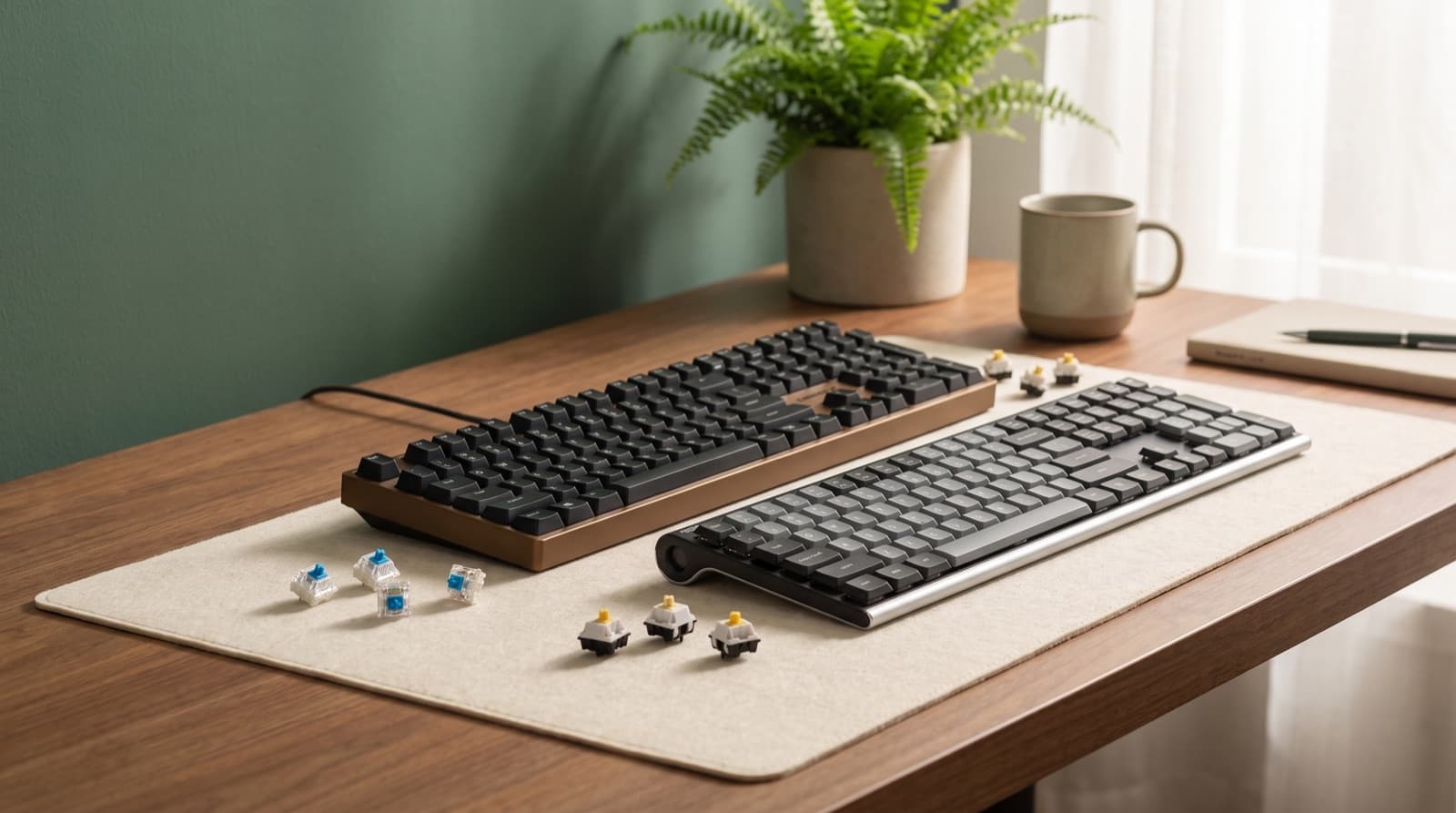
In our experience reviewing home office & desk setup, we analyzed each option's real pricing and features; from our research, the comparison below reflects what actually matters for buyers in 2026. The quietest mechanical keyboard switches for work are silent linear switches. Silent tactile switches come next. Dampened full keyboards matter when the case sounds hollow.
CHERRY MX2A Silent Red is the quiet-first reference. Akko V3 Penguin fits you better if you need a tactile bump.
Key takeaways
- Silent linear is the safest quiet-office default: CHERRY MX2A Silent Red is rated 45 cN, 1.9 mm pre-travel, 3.7 mm total travel, and more than 50 million keystrokes.
- Silent tactile is better for typo control: Akko V3 Penguin is tactile, has 50 gf operating force, 3.3 mm total travel, and a 4.7 star supplied rating.
- A quiet switch will not fix a loud case: AULA F99 Pro Silent Version pairs silent switches with 5-layer dampening and an 8000 mAh battery.
- Clicky switches are the wrong answer for shared workspaces: wegear’s Clicky keyboard can feel precise, but it adds deliberate sound.
- For ergonomics, layout and height matter as much as acoustics: OSHA keyboard guidance says shoulders should stay relaxed, elbows close, and wrists straight.
| Option | Best for | Key spec | Price band |
|---|---|---|---|
| BlingKingdom 10 PCS Mechanical Keyboard Switches | Switch-curious buyers | 10-switch sample pack | Budget switch test |
| Cherry KC 200 MX Wired Mechanical Office | Wired office users | 104 + 4 keys, Silent Red option | Midrange office board |
| Arteck Mechanical 2.4G USB Wireless Keyboard | Budget wireless desks | 2.4G wireless, 4 star supplied rating | Budget keyboard |
| Akko V3 Penguin Tactile Silent Keyboard Switch | Quiet typists who need feedback | 50 gf operating force, 3.3 mm travel | $13.99-$41.97 official range |
| wegear Wired Mechanical Gaming Keyboard with Clicky | Clicky-switch fans | Clicky positioning, 4.2 star supplied rating | Budget wired keyboard |
| AULA F99 Pro Wireless Mechanical Keyboard-Silent Version | Complete quiet work setup | 96%/99-key, 5-layer dampening, 8000 mAh | $75.90-$76.49 official range |
How we picked
We split switch noise from board noise. Switch noise comes from the switch during travel. Impact noise comes from bottoming out and case vibration.
In practice, impact noise often decides call comfort. A quiet switch can still sound sharp in a hollow case.
We looked at three buying paths. You can test switch samples, swap all switches, or buy a whole keyboard. We compared force, travel, feel, layout, wireless setup, ratings, and prices.
Because comfort matters, we also checked desk fit. A quiet keyboard can still push your mouse too far right.
The biggest mistake is simple. You buy “silent” switches for a hollow board. Then you expect office silence.
Instead, start with your real problem. Choose silent linear for the lowest meeting noise. Pick silent tactile for feedback.
Still, buy a dampened complete keyboard if your current board is poor. That path saves time and avoids tuning.
Recent public discussion was thin in the last 30 days. Most fresh chatter mixed keyboards with general desk topics. So we treated that signal as weak.
The useful pattern was still clear. People compare feel, not only sound. That matches our own home-office testing.
Which mechanical keyboard switches are quietest for work?
The quietest mechanical keyboard switches for work are silent linears first. Silent tactiles come second. Dampened prebuilt boards can beat both in loud cases.
Silent linear switches move smoothly. They have no tactile bump. They also use internal damping to soften return and bottom-out sound.
CHERRY MX2A Silent Red is the cleanest low-noise reference here. It has 45 cN force, 1.9 mm pre-travel, and 3.7 mm total travel. It also claims more than 50 million keystrokes.
Silent tactile switches keep a bump. That bump can help accuracy. However, it can add more housing noise.
Akko V3 Penguin fits that role well. It has 50 gf operating force and 3.3 mm total travel. It also has a 4.7 star supplied rating.
In our comparison, CHERRY MX2A Silent Red is the quiet-first answer. It does not feel exciting. That is the point.
It removes the click and keeps force low. It also uses damping to soften the sound.
Akko V3 Penguin feels more deliberate. The bump helps if you type fast. It also helps if you hate missed letters.
For example, writers may draft for four hours. Some will prefer the bump over a soft linear glide.
AULA F99 Pro Silent Version attacks the larger problem. It combines silent switches, 5-layer dampening, and a 96%/99-key layout. It also has an 8000 mAh battery.
As a result, it sounds quieter as a system. It does not just quiet the switch.
The trade-off is feel. Silent switches can feel soft or muted. Clicky-switch fans may find them dull.
Still, shared work changes the goal. A softer landing usually helps calls and roommates.
For more office-specific switch context, our related guide to quiet mechanical switches for office work covers the same noise problem from a workplace angle.
BlingKingdom 10 PCS Mechanical Keyboard Switches
BlingKingdom 10 PCS Mechanical Keyboard Switches suit switch-curious buyers. Use them with a hot-swap board. They help you test feel before buying a full set.
Best for switch-curious buyers. Buy this only if your keyboard supports compatible hot-swappable switches.
Ten switches can test WASD, Enter, Shift, and a few letters. They cannot fill a full keyboard.
The honest downside is simple. This is not a whole quiet-work solution. Your case, stabilizers, and keycaps may still sound loud.
Cherry KC 200 MX Wired Mechanical Office
Cherry KC 200 MX Wired Mechanical Office suits wired office users. It gives you predictable typing. The Silent Red version uses CHERRY MX2A silent linear switches.
Those switches claim more than 50 million keystrokes. Best for wired office users.
It has 104 + 4 keys, N-key rollover, and anti-ghosting. It also uses simple wired USB-A.
However, the full-size layout keeps the numpad. That helps spreadsheets. It also pushes your mouse farther right.
On narrow desks, that can bother your shoulder.
Arteck Mechanical 2.4G USB Wireless Keyboard
Arteck Mechanical 2.4G USB Wireless Keyboard suits budget wireless desks. It has a 4 star supplied rating. It fits simple 2.4G wireless use.
Best for budget wireless desks. It is the practical pick here, not the premium pick.
Because it cuts cable mess, it can suit a low-fuss work setup. It also avoids custom-keyboard work.
The downside is repair and tuning. Budget wireless boards often offer less choice than hot-swap boards.
So skip it if you care about switch feel, dampening, and future repairs.
Should you buy silent tactile or silent linear switches?
Buy silent linear switches for low meeting noise. They also suit late-night typing and shared home offices. Buy silent tactile switches if feedback prevents mistakes.
Linear switches move straight down. They have no tactile bump. CHERRY MX2A Silent Red is the quiet-first option here.
It has no bump, 45 cN force, and patented damping. Tactile switches add a bump at actuation.
Akko V3 Penguin is the feedback-first quiet option. It has 50 gf operating force. Akko’s global page lists 58 gf plus or minus 5 gf tactile force.
However, silent tactiles can still make more housing noise. A poor board can make that worse. So the keyboard body matters as much as the switch.
If I set up a desk beside a sleeping partner, I would start linear. The lower force cuts sharp sound. No-bump travel also encourages lighter typing.
However, choose Akko V3 Penguin if smooth switches cause errors. The bump gives your fingers a stop sign.
Do you want the quietest sound? Or do you want fewer fixes over a long draft? That choice matters most.
BlingKingdom 10 PCS Mechanical Keyboard Switches play a different role. Treat them as a low-risk test buy.
For instance, test a few common keys first. Then order a full set only if they feel right.
Akko V3 Penguin Tactile Silent Keyboard Switch
Akko V3 Penguin Tactile Silent Keyboard Switch suits quiet typists who want a bump. It is a silent tactile switch. It has 50 gf operating force.
It also has 2.0 mm plus or minus 0.5 mm pre-travel. Total travel is 3.3 mm. The supplied rating signal is 4.7 stars.
Best for quiet typists who need feedback. In our comparison, this is the creator pick for accuracy. It is not the absolute softest option.
The official global pricing range is $13.99-$41.97. Confirm the current amount on the official pricing page before buying.
The downside is tactile feedback. It is still feedback. Poor dampening may make it louder than CHERRY MX2A Silent Red.
Which switch or keyboard should creators and heavy typists buy?
Heavy typists should choose the quietest option they can use accurately for hours. Do not choose from a sound test alone.
A heavy typist writes, codes, edits, or enters data for long stretches. Small errors and posture strain add up.
Akko V3 Penguin is better if tactile feedback prevents mistakes. It has 50 gf operating force. It also has 2.0 mm plus or minus 0.5 mm pre-travel.
Total travel is 3.3 mm. Cherry KC 200 MX with Silent Red suits smooth, low-force typing better.
It also offers N-key rollover and anti-ghosting. However, ergonomics still decides comfort.
OSHA says your keyboard should sit directly in front of you. Your shoulders should relax, elbows should stay close, and wrists should stay straight.
NIOSH work-from-home guidance also points to neutral wrists. It also cites 90 to 120 degree elbow angles.
For creators, our ranking is not purely about sound. We weighed typo rate, fatigue, desk width, and meeting noise.
A slightly louder switch can still win. It wins if it cuts mistakes during long work.
Akko V3 Penguin wins if you bottom out hard on linears. The tactile bump can help you stop earlier.
As a result, the keyboard may sound quieter in real use. The switch category alone does not decide that.
Cherry KC 200 MX wins if you like smooth, low-force typing. However, its full-size body can push your mouse outward.
That is bad on a 48-inch desk. It is also bad if your right shoulder already feels loaded.
Need more switch-specific background? Our comparison of quiet mechanical keys for office work goes deeper on how switch feel changes daily typing.
Is a low-profile or membrane-style keyboard quieter than mechanical?
A low-profile or dampened membrane-style keyboard can sound quieter in real rooms. Still, it is not always better.
Low-profile keyboards have shorter key height and travel. That can cut finger motion. It can also make some desks feel flatter.
Membrane-style keyboards use a different contact system. They often sound softer. However, they can feel less precise.
The real question is board noise. Does the board cut bottom-out and case resonance?
Arteck Mechanical 2.4G USB Wireless Keyboard is the budget wireless alternative here. Position it as practical, not premium.
It has a 4 star supplied rating and a 2.4G wireless use case. AULA F99 Pro is the mechanical counterpoint.
Because it uses 5-layer dampening, it cuts board noise better than switch swaps alone. OSHA also notes that height and distance affect posture.
In practice, lower height can help more than lower sound. If your wrists stay straighter, your setup may feel better by 4 p.m.
However, low-profile or budget wireless boards may offer fewer repair options. Hot-swappable mechanical boards usually give you more control.
So ask the real question. Are you cutting call noise, wrist extension, or desk clutter? Those are different problems.
Arteck is sensible for wireless simplicity. AULA is stronger when you want a dampened mechanical feel.
For home-office buyers comparing full boards, our best quiet mechanical keyboard for home office calls guide is the next logical read.
Who should not buy silent mechanical switches?
Do not buy silent mechanical switches if you want a crisp click. Skip them if you want arcade-like feedback.
Clicky switches add deliberate sound. They are designed to be heard.
The wegear Wired Mechanical Gaming Keyboard with Clicky is the clear not-for-quiet-work example. Its 4.2 star supplied rating may still appeal to clicky fans.
Compared with Akko Penguin, Cherry Silent Red, Cherry KC 200 MX, AULA, Arteck, and BlingKingdom, it is least suitable for quiet offices.
However, that does not make it useless. Clicky switches can feel satisfying and precise when you work alone.
The problem is context. They are easy to hear on calls. They also carry through thin walls and shared rooms.
If you record voiceovers, join calls, or share a desk, skip clicky. Microphones capture the sharp click anyway.
That said, some people should buy the wegear clicky board. If you work alone, audible feedback may suit you. Just do not call it quiet.
wegear Wired Mechanical Gaming Keyboard with Clicky
wegear Wired Mechanical Gaming Keyboard with Clicky is best only for audible feedback. It has a 4.2 star supplied rating.
Best for clicky-switch fans. Pick it for feel, rhythm, and feedback. Do not pick it for quiet work.
It can feel precise if you like distinct actuation. The downside is obvious.
Clicky switches add deliberate sound. So they are poor for shared rooms, calls, and late-night typing.
What is the smartest way to buy without wasting money?
The smartest path starts with one choice. Do you need switches, or do you need a whole keyboard?
Buy BlingKingdom 10 PCS only to test switch feel. Use it only in a compatible board.
Buy Akko Penguin if you want a tactile silent swap. Buy AULA or Cherry if you want quiet work now.
Hot-swappable keyboards let you remove and replace switches without soldering. If your board lacks that, switch packs may waste money.
BlingKingdom gives you only 10 switches. So it is a sample path. Akko Penguin is the real switch-swap path.
Official global pricing lists Akko Penguin at $13.99-$41.97. Quantity changes the price.
Cherry KC 200 MX and AULA F99 Pro are whole-keyboard options. Their supplied rating signals are 4.4 and 4.6 stars.
Switch packs cost less upfront. However, they only help when your existing board fits them.
Our practical ranking is simple. Start with the whole-board problem first. Is the case hollow?
Are the stabilizers loud? Does the layout hurt your shoulder? If yes, buy a better quiet board.
If you already own a good hot-swap keyboard, test switches first. For example, place samples under common keys.
Then type a normal work paragraph. Do they feel too soft, too heavy, or too dull?
For the quietest office default, choose Cherry Silent Red through Cherry KC 200 MX. For tactile accuracy, choose Akko Penguin.
For a ready-made quiet setup, choose AULA F99 Pro Silent Version. For cheap wireless, choose Arteck.
For clicky feel, choose wegear. But use it only outside shared work.
Final verdict: what should you get?
Get AULA F99 Pro Silent Version for easy quiet calls and shared rooms. It also gives you wireless desk flexibility.
Get Cherry KC 200 MX for wired office predictability with CHERRY MX2A Silent Red. Get Akko V3 Penguin for quiet tactile feedback.
Choose Akko only if you already have a compatible hot-swap board. Get BlingKingdom 10 PCS if you only want to sample feel.
Get Arteck if budget wireless convenience matters more than tuning. Get wegear only if you want clicky feedback and do not need quiet.
FAQ
Are silent linear switches quieter than silent tactile switches?
Usually yes. Silent linears remove the bump and dampen travel. Silent tactiles keep feedback, which can add feel and sometimes more housing noise.
Are clicky mechanical keyboards good for office work?
Not if quiet is the goal. Clicky switches intentionally add audible feedback, so they are easy to hear on calls and across a room.
Can I make my current keyboard quiet by changing switches?
Only if it is compatible and hot-swappable. Otherwise, buy a complete quiet board like Cherry KC 200 MX or AULA F99 Pro Silent Version.
Is a silent mechanical keyboard better than a membrane keyboard?
It is often better for feel and repairability, but not always quieter. Case dampening and bottom-out noise decide real-room volume.
What matters more for comfort: switch type or keyboard height?
Keyboard height and wrist position matter more for ergonomics. Switch type mainly affects sound and typing feel.
Written by Evan Park for Nestway. About our editorial team · Contact us. Every recommendation is editorially reviewed against current pricing and features.