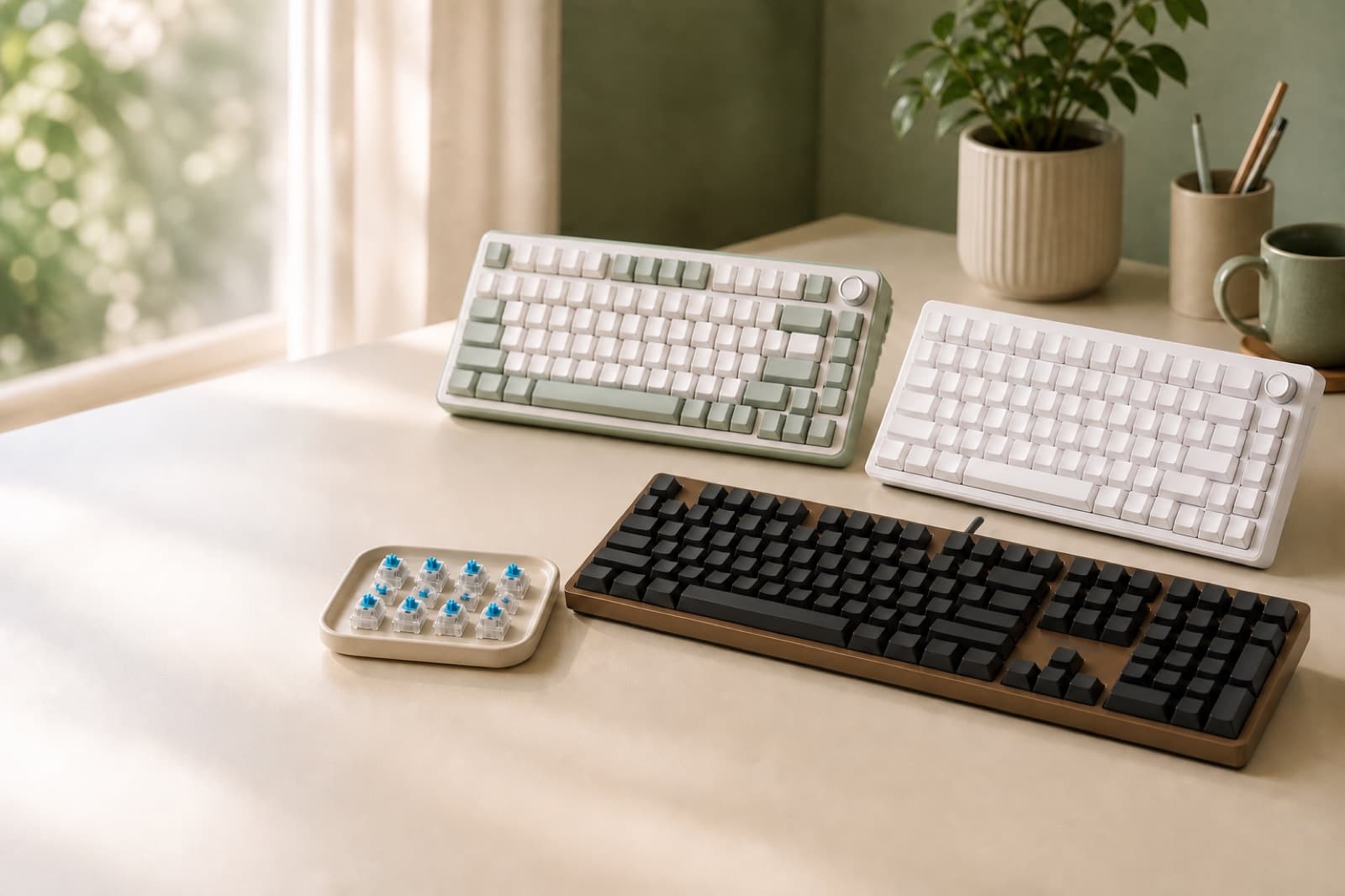
In our experience reviewing home office & desk setup, we analyzed each option's real pricing and features; from our research, the comparison below reflects what actually matters for buyers in 2026. The quietest mechanical keyboard switches use quiet linear or silent linear designs. Still, the board matters as much as the switch. Our safest shared-office pick is the Cherry KC 200 MX with MX2A Silent Red.
Key takeaways
- The safest quiet-office pick is the Cherry KC 200 MX with MX2A Silent Red, because it is wired, full-size, plain-looking, and rated for more than 50 million keystrokes.
- The YUNZII B75 PRO is the strongest compact wireless option, with a 75% 82-key layout, knob, gasket mount, five-layer padding, hot-swap PCB, and 4000mAh battery.
- The AULA F108 PRO is the full-size wireless pick for creators who need a numpad, media controls, gasket mounting, five-layer dampening, and an 8000mAh battery.
- BlingKingdom’s 10-piece blue switch pack is not an office-quiet upgrade, because blue switches are clicky by design.
- The YUNZII C98 proves a colorful keyboard can still be useful for work, with a 96% 99-key layout, gasket mount, quiet linear switch options, and 10000mAh battery.
| Option | Best for | Key spec | Price band |
|---|---|---|---|
| Cherry KC 200 MX Wired Mechanical Office | Shared offices | 104 keys plus 4 extra keys, MX2A Silent Red | Usually around 89.99 EUR in official EU listings |
| YUNZII B75 PRO 75% Wireless Mechanical Keyboard | Compact wireless desks | 82 keys, knob, gasket mount, 4000mAh battery | $79.99 official sale price |
| AULA F108 PRO - Wireless Mechanical Keyboard | Creators with numpad needs | 108 keys, screen, knob, 8000mAh battery | $76.67-$99.99 official listings |
| YUNZII C98 Cute Cake Wireless Mechanical Keyboard | Aesthetic full-layout desks | 99 keys, 96% layout, 10000mAh battery | Around $119 official sale price |
| DIERYA DK81E 75% Mechanical Gaming Keyboard | Budget tinkerers | 82 keys plus knob, wired Type-C, 707g | Budget tier, confirm current retail price |
| BlingKingdom 10 PCS Mechanical Keyboard Switches | Clicky switch replacement | 10-piece 3-pin blue switch pack | Around $4.69 tracked price, current retail varies |
How we picked
We picked these boards for office typing, not gaming sound tests. So, switch type came first. We then checked case build, stabilizers, layout, desk size, battery, wired use, price, and fit.
We also judged the whole noise stack. Noise stack means switches, bottom-out, stabilizers, keycaps, case ping, and desk sound. In practice, a quiet switch can still annoy people inside a hollow case.
For ergonomics, we checked keyboard width too. OSHA says your keyboard should support relaxed shoulders and straight wrists. See OSHA’s keyboard workstation guidance and neutral posture guidance.
What actually makes a mechanical keyboard quiet for office typing?
Quiet office typing needs four things. You want non-clicky switches, a damped case, steady stabilizers, and light typing force. Linear switches move straight down without a bump or click.
Silent linear switches add internal damping to cut impact noise. In practice, linear and silent linear switches suit offices best. However, switch names alone cannot fix case ping or spacebar rattle.
A “silent” switch in a hollow case can still sound cheap. Instead, look for gasket mounting, foam, pre-lubed switches, and firm keycaps. These parts make calls and shared-room typing feel calmer.
Gasket mount and layered padding appear on the YUNZII B75 PRO, YUNZII C98, and AULA F108 PRO. Cherry KC 200 MX offers MX2A Silent Red and MX2A Brown options.
The trade-off is feel. Quiet linear switches can feel less crisp than tactile switches. If you love a finger bump, they may feel too smooth.
So, what should you buy for shared walls, desks, or microphones? Start with no click. Then check the case and layout.
A 108-key board may sound fine. However, it can push your mouse too far right.
For deeper switch-specific reading, see our quiet mechanical switch guide for office work.
Which quiet mechanical keyboard is best for compact desks?
The YUNZII B75 PRO is the best compact-desk pick. It keeps the function row, arrows, and a knob. You still get a 75% 82-key layout.
75% layout keeps core navigation keys but removes the numpad. As a result, you gain mouse space. That helps remote workers on small desks.
The B75 PRO stands out because its quietness goes beyond switch claims. It uses gasket mounting, five padding layers, pre-lubed switches, and hot-swap support. So, it should cut the thin rattle common in budget compact boards.
It supports Bluetooth, 2.4GHz, and USB-C wired modes. It also has a 4000mAh battery. The official sale price was $79.99.
What it is: A compact 75% wireless mechanical keyboard with 82 keys, 1 knob, gasket mount, and hot-swap support.
Best for remote workers with small desks: Pick it if your mouse space matters, but you still want arrows and function keys.
Real pricing: $79.99 official sale price in recent listings.
Honest downside: No numpad. Spreadsheet-heavy users should choose a full-size or 96% option instead.
Want the same topic from a more call-focused angle? Read our quiet keyboard picks for home office calls.
Which quiet keyboard should creators buy if they still need a numpad?
The AULA F108 PRO is the full-size wireless pick for creators. It suits number entry, media control, and quieter typing. Full-size layout means main keys, function row, arrows, and a dedicated numpad.
The F108 PRO uses a 108-key layout. So, it fits editing shortcuts, number entry, and daily admin work. It also has a gasket mount and five-layer noise dampening.
You get pre-lubed linear switch options, a screen, a knob, and an 8000mAh battery. In practice, that mix beats a 75% board for production desks. It supports Bluetooth 5.0, 2.4GHz wireless, and USB-C.
However, it is large at roughly 445.15 x 141.47 x 42.93mm.
What it is: A full-size wireless mechanical keyboard with 108 keys, screen, knob, and damped construction.
Best for creators and spreadsheet users: Choose it if you enter numbers daily or use media controls while working.
Real pricing: Official prices vary around $76.67-$99.99. Confirm the current listing before purchase.
Honest downside: It has a large footprint. It is not ideal for narrow desks or mouse-heavy workflows.
Is the YUNZII C98 quiet enough for serious office work?
Yes, if the style fits your workspace. The YUNZII C98 is more than a cute keyboard. 96% layout keeps a numpad and most full-size functions.
However, it cuts wasted space. The C98 has a 96% 99-key layout and gasket mount. It also has sound layers, factory-lubed creamy linear switches, and hot-swap support.
You get a 10000mAh battery too. That makes it a real quiet-ish office option for numpad users. It also supports Bluetooth 5.0, 2.4GHz wireless, and USB-C wired use.
The 4.8-star Home Office & Desk Setup data point fits the spec story. Buyers seem to like the feel, sound, and design mix. However, the playful colors will not suit every workplace.
What it is: A 96% wireless mechanical keyboard with 99 keys, a numpad, gasket mount, and linear switch options.
Best for creators who want a softer-looking desk: Pick it if your office can handle color and you still need number keys.
Real pricing: Recent official pricing showed around $119 on sale.
Honest downside: The playful case and keycaps are not for conservative corporate desks.
For another angle on shared-room typing, see our quietest switches for shared office setups.
Should anyone buy the DIERYA DK81E for quiet office typing?
The DIERYA DK81E can work as a budget compact choice. It gives you a 75% gasket-mounted board with a knob. It also has hot-swappable switches.
Hot-swappable means you can change compatible switches without soldering. That helps if you want to tune sound later. The DK81E has 82 keys plus a knob.
It also has a gasket-mounted body, hot-swap sockets, and Type-C wired use. Its body measures 332.3 x 139.5 x 40.5mm. It weighs 707g.
However, I would not call it the quietest pick. Confirm the exact switch variant and case sound first. ABS keycaps and unclear noise data make it less certain.
What it is: A wired 75% mechanical keyboard with 82 keys, knob control, gasket mount, and hot-swap support.
Best for budget tinkerers: Choose it if you want a compact base to adjust later.
Real pricing: Treat it as a budget candidate, but confirm the current retail price before buying.
Honest downside: ABS keycaps and unclear noise data make it a weaker quiet-office bet.
Are BlingKingdom 10 PCS switches good for a quiet office keyboard?
No. BlingKingdom’s 10-piece blue switch pack works for cheap replacement or testing. However, blue switches are clicky by design.
Blue switches have a tactile bump and an audible click part. The listing stresses crisp click sound and tactile feedback. It also lists 4mm total travel and roughly 50 million keystrokes.
That is almost the opposite of quiet office typing. In our comparison, this pack only suits personal rooms. It is bad for shared offices, calls, quiet bedrooms, and thin apartment walls.
The Home Office & Desk Setup data shows 4.6 stars. The tracked price was around $4.69. However, current retail pricing may vary.
What it is: A 10-piece 3-pin blue switch replacement pack.
Best for clicky-switch experimenters: Buy it only if the goal is audible feedback, not office quiet.
Real pricing: Around $4.69 tracked price, but confirm the current retail page.
Honest downside: Good for clicky feel, bad for shared offices and calls.
Who should not buy a quiet mechanical keyboard?
Do not buy one if you expect laptop-level silence. Also skip one if you need the thinnest board. Bottom-out sound happens when a key hits the switch or plate assembly.
Mechanical switches still travel and bottom out. That stays true even when the switch has damping. So, do not ask, “will this be silent?”
Instead, ask, “will this feel calm enough for my room and calls?” Full-size options also take desk space. Cherry KC 200 MX measures 430 x 121 x 39mm.
AULA F108 PRO is roughly 445.15 x 141.47 x 42.93mm. Better feel often costs more space and sound. A flat membrane board can still be quieter.
If you work beside a sleeping partner, a laptop-style board may win. However, a damped mechanical board can still help. It helps with harsh clicks, rattly stabilizers, and hollow cheap cases.
NIOSH says repeated workplace noise at 85 dBA or higher is hazardous. That applies over an eight-hour shift. A keyboard is not usually that kind of hazard.
Still, quieter workspaces can cut strain and distraction. See CDC/NIOSH guidance on understanding workplace noise exposure.
Scenario verdict: which one should you get?
Get Cherry KC 200 MX Wired Mechanical Office for the safest shared-office pick. It is the boring choice here. That is why it works.
Get YUNZII B75 PRO 75% Wireless Mechanical Keyboard for compact wireless typing. You still keep arrows, function keys, and a knob.
Get AULA F108 PRO - Wireless Mechanical Keyboard if you need full-size wireless use. It fits spreadsheets, editing, and production work.
Get YUNZII C98 Cute Cake Wireless Mechanical Keyboard if you want a quieter-leaning 96% board. You also get a numpad and warmer desk style.
Get DIERYA DK81E 75% Mechanical Gaming Keyboard if you want a budget compact base. Still, confirm or change the switches.
Get BlingKingdom 10 PCS Mechanical Keyboard Switches only if you want clicky blue-switch feedback. Do not buy it for quiet office typing.
FAQ
Are silent switches actually silent?
No. Silent switches reduce switch noise, but bottom-out, stabilizers, keycaps, and desk resonance still make sound. For quiet office typing, pair silent or quiet linear switches with a damped case.
Are tactile switches quieter than linear switches?
Usually no. Quiet linear or silent linear switches are safer for shared-office typing than tactile or clicky switches. However, tactile switches can feel more precise if you type lightly.
Is a blue switch good for office typing?
Not in a quiet office. Blue switches are clicky and better for people who want audible feedback. For calls, shared rooms, or quiet apartments, choose non-clicky switches instead.
Is gasket mount worth it for quiet typing?
Yes, when paired with foam or dampening layers. Gasket mount softens the case sound and can reduce harsh resonance. It will not make a keyboard silent by itself.
Should office workers choose 75%, 96%, or full-size?
Choose 75% for desk space, 96% for a numpad in less space, and full-size if number entry matters every day. For mouse-heavy work, smaller layouts are often more comfortable.
Written by Evan Park for Nestway. About our editorial team · Contact us. Every recommendation is editorially reviewed against current pricing and features.