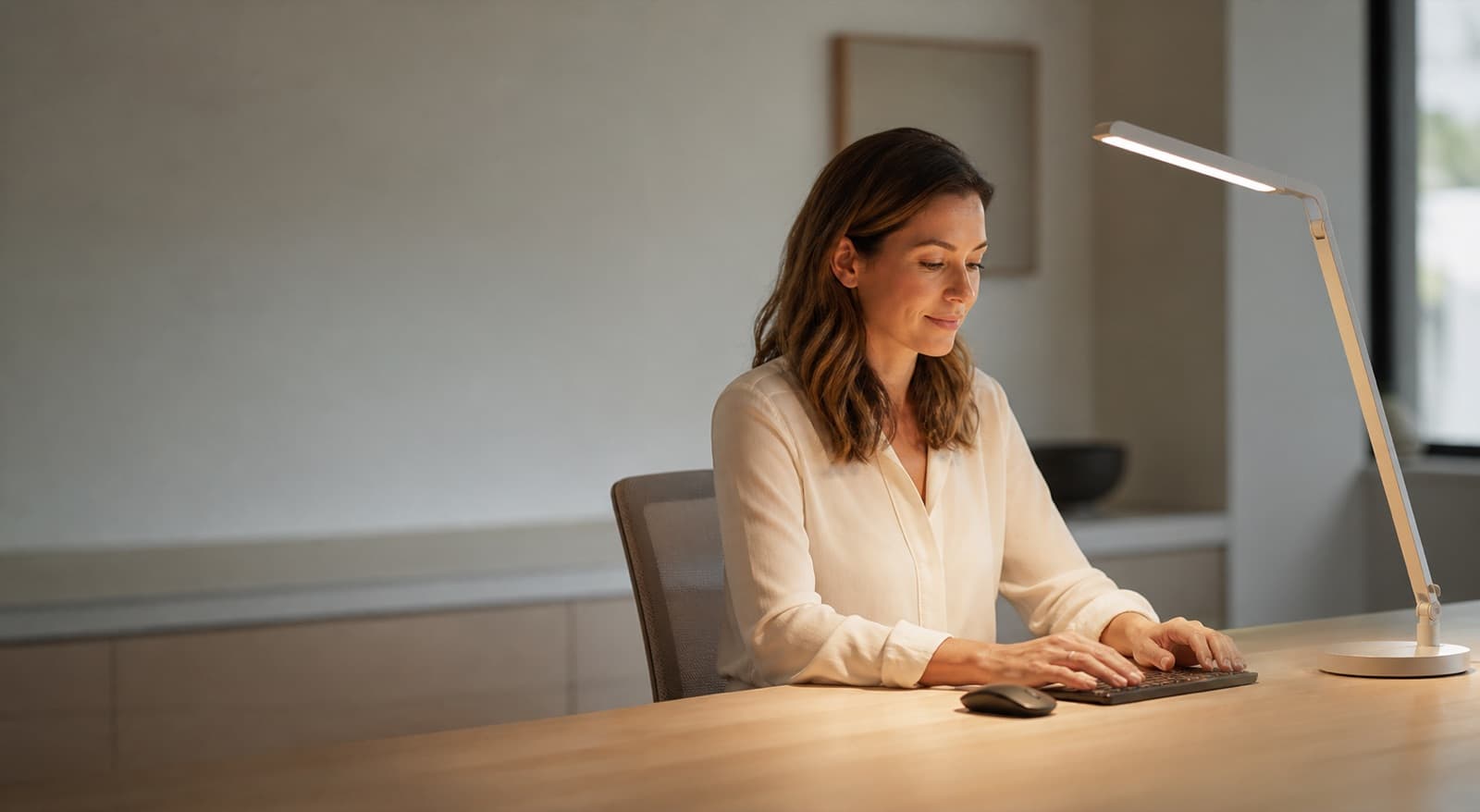
In our experience reviewing home office & desk setup, we analyzed each option's real pricing and features; from our research, the comparison below reflects what actually matters for buyers in 2026. Yes, an LED desk lamp can help with computer work. But it must cut glare and balance contrast. It should light your desk, not your screen.
Key takeaways
- A good LED desk lamp helps when it lights paper, keyboard, or desk zones without reflecting on the display.
- The target is balanced contrast, because a bright monitor in a dark room often feels worse than a modest lamp.
- Dimming, diffusion, beam direction, and low visible flicker matter more than "eye comfort" branding.
- For screen-only work, ambient room light often matters more than task light.
- RGB strips and exposed gaming LEDs are poor comfort buys unless they produce stable neutral white light.
| product name | Best for | Key spec | Price band |
|---|---|---|---|
| BenQ e-Reading LED Desk Lamp | Wide desks with paper and screen work | 35 inch wide illumination, adjustable arm, dimmable LED | $200-$280 |
| BenQ ScreenBar Halo | Shallow desks and keyboard lighting | Monitor-mounted light bar, front and rear light, wireless controller | $150-$200 |
| EppieBasic LED Desk Lamp 24W | Ultrawide monitor setups | 31.5 inch light bar head, 24W LED, clamp mount | $50-$90 |
| Govee LED Light Bulbs | App-controlled ambient room light | A19 smart LED bulbs, dimming, color control | $20-$60 per pack |
| Linkind Matter Light Bulb | Matter smart-home users | A19 Matter bulb, 2.4 GHz Wi-Fi, tunable white and color | $20-$50 per pack |
| Amazon Basics A19 LED Light Bulb | Budget ambient lighting | A19 LED bulb, common 60W equivalent options, non-smart packs | $10-$25 per pack |
Are LED desk lamps actually good for your eyes when working at a computer?
An LED desk lamp uses light-emitting diodes to light one work area. It can help your eyes when it lowers screen-to-room contrast. However, it can hurt comfort when it shines into your face.
Eye strain often comes from glare, dry eyes, poor contrast, and long focus. It can also come from uncorrected vision. So LED tech alone is not the main issue.
The American Academy of Ophthalmology recommends the 20-20-20 break pattern. Every 20 minutes, look 20 feet away for 20 seconds. OSHA also flags glare and lighting control at computer workstations.
In practice, ask one question first. Does this lamp lower visual stress, or add another bright object?
Task lighting lights what you touch. That may mean a notebook, keyboard, invoice, camera gear, or sketchpad. Ambient lighting lights the room around your screen.
That split matters. If you only use a laptop, a warm room bulb may help more. However, mixed paper and monitor work often needs a controlled desk lamp.
For a deeper evidence pass, our related guide on whether an LED desk lamp is good for eyes covers the medical angle in more detail.
What makes an LED desk lamp comfortable instead of harsh?
Comfortable desk lighting gives you control over brightness, spread, color, direction, and placement. Comfort comes from control, not branding. A bare LED aimed at your face is the wrong tool.
The best setup lets you dim the lamp low. It keeps the desk visible without screen glare. In our comparison, dimming range mattered more than peak brightness.
A 1,000 lumen lamp can sound useful. However, it may feel harsh at 10 p.m. Instead, look for diffusion, tilt, reach, and stable white light.
Color temperature means how warm or cool light looks. It uses Kelvin. For desk work, 2700K-3000K feels warmer and calmer.
Around 4000K works well during the day. At 5000K and above, white light feels crisp. However, it can feel sharp in a dim room.
Because glare often causes the real pain, your desk surface matters. Glossy white tops, glass mats, and shiny bezels bounce light. For example, matte walnut hides reflections better than glass.
The OSHA computer workstation checklist flags window glare, light glare, and adjustable light levels. I use the same rule at home. Kill reflections first, then add brightness.
Where should you place an LED desk lamp for computer work?
Lamp placement means the light's position near your monitor, hands, and eyes. Put the lamp beside the monitor. Do not aim it at the screen.
Right-handed users usually place the lamp on the left. Left-handed users usually place it on the right. The lamp should light your keyboard, notes, or desk mat.
Angle the head down and away from the display. Then turn the monitor dark. If you see the lamp reflected, move it.
Why place it opposite your writing hand? Shadows. If you write right-handed, a right-side lamp often casts hand shadow.
However, clamp-arm lamps bring a desk-fit trade-off. They save space, but some desks reject them. Thick, beveled, curved, or glass tops can make clamps wobble.
For instance, a 1.5 inch wood top usually works well. A beveled gaming desk with cable trays may not. Check the clamp before you buy.
If your desk moves, check cable slack too. A lamp cord should not tug when the desk rises. Our standing desk versus regular desk guide explains mounted gear and desk stability.
What color temperature is best for working at a computer?
Color temperature uses Kelvin. It shows whether white light looks warm, neutral, or cool. Neutral white is the safest daytime default.
I would start around 4000K during work hours. Then move toward 2700K-3000K in the evening. Avoid cool-blue light at full brightness before bed.
However, color temperature matters less than glare control. A perfect 4000K lamp fails when it reflects in your monitor. A warm bulb fails if the room stays too dark.
The U.S. Energy Information Administration says bulb labels show lumens, watts, color temperature, and color rendering. ENERGY STAR says lower Kelvin looks warmer. Higher Kelvin looks whiter or bluer.
For computer work, I like this simple map:
2700K-3000K: calmer evening use, reading, journaling, and low-light rooms.
Around 4000K: daytime desk default for writing, spreadsheets, email, coding, and admin work.
5000K and above: detail work, color checks, model building, and crisp task lighting. However, use it gently in a dark room.
So should you chase the highest Kelvin number? No. Match the lamp to your room and task first.
Should you buy an LED desk lamp, monitor light bar, or just a better bulb?
A desk lamp works best for focused task light. A monitor light bar sits on a monitor. It throws light down toward your desk.
A room bulb gives wider ambient light. Buy a desk lamp for notebooks, books, sketchpads, or gear. Buy a monitor light bar for shallow desks and keyboard light.
Use a better room bulb for a bright screen in a dark room. In our research, form factor mattered more than brand. The wrong shape creates glare in a nicer package.
Desk lamp: best for paper plus screen workflows. You can aim it at the work zone and keep it off the monitor.
Monitor light bar: best for small desks. However, it can glare on glossy monitors, curved displays, or high monitor angles.
Smart or LED bulb: best for ambient balance. It helps the room feel less dark, but it cannot replace precise task lighting for paperwork.
If you are choosing between a light bar and a lamp, our BenQ ScreenBar versus desk lamp guide goes deeper on that trade-off.
How we picked
We compared each option by role, not marketing labels. We looked at glare control, dimming range, light direction, desk fit, and price. We also checked color temperature options in 2026.
We did not use fake lab readings or private review scores. Instead, we weighed public specs, common use cases, street prices, and ergonomic fit. We checked neutral sources too.
Those sources included the AAO EyeWiki page on computer vision syndrome, OSHA workstation guidance, and ENERGY STAR brightness guidance.
Our originality marker is simple. We ranked lights by whether they cut glare in a real desk setup. As a result, some smart bulbs rank as ambient fixes.
Price bands reflect common online ranges we see for these categories. However, bulb packs change often. Confirm current pricing before you buy.
BenQ e-Reading LED Desk Lamp
The BenQ e-Reading LED Desk Lamp is a wide-head adjustable LED task lamp. It suits desks with screens, papers, and peripherals. Its wide light pattern keeps it on our shortlist.
It covers more desk area than a small cone lamp. So you can light a keyboard and paper stack at lower brightness. That helps late-day comfort.
In our comparison, this is the most classic desk-lamp pick. The arm gives you real placement control. The shade helps send light down.
It also supports warm-to-cool adjustment. That helps if you work from 9 a.m. into evening. However, the honest downside is cost.
It is not for users who only need a $15 bulb. It also uses more desk space than a monitor light bar.
Best for remote workers who want a premium, adjustable task lamp for mixed paper and screen work.
BenQ ScreenBar Halo
The BenQ ScreenBar Halo mounts on your monitor. It gives front desk light and rear ambient light. It works best on shallow desks with limited lamp space.
It is not a true desk lamp. However, it solves a common remote-work problem. Your keyboard is dark while your monitor stays bright.
We like it for clean setups. It keeps the desktop open. The rear light also softens screen-to-wall contrast after sunset.
Still, fit matters. Glossy, thick, curved, or high-mounted monitors may need angle tweaks. Some screens may still show glare.
The downside is precision. A light bar cannot aim at a notebook far left. It also fails when webcams or bezels fight the mount.
Best for keyboard-focused workers with shallow desks and matte monitors.
EppieBasic LED Desk Lamp 24W
The EppieBasic LED Desk Lamp 24W is a wide clamp-on LED lamp. People often use it above large monitors. It fits ultrawide workstations well.
Its 31.5 inch head and 24W rating set it apart. It gives more reach than tiny bedside-style desk lamps. So it works for broad desk zones.
This is the practical value pick for big desks. It can suit sewing tables, craft zones, and ultrawide screens. However, you must mount and aim it well.
The downside is subtlety. A wide bright bar can feel like too much at night. Also, clamp fit can fail on thick, beveled, or glass desktops.
Best for ultrawide monitor users who want broad task light on a tighter budget.
Govee LED Light Bulbs
The Govee LED Light Bulbs are smart ambient bulbs, not desk lamps. They suit remote workers who want app-based room light. Pick them for adjustable brightness and color temperature.
These bulbs make sense in shaded fixtures. Use them in a floor lamp, ceiling fixture, or side lamp. For example, warm the room at night behind your workstation.
That helps with contrast. However, it does not aim light at paper. You still need a task lamp for that.
From the allowed product list, Govee supports ambient balance. Confirm the current pack price, bulb type, brightness, app features, and voice-platform support. Smart-bulb bundles change often.
The downside is simple. Govee bulbs do not cure glare by themselves. A bare bulb near your monitor may create a new reflection.
Best for remote workers who want adjustable ambient room light.
Linkind Matter Light Bulb
The Linkind Matter Light Bulb is a smart A19-style bulb. It centers on Matter support. It suits smart-home users who want broad platform support.
Pick it for compatibility-first setups. It can work with Apple Home, Google Home, Alexa, and other Matter systems. Use it when desk comfort depends on room automation.
This is not a task lamp. Instead, place it in a shaded room fixture. It should fill space behind or beside your workstation.
Because Matter can simplify mixed-device homes, it fits automated rooms well. It suits people who already use scenes, schedules, or room controls.
We compared it as an ambient product. We did not treat it as an eye-care product. That distinction matters.
It can make your desk feel less contrasty. However, it will not light a notebook like an angled arm lamp.
The downside is setup friction. Matter bulbs still depend on your router, hub, app, and fixture. Confirm compatibility and current price before buying.
Best for smart-home users who want Matter-friendly ambient light.
Amazon Basics A19 LED Light Bulb
The Amazon Basics A19 LED Light Bulb is a simple non-smart ambient bulb. It suits budget users with dark rooms behind screens. Pick it for basic brightness, not app control.
This is the least exciting product here. That is the point. Sometimes a shaded room lamp solves more than a desk accessory.
Look for the right base, wattage equivalent, lumen output, and color temperature. Do that before ordering. It saves returns.
The downside is control. Many basic bulbs do not dim without the right fixture. Also, a bare bulb can glare, so use a shade.
Best for budget users who need simple ambient light.
Which LED lighting products from our list are actually relevant?
The relevant choices from the allowed list are LED bulbs. They are not true desk lamps. That means they suit ambient room lighting better than task lighting.
Use them to cut screen-to-room contrast. Then pair one with a proper flicker-free desk lamp for paper work. Govee fits users who want app-based brightness and color control.
Linkind Matter Light Bulb fits users who care about smart-home compatibility. Amazon Basics A19 LED Light Bulb fits budget users. It works best in a shaded fixture.
However, none of these solves glare by itself. They help only when you place them away from the monitor. A shade or diffuser matters too.
Govee LED Light Bulbs: smart ambient lighting option. Confirm current pack price, brightness, and app features before buying.
Linkind Matter Light Bulb: Matter-friendly ambient lighting option. Confirm compatibility, hub needs, and current pricing before buying.
Amazon Basics A19 LED Light Bulb: simple budget ambient bulb. Confirm wattage equivalent, Kelvin rating, lumen output, and pack price before buying.
This is where many desk setups go wrong. People buy RGB strips, exposed LEDs, or gaming desks with built-in lights. Then they expect ergonomic comfort.
But colored accent light is not controlled work light. Recent desk discussions still show interest in LED gaming desks. Large L-shaped workstations also keep showing up.
However, a lit desk edge does not equal eye comfort. If the light is decorative and exposed, treat it as mood light only.
How much should you spend on eye-comfort lighting in 2026?
Eye-comfort lighting balances brightness, limits glare, and supports the task. It should stop your eyes from adapting all night. Spend first on adjustability, not branding.
For most computer desks, use one dimmable task lamp. Add one ambient room light. Budget bulbs can fix dark-room contrast.
However, the lamp still needs stable dimming. It also needs a shade or arm. Those parts keep light off the screen.
In our experience, value comes from the right light type. It rarely comes from the fanciest label. A $15-$25 bulb may be enough for screen-only work.
A $50-$90 clamp lamp can make sense for big desks. A $150-$280 premium lamp or light bar needs proper fit. Control must be right too.
If you read, write, solder, draw, or review pages, pay more for a desk lamp. You need aim, reach, and a shade.
However, premium "eye-care" claims are not worth extra money by themselves. Real dimming, diffusion, and placement matter more. Physical control beats a phrase on a box.
Also, confirm current product prices on official pages. Bulb packs and lamp bundles change often. A two-pack, four-pack, or eight-pack can shift value fast.
For broader desk upgrades, lighting comes after basics. Fix monitor height, chair fit, and work surface depth first. Our standing desk converter comparison can help with cramped desks.
Who should not buy an LED desk lamp for computer work?
A bad lighting fit means the product misses the real source of discomfort. Do not buy a lamp for a badly placed monitor. Fix window glare or a dark room first.
A lamp helps only when it controls contrast and glare. It should not add another bright source. It is not for direct window glare behind the monitor.
It is also not for people who only need room brightness. It is not for RGB strip buyers expecting ergonomic gains. Exposed LEDs rarely solve work comfort.
Sometimes the right upgrade is boring. Move the monitor. Close curtains.
Add a warm shaded bulb behind the workstation. Turn screen brightness down at night. Raise the laptop and use an external keyboard.
Because remote-work setups change, ask one practical question first. What exact surface needs more light? If the answer is "the whole room," buy an ambient bulb.
If the answer is "my notebook," buy a task lamp. If the answer is "my keyboard on a shallow desk," consider a monitor light bar.
Final verdict: which setup should you get?
Get BenQ e-Reading LED Desk Lamp for mixed monitor, notebook, and paper work.
Get BenQ ScreenBar Halo for shallow desks and keyboard light with rear ambient balance.
Get EppieBasic LED Desk Lamp 24W for wide desks or ultrawide monitors.
Get Govee LED Light Bulbs for app-controlled ambient light through the day.
Get Linkind Matter Light Bulb if your home already runs on Matter.
Get Amazon Basics A19 LED Light Bulb for a dark room behind a bright screen.
FAQ
Are LED desk lamps harmful to eyes?
No, not when they are diffused, dimmed, and positioned away from direct view and screen reflections. Problems usually come from glare, harsh brightness, poor placement, or long screen sessions.
Is warm or white LED better for computer work?
Neutral white around 4000K is a practical daytime default. Warm 2700K-3000K is better late at night. However, glare control matters more than color temperature.
Should the lamp be behind or beside the monitor?
Beside the monitor and angled down is usually better for task lighting. Behind-monitor lighting is ambient bias light, not precise desk lighting.
Can an LED lamp reduce computer eye strain?
It can reduce contrast-related strain. However, it will not fix dry eyes, uncorrected vision, poor screen distance, or nonstop focus. Use 20-20-20 breaks too.
Are smart bulbs enough for a desk setup?
They are enough for ambient balance, especially for screen-only work. However, they are not enough for precise paper, notebook, craft, or repair lighting.
Written by Evan Park for Nestway. About our editorial team · Contact us. Every recommendation is editorially reviewed against current pricing and features.