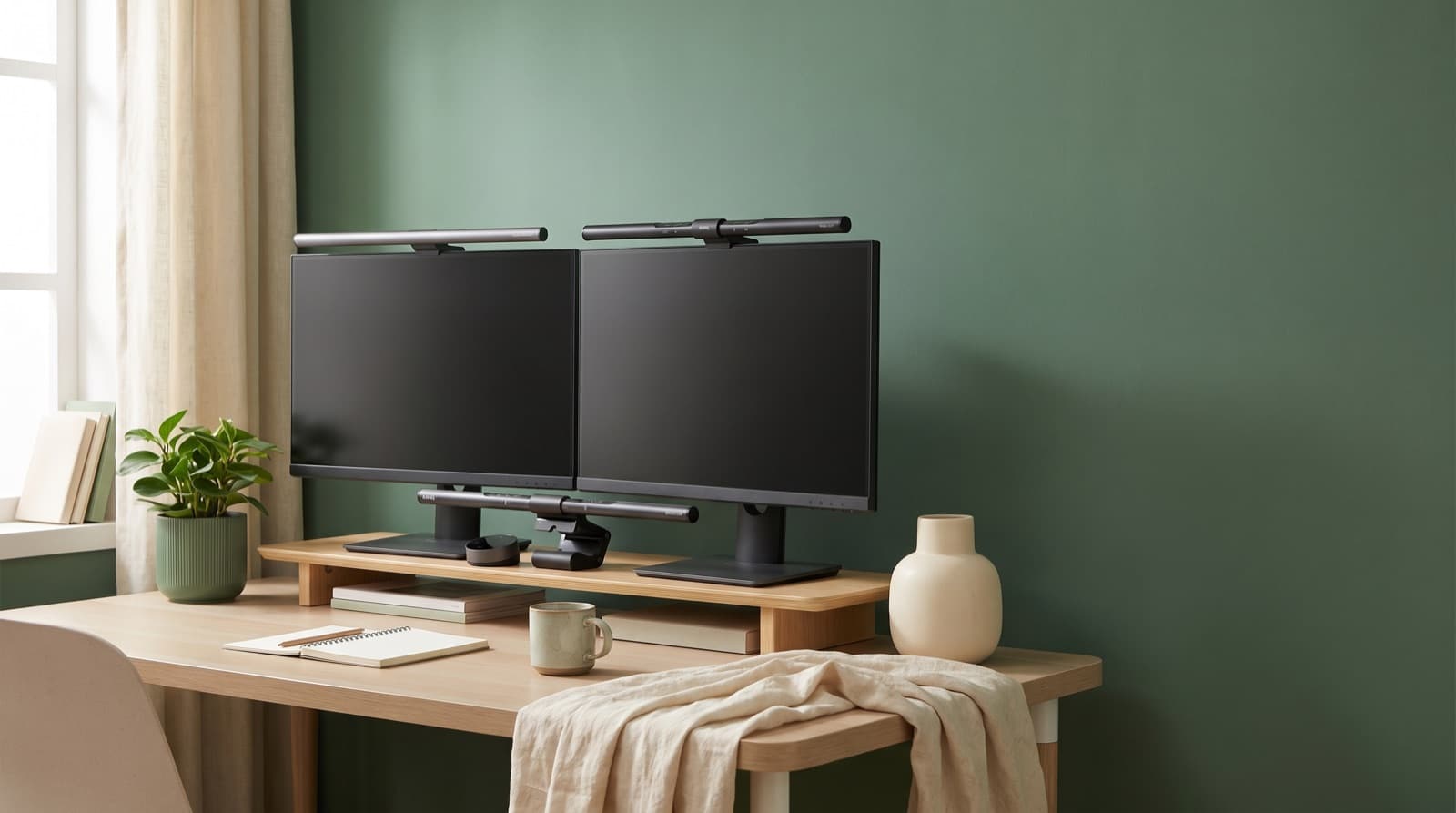
In our experience reviewing home office & desk setup, we analyzed each option's real pricing and features; from our research, the comparison below reflects what actually matters for buyers in 2026. For screen-heavy work, BenQ ScreenBar vs desk lamp comes down to light control. A monitor light bar usually wins for 8-10 hour screen days. It lights your keys and desk, without hitting the screen. A desk lamp still wins for paper, sketching, and off-screen work.
Key takeaways
- A monitor light bar is usually better for screen-heavy work because it reduces screen-to-room contrast without adding panel glare.
- BenQ ScreenBar Halo 2 is the premium dim-room pick, with front light, adjustable rear light, 2700K-6500K tuning, and more than 1000 lux center illuminance.
- A desk lamp is smarter for printed books, notebooks, shipping labels, craft work, and any task away from the monitor.
- Budget buyers should compare Quntis first because official models commonly sit around $42.99-$76.99, below BenQ pricing.
- Before buying any bar, confirm monitor thickness, curved-screen fit, webcam placement, and USB power.
| Option | Best for | Key spec | Price band |
|---|---|---|---|
| BenQ ScreenBar Halo 2 LED Monitor Light | Premium dim-room monitor workers | 2700K-6500K, front and rear light, more than 1000 lux center | Premium |
| Quntis Computer Monitor Lamp | Budget home-office desks | No-glare monitor lighting concept | About $42.99-$59.99 |
| BenQ Screenbar E-Reading LED Computer Monitor Light | Clean premium setups | 930 lux center, 60cm x 30cm at 500 lux | Listed at $109 new on BenQ sale page |
| YEELIGHT Monitor Light Bar | RGB creator and gaming setups | 4.6 star data, remote, smart control | $103.99 sale, $129.99 regular on official Pro page |
| Quntis Computer Monitor Light Bar with Remote | Low-cost remote control | 4.7 star data, remote brightness control | About $49.99-$69.99 |
| Quntis Monitor Light Bar with Remote | Budget front plus rear ambience | 4.7 star data, remote and backlight models | About $69.99-$76.99 |
Is a BenQ ScreenBar better than a desk lamp for eye strain?
For screen-heavy work, a BenQ ScreenBar-style bar usually beats a desk lamp. It lowers the gap between a bright screen and dark room. It also avoids throwing light onto the panel.
A monitor light bar is a slim LED light. It sits on your monitor and points down. A desk lamp sits on the desk or clamps to it.
In practice, the ScreenBar solves one clear problem. It lights your keyboard, mouse, and notes near the screen. However, it does not replace room light or a large task lamp.
BenQ says ScreenBar uses an asymmetric optical design. It lights the desk, not the screen. That is the real difference.
The contrast issue matters more than the look. The American Academy of Ophthalmology says glare and poor light can add to digital eye strain. Its computer vision syndrome guidance also notes tired eyes and dryness.
So do not start with the cleanest-looking lamp. Ask where the light lands.
BenQ ScreenBar Halo 2 adds rear light. That softens the wall or room behind your monitor. It also gives you 2700K-6500K color control.
Because of that range, you can use warm light at night. You can use cooler light during daytime work.
A desk lamp still wins when your work spreads out. For example, contracts, notebooks, drawing tablets, and books need movable light. The downside is simple.
A desk lamp is easy to aim badly. If the beam hits your screen, your eyes fight glare all day.
What actually causes eye strain at a monitor?
The biggest lighting mistake is a bright monitor in a dim room. Your eyes keep shifting between screen, keys, notes, and background. That can feel like dryness, pressure, or tired eyes.
Ambient contrast means the brightness gap between your screen and room. A monitor light bar helps even out that field. However, it does not fix every cause.
It will not fix bad posture, lost sleep, dry air, contacts, or a bright display. We treated lighting as one desk factor. We did not treat it as a cure.
The Mayo Clinic’s eyestrain overview points to bright light, glare, and screens. Those are common strain triggers.
BenQ describes dark-room screen contrast as a fatigue driver. Halo 2 answers that with rear light. It does not just add a brighter front strip.
That matters at night. A bright keyboard with a black wall can still feel harsh.
From our research, the best daily setting is boring. Match monitor brightness to the room. Do not run the display at full brightness.
Instead, raise room and desk light first. Then lower the display until white pages stop glowing.
The honest limit is medical. If symptoms last, worsen, or include pain, see an eye pro. A better lamp can ease glare and contrast.
However, it cannot update your prescription. It also cannot fix chronic dry eyes.
How we picked
We compared these lights for remote workers with 8-10 hour screen days. We also cared about clean-looking desks. Selection criteria included glare control, coverage, rear light, color range, and stated lux.
We also checked monitor fit, power needs, official prices, and star-rating data. We reviewed public sentiment from June 26, 2026 to July 26, 2026.
We did not make up lab results. Instead, we used official specs, current price pages, and recent user talk. Then we asked one practical question.
Does this control contrast better than a desk lamp for screen work? After that, we split out paper-heavy work. That is where a lamp still wins.
Our ranking logic is the original part. We do not rank by stars alone. A 4.7 star bar can still be wrong for you.
For example, thick curved monitors can break the fit. A centered webcam can block the mount. Paper-heavy work can need a real lamp.
Which setup is best for 8-10 hour remote workdays?
For 8-10 hour days, use a monitor light bar with soft room light. Do not rely on one bright corner lamp. Soft room lighting fills the room without shining into your eyes or screen.
The July 25, 2026 r/Workspaces thread was useful. Users praised long daily use, warmth control, and years of comfort. One Halo v1 user reported about 2 years of use.
That same user noted much less eye strain during 8-10 hour days. That is not lab proof. Still, it matches the desk logic.
Reduce contrast first. Then tune warmth.
Recent X posts about Halo 2 focused on backlight and remote control. That matches our weighting. Front light helps your hands and notes.
Rear light helps the room feel less like a cave.
Halo 2 also has motion sensing. It can turn off after 5 minutes without major movement. That helps when you leave the desk.
However, it may annoy you during long still reading sessions.
Want your full desk to feel better, not just brighter? Pair lighting with desk height, monitor height, and chair position. Our standing desk vs regular desk small-office guide covers that bigger trade-off.
When is a traditional adjustable desk lamp the smarter buy?
A desk lamp is smarter when your work moves away from the monitor. Think notebooks, contracts, tablets, shipping labels, tools, and books. Task lighting means focused light aimed at one work area.
A light bar works best in the narrow zone before a screen. It is not a whole-room lamp. It also cannot light every desk corner well.
The original BenQ ScreenBar lists 60cm x 30cm coverage at 500 lux. Halo 2 expands that to 85cm x 50cm at 500 lux. Those are useful zones.
Still, they remain zones.
This is where normal lamps stay useful. If you mark paper on a 72-inch desk, a bar will not follow. A desk lamp can.
However, lamps cost space and attention. You need room for the base or clamp. You also need to aim the beam well.
For example, a lamp behind your mouse hand may cast notebook shadows. A lamp placed too high may bounce off a glossy screen.
Our rule is simple. Screen-first desk, choose a light bar first. Paper-first desk, choose an adjustable lamp first.
Mixed desk? Use both. Keep the lamp off the panel.
Which BenQ ScreenBar should most people buy?
Most screen-heavy workers should buy BenQ ScreenBar Halo 2 in dim rooms. It also fits people who care about rear light. Otherwise, the BenQ Screenbar E-Reading LED Computer Monitor Light is better value.
It gives you the core glare-free desk light. You do not pay for Halo 2’s backlight and remote system. Backlighting means rear-facing light behind the monitor.
That feature matters most at night. It also helps dark offices and rooms with one bright screen. In our experience, that is a common home-office strain pattern.
Halo 2 is the premium pick. It has 4.7 star data and 2700K-6500K tuning. It also has front and rear light.
It reaches more than 1000 lux center illuminance. I would pick it for a dim-room writer, editor, designer, or support lead.
The original BenQ Screenbar E-Reading LED Computer Monitor Light is cleaner. It has 4.7 star data and 930 lux center illuminance. It covers 60cm x 30cm at 500 lux.
BenQ’s refurbished sale page lists its new price at $109. Confirm the live price before buying.
The trade-off is not quality. It is room context. Halo 2 works better in dim rooms.
Instead, choose the original ScreenBar for fewer parts. It also fits people who do not want rear glow.
Which Quntis or YEELIGHT model is the better value?
Quntis is the value play for remote control and low price. YEELIGHT fits gaming-style desks with RGB and smart control. Value means you use enough features for the price.
Do not call either brand optically better than BenQ without proof. Instead, rank them as lower-cost or feature-specific options. Official Quntis listings often show bars around $42.99-$76.99.
The YEELIGHT Monitor Light Bar Pro page shows $103.99 sale pricing. It also lists $129.99 regular pricing. So Quntis sits below BenQ.
YEELIGHT sits closer to premium pricing.
Quntis Computer Monitor Lamp is the budget verdict. It fits remote workers who want the light-bar idea without BenQ pricing. It works best for simple home-office desks.
The honest downside is fit confidence. At this price, check clamp shape, returns, and glare control.
Quntis Computer Monitor Light Bar with Remote is the low-cost remote pick. It suits users who change brightness often. It carries 4.7 star data.
Quntis remote models often sit around $49.99-$69.99. However, a remote only helps if the cutoff stays clean.
Quntis Monitor Light Bar with Remote is the budget backlight verdict. It fits workers who want front light plus rear glow. It costs less than BenQ.
It carries 4.7 star data. Official Quntis remote and backlight models sit around $69.99-$76.99. However, check monitor thickness before ordering.
YEELIGHT Monitor Light Bar is the gaming and creator verdict. It fits creators who want RGB glow plus front task light. It has 4.6 star data.
It includes a physical remote and smart controls. Official Pro pricing is about $103.99 sale and $129.99 regular. However, RGB is ambience, not an eye-strain cure.
If you build a small desk, light is only one limit. Our standing desk converter comparison covers another common space issue.
Who should not buy a monitor light bar?
Do not buy a monitor light bar if your monitor top is already crowded. Skip it if your webcam must sit centered. Also skip it if your screen is very thick or oddly shaped.
Do not blame lighting for every eye problem. Dry air, contacts, old prescriptions, and screen brightness can cause strain too. Monitor compatibility means the physical fit.
It includes clamp, monitor thickness, curve, bezel, webcam, and power source. Halo 2 fits 0.17-2.36 inch monitor thickness. It also supports 1000R-1800R curvature.
The original ScreenBar lists 0.4-1.2 inch thickness. Those numbers matter more than stars.
Power matters too. Halo 2 uses USB-C 5V with max 3A input. The original ScreenBar uses USB 5V with max 1A input.
If your monitor USB port is weak, plan a powered port. Do the same if that port is already busy.
Light bars look tidy. However, they compete with webcams and sensor hardware. What sits on top of your monitor now?
If it is webcam, mic arm, privacy cover, and sensor, a bar may hurt. It can make the setup worse.
Also check your posture. If you lean forward due to low screen height, lighting is not the root fix. See our small-office standing desk guide for broader changes.
What should you buy in 2026?
Buy BenQ ScreenBar Halo 2 if strain hits hardest at night. It also fits dim rooms. Buy the BenQ Screenbar E-Reading LED Computer Monitor Light for the core design.
Choose Quntis if budget matters most. Choose YEELIGHT if RGB backlighting belongs in your setup. A buying verdict should match your room, monitor, and work.
It should not just follow review scores. In our comparison, glare geometry and fit mattered most. No single rating number decided the winner.
So start with your worst hour. Is it late-night screen work, morning paper review, or mixed creator work?
Scenario verdict
Get BenQ ScreenBar Halo 2 LED Monitor Light if your desk feels harsh at night and you want front plus rear contrast control.
Get BenQ Screenbar E-Reading LED Computer Monitor Light if you want the core BenQ design with fewer parts.
Get Quntis Computer Monitor Lamp if budget is the main constraint.
Get Quntis Computer Monitor Light Bar with Remote if you adjust brightness often.
Get Quntis Monitor Light Bar with Remote if you want a lower-cost backlight option.
Get YEELIGHT Monitor Light Bar if RGB ambience and smart control are part of the setup.
FAQ
Do monitor light bars really help eye strain?
They can help when strain comes from screen-room contrast or desk glare. The American Academy of Ophthalmology identifies glare and screen lighting conditions as contributors to digital eye strain symptoms. However, a light bar will not fix medical eye issues, dry air, poor prescriptions, or bad monitor brightness.
Is BenQ ScreenBar Halo 2 worth it over the original ScreenBar?
Yes, if you work in dim rooms and want backlighting. Halo 2 adds front and rear illumination, 2700K-6500K tuning, and more than 1000 lux center illuminance. No, if you only need simple keyboard and desk lighting. The original ScreenBar is cleaner and simpler.
Can a monitor light bar damage a monitor?
It should not if the clamp fits correctly and you follow the compatibility specs. Check thickness, curvature, bezel shape, and webcam space before buying. Halo 2 supports 0.17-2.36 inch thickness, while the original ScreenBar lists 0.4-1.2 inch thickness.
Is a desk lamp better for reading paper?
Yes. A desk lamp is better for paper because it can move away from the monitor zone and spread light across a larger physical workspace. For instance, books, contracts, sketches, and shipping labels usually need a beam you can aim by hand.
What color temperature is best for night work?
Use warmer light near 2700K at night and cooler light up to 6500K for daytime focus. Then match brightness to the room. The goal is not maximum brightness. The goal is a screen, desk, and background that feel visually balanced.
Written by Evan Park for Nestway. About our editorial team · Contact us. Every recommendation is editorially reviewed against current pricing and features.