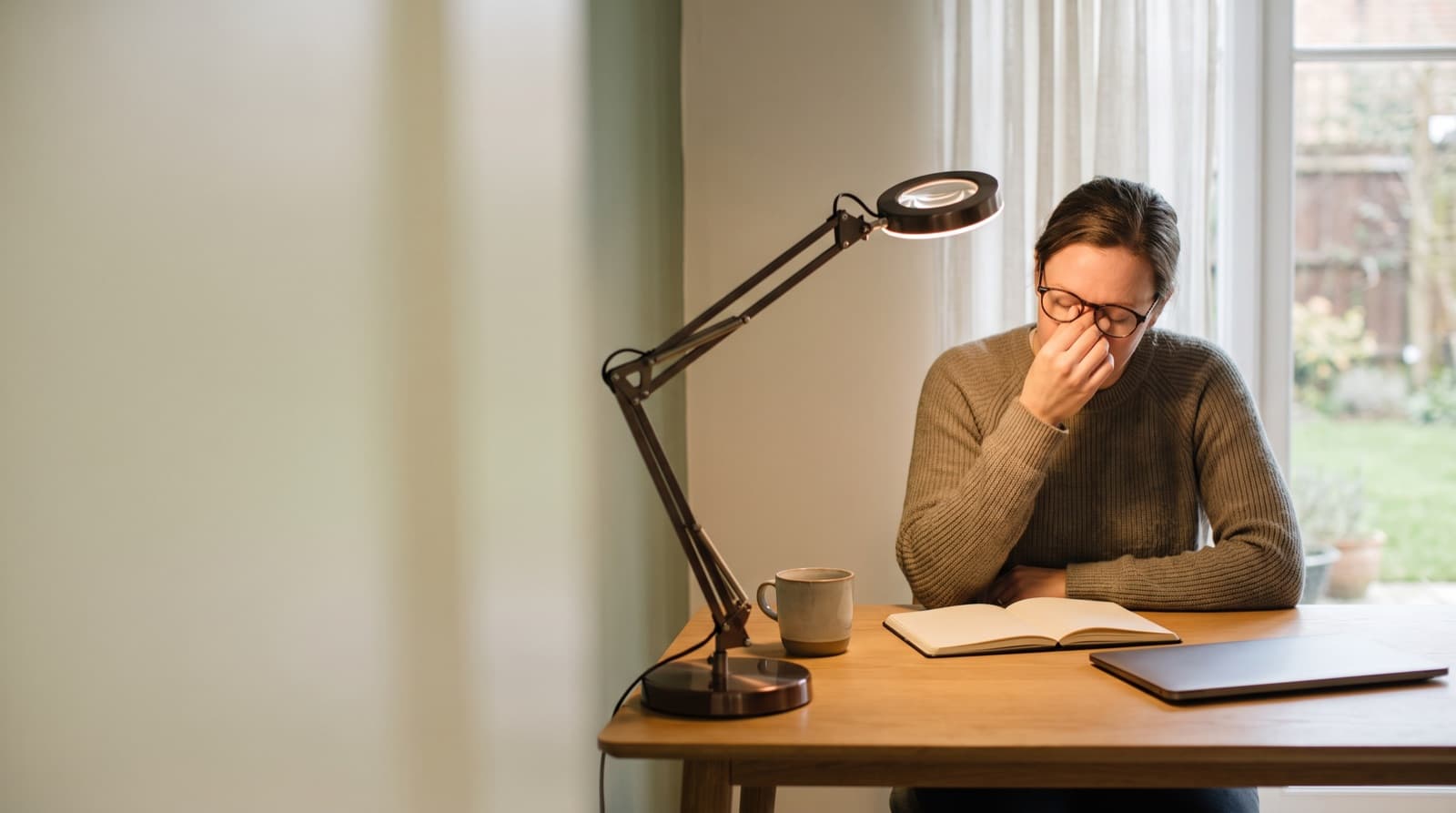
The best desk lamp for eye strain in a home office is not brighter light. It is controlled light with dimming, white tuning, and less glare. From this catalog, Govee is our top bulb upgrade. However, Linkind fits Matter smart homes better.
Key takeaways
- A good eye-strain lamp setup needs dimming, tunable white, shielded light, and enough output for paper and keyboard work.
- For computer work, place task light about 90 degrees from the screen. Do not aim a bare bulb at the monitor.
- Govee A21 is our brightness-and-tuning pick because it offers 1600 lumens, 1000K-10000K tuning, and CRI >90.
- Linkind Matter A21 is the smarter platform pick because it offers 1600 lumens, 1800K-6500K tuning, CRI >=90, and Matter support.
- Do not buy these bulbs if you need a full desk lamp arm, clamp, shade, diffuser, or verified independent flicker data.
| product name | Best for | Key spec | Price band |
|---|---|---|---|
| Govee A21 Smart LED Light Bulb E26 1600lm | Best for people with an adjustable shaded E26 desk lamp | 1600 lumens, 13W, E26 A21, 1000K-10000K, CRI >90 | $80-90 per listed pack |
| Linkind Matter Smart RGBTW Light Bulbs A21 1600 lumens | Best for Apple Home, Google Home, Alexa, and Matter users | 1600 lumens, 14W, E26 A21, 1800K-6500K, CRI >=90 | $25-40 per listed pack |
| UCB Alexa Light Bulb 130W Equivalent | Best for budget shoppers who will confirm specs first | 1300 lumens, 12W, E26 A19, 2700K-6000K, CRI >90 | Often budget priced |
What actually makes a desk lamp better for eye strain?
Eye strain lighting balances brightness, contrast, glare control, and screen placement. It helps your eyes work without fighting glare. Brightness alone will not fix the problem.
In fact, more lumens can make your desk worse. That happens when you see the bulb. It also happens when light hits a glossy screen.
We gave the most weight to dimming and tunable white light. We also looked for shade-friendly E26 shapes and useful output. Still, the setup must keep light off your screen.
The NIH workstation guidance says computer stations need only 18-46 foot-candles. Typical offices often run 75-100 foot-candles. So your goal is not to flood the desk.
Instead, aim for steady, soft, adjustable light. You want less contrast between your screen, desk, and room. The lamp is only half the fix.
The fixture still needs a shade, diffuser, or adjustable head. For example, a 1600-lumen bulb can work well in a gooseneck lamp. Aim it at paper beside your keyboard.
However, that same bulb can cause glare in a bare socket. It gets worse beside your monitor. I have made that mistake on small desks.
The Illuminating Engineering Society ANSI/IES RP-1-24 office lighting standard covers office lighting quality. It includes color, flicker, glare, screens, and remote offices. That mix matters.
A home office is not just a reading chair. It includes a screen, keyboard, desk, camera, and window. In practice, all five affect your eyes.
If your light feels harsh, ask one thing first. Can you see the bulb or its screen reflection? If yes, fix placement before app settings.
For a dedicated monitor-light route, see our BenQ ScreenBar vs desk lamp comparison. That setup handles glare in another way.
How we picked
Our selection method compared specs, listed prices, fixture fit, and desk use. We reviewed the products in the provided catalog first. Then we screened them against five criteria.
We looked at brightness control, white range, output headroom, CRI, and glare control. Because the catalog had no full desk lamp, we treated these as bulb upgrades. You still need a good shaded E26 lamp.
We checked official specs and price bands in August 2026. Govee listed its A21 E26 1600-lumen bulb pack at $79.99 sale. It also listed $89.99 regular.
Linkind listed its Matter A21 1600-lumen 2-pack at $25.99. UCB appeared as a 130W-equivalent Alexa bulb candidate. However, I would confirm current seller specs before buying it.
We did not claim lab flicker testing. We did not rate comfort from a medical test. Instead, we compared what matters at a desk.
That means dimming range, color range, CRI, output, fixture fit, and smart control. From our research, the biggest judgment is simple. The best buy here is not a desk lamp.
It is a better bulb for a lamp you already trust.
Which product is best if I already own an adjustable desk lamp?
Govee A21 Smart LED Light Bulb E26 1600lm is the best brightness-and-tuning pick. Use it in a shaded, adjustable E26 desk lamp. It is not a complete desk lamp.
Still, it gives the widest useful control range here. The A21 bulb is rated at 1600 lumens. It uses 13W and has CRI >90.
It also covers 1000K-10000K white tuning. That range gives you warm light for late work. It gives neutral light for normal writing.
It also gives cooler light for daytime focus. In my own setups, that matters more than RGB effects. The extra brightness gives you headroom.
You can dim a strong bulb to fit the room. However, a weak bulb at full power often looks flat. It can also leave paper uneven.
Govee still depends on your fixture. If your lamp has no shade, it will not fix glare. It also needs a diffuser or adjustable head.
Best for remote workers who already own a real lamp body. Think Anglepoise-style arm, shaded task lamp, or E26 desk fixture. It must aim light onto the desk.
For example, place the lamp left of a right-handed mouse setup. Aim it across the keyboard and paper. Do not aim it at the display.
Because the bulb reaches 1600 lumens, you can lower it during screen work. Then raise it for handwriting.
The downside is physical. Govee does not give you an arm, clamp, shade, or diffuser. It also lacks a monitor-safe beam pattern.
It is overkill if your lamp sits at eye level. That gets worse with an exposed bulb.
Who should not buy it? Do not buy it if you need a complete ergonomic lamp. Also skip it if you want verified independent flicker measurements.
The official specs we found do not replace lab data.
Which product is best for Apple Home, Google Home, Alexa, or Matter setups?
Linkind Matter Smart RGBTW Light Bulbs A21 1600 lumens is the cleaner smart-home pick. Choose it when platform fit matters most. It supports Matter ecosystems.
So it fits Apple Home, Google Home, Alexa, and mixed-device homes. The A21 Matter bulb is rated at 1600 lumens. It uses 14W and has CRI >=90.
It also offers 1800K-6500K tunable white. In our comparison, Govee wins for wider color range. However, Linkind wins for smart-home simplicity.
Most remote workers do not need 10000K light at a desk. Instead, you need repeatable scenes. Use names like "writing," "video call," and "evening admin."
However, smart bulbs should not run on wall dimmers. Use the app, voice assistant, or supported smart controls. That keeps dimming behavior cleaner.
Best for people who built around Apple Home or Google Home. It also suits Alexa, SmartThings, or Matter setups.
The key trade-off is range. Linkind's 1800K-6500K span covers warm evening light. It also covers cool daytime light.
However, Govee reaches lower and higher. If you tune lighting by feel, Govee gives more room. If you tune by routines, Linkind is neater.
In practice, I would choose Linkind for shared spaces. For instance, your desk lamp may also be a living-room side light. Matter support helps more there.
Who should not buy it? Skip Linkind if your fixture uses a wall dimmer. Also skip sealed shades with poor heat handling.
It also will not fit a non-E26 socket. And it does not include a physical lamp arm.
How bright should a home-office desk lamp be?
Desk lamp brightness means light on your work surface. It is not the raw lumen number on the box. For screen-heavy work, a 1600-lumen bulb gives useful headroom.
However, most people should dim it. The NIH guidance says computer workstations need about 18-46 foot-candles. It also recommends low-watt, indirect, or shielded light when possible.
So the goal is simple. You want clear paper, visible keys, and a balanced room. You do not want a spotlight.
We compared Govee and Linkind because both offer 1600-lumen A21 options. That level helps if you read print. It also helps when you sketch, label cables, or work at night.
However, too much direct light can hurt screen comfort. It raises contrast. It also creates reflections.
A good start is 30-50 percent brightness. Place the lamp off to one side. Then raise it only for paper work.
If your monitor looks washed out, the lamp is too direct. If the room behind the screen looks black, add soft room light. This is where many home offices fail.
The user buys a bright lamp. Then the rest of the room stays dark.
For desk-wide comfort, also fix the desk itself. A lamp cannot solve reach, monitor height, or keyboard noise. Our guides to standing desk vs converter setups and quiet mechanical keyboards for calls cover those daily friction points.
What color temperature is easiest on the eyes?
Color temperature means the warmth or coolness of white light. It is measured in Kelvin. There is no single best color temperature for eye strain.
The practical answer changes by time of day. Use warm-to-neutral light late in the day. Use neutral-to-cooler light for focused daytime work.
Dimming still matters. A very cool light can feel crisp at noon. However, it can feel harsh at 10 p.m.
A very warm light feels calm. But it can make paper notes look muddy. It can also make small print harder to read.
In our comparison, Govee wins on range. It covers 1000K-10000K. Linkind covers 1800K-6500K.
That is still enough for most home offices. ANSI/IES RP-1-24 includes color, color temperature, screens, and flicker. That matches how remote work feels.
So what should you use? For daytime writing, I like neutral white near the middle. For late admin, I dim warmer.
However, do not chase color effects for eye comfort. RGB scenes can look good on camera. They can also look good behind a shelf.
They do not replace proper white light on your desk. If video calls matter, lighting needs change again. A front-facing key light can help your camera.
However, it may bother your eyes. Our desk lamp and video-call guide covers that trade-off.
What should buyers avoid?
Bad desk lighting puts bright light into your eyes. It also points light at the monitor or reflection path. Avoid exposed bulbs and decorative RGB-first bulbs.
Also avoid fixed-temperature bulbs. Skip lamps that cannot aim away from the screen. The NIH monitor guidance recommends placing monitors at right angles from windows.
It also says to avoid direct lighting that creates glare. The U.S. Department of Energy lighting-quality research page names color, flicker, glare, and luminance perception. Those are core lighting-quality research areas.
That is the real checklist. App scenes are convenient. However, physical placement decides comfort.
If the setup creates glare, no color scene makes it ergonomic. Avoid bare bulbs in clamp sockets. Avoid LED arrays at eye height.
Also avoid glossy white desktops that bounce light into the display. Do not buy only for max lumens. A 1600-lumen bulb can help.
However, it can become a small sun beside your monitor.
UCB Alexa Light Bulb 130W Equivalent is the budget-brightness pick I would treat carefully. Listed specs point to 1300 lumens and 12W. They also show 2700K-6000K tuning, app dimming, and CRI >90.
That sounds useful on paper. However, confirm the current seller page before buying. Budget smart-bulb listings can vary by pack, model, and compatibility.
Best for shoppers who want Alexa control. You should verify exact specs first.
Who should not buy it? Skip it if you need Matter or Apple Home support. Also skip it for wider white tuning or a stronger 1600-lumen ceiling.
Who should not buy these products?
Bulb upgrades replace light sources in an existing fixture. They are not complete ergonomic task lamps. Do not buy Govee, Linkind, or UCB for a full lamp body.
Also skip them if you need a clamp arm. The same goes for a shade, diffuser, USB-C charging, or known low-glare beam. These are E26 bulbs.
They depend on the lamp you screw them into. That matters more than most spec sheets admit. In my experience, a shaded adjustable lamp can beat a stronger smart bulb.
That remains true even with a mediocre bulb. A bare fixture with a powerful bulb often feels worse. Also, these pages do not show independent lab flicker data.
Because flicker sensitivity varies, that gap matters. It matters more for migraines, eye conditions, and known light sensitivity.
If you need a full lamp, look for an adjustable arm. Choose a covered LED source and wide beam. Also check for a stable base and credible flicker claims.
If you need a whole desk upgrade, lighting is only one piece. See our standing desk vs regular desk guide and Uplift V2 vs FlexiSpot E7 comparison before spending on accessories.
Scenario verdict: which one should you get?
Get Govee A21 Smart LED Light Bulb E26 1600lm if you own the right lamp. It needs a shaded, adjustable E26 fixture. Choose it for the widest white range.
It is our pick for brightness headroom, tuning range, and CRI >90. However, it is not a lamp.
Get Linkind Matter Smart RGBTW Light Bulbs A21 1600 lumens for smart-home desks. It fits Apple Home, Google Home, Alexa, or Matter. It gives 1600 lumens and CRI >=90.
It also gives cleaner smart-home control. However, its 1800K-6500K range is narrower.
Get UCB Alexa Light Bulb 130W Equivalent only after checking current specs. Confirm dimming behavior and fixture fit first. It can make sense as a budget Alexa bulb.
However, it is not our first pick.
FAQ
Are LED desk lamps bad for eye strain?
No. LED desk lamps are not automatically bad for eye strain. Poor placement, glare, excessive brightness, and unstable dimming are the usual problems. Use shielded light, aim it away from the screen, and balance the room.
Is warm or cool light better for eye strain?
Use neutral or cooler light for daytime task work. Use warmer, dimmer light at night. However, avoid extremes. Very cool light can feel harsh late, while very warm light can make detailed paperwork harder.
How many lumens should a desk lamp have?
About 800-1600 lumens is practical for a home-office desk lamp. However, dimming and glare control matter more than max output. A 1600-lumen bulb should usually run below full power during screen work.
Should a desk lamp shine on the monitor?
No. Aim the lamp at the desk surface, paper, keyboard, or wall. Do not aim it into the monitor or your eyes. If you can see the lamp reflected in the screen, move it.
Do smart bulbs help eye strain?
Smart bulbs can help if they offer dimming and tunable white light. However, they do not replace a shaded adjustable lamp. The bulb controls the light. The fixture controls glare.
Written by Evan Park for Nestway. About our editorial team · Contact us. Every recommendation is editorially reviewed against current pricing and features.