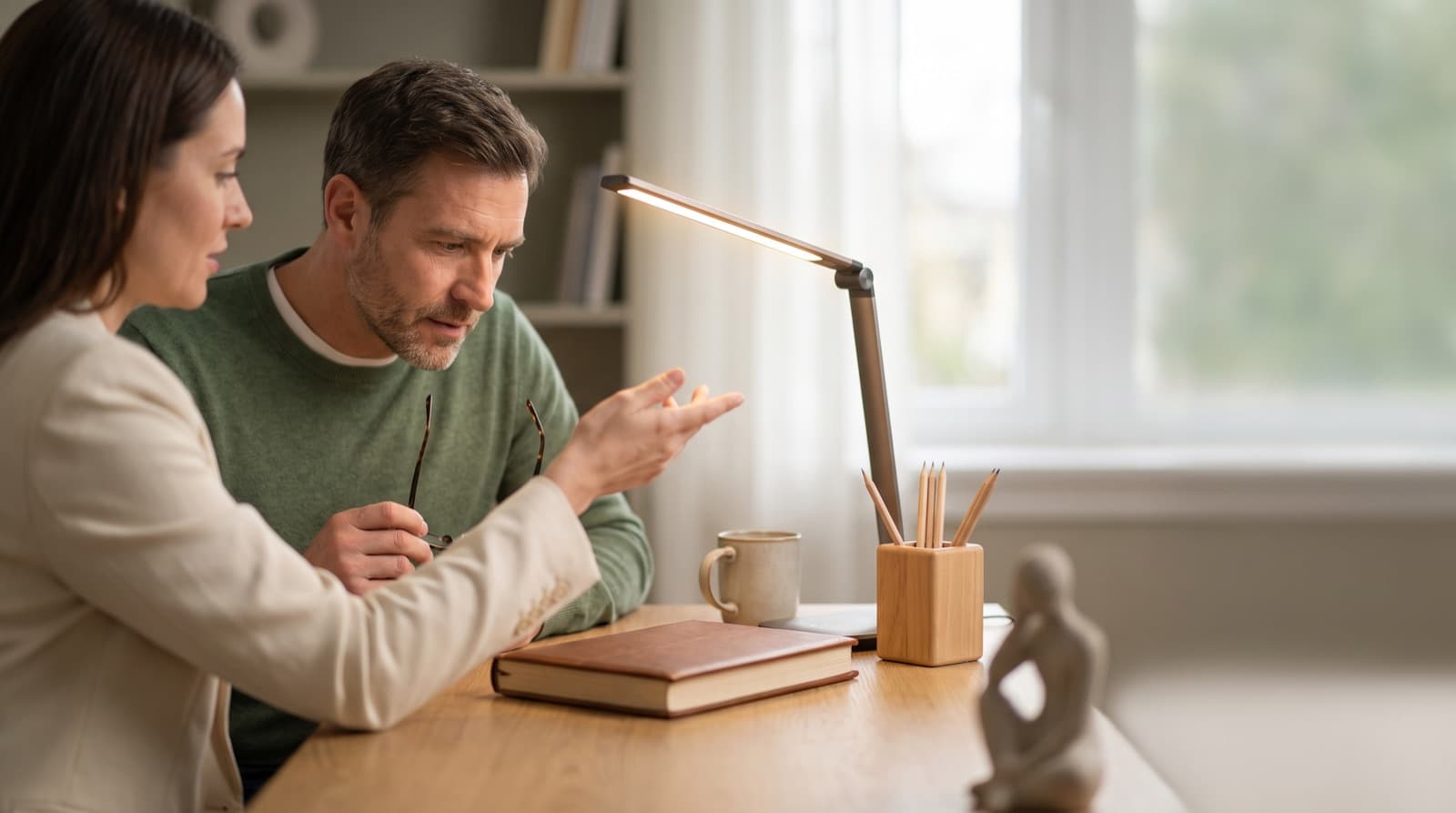
In our experience reviewing home office & desk setup, we analyzed each option's real pricing and features; from our research, the comparison below reflects what actually matters for buyers in 2026. Is an LED desk lamp good for eyes? Yes, when it cuts harsh contrast near your screen. It should light paper, keys, or hand work without glare. It is not eye care by default. Test placement, dimming, shielding, flicker, and screen reflections.
Key takeaways
- An LED desk lamp can cut eye strain when it lights a dark desk around a bright monitor.
- It also helps when you read paper away from the screen.
- Glare is the common failure. OSHA says desk lamps, windows, and overhead lights can cause eye strain when they reflect on a monitor.
- For screen work, control beats raw brightness. Dimming, shielding, and flexible placement matter more than lumens.
- Blue-light safety claims are over-sold. AAO-linked EyeWiki guidance says computer screen light has not been shown to damage eyes.
- Remote workers over 40, paper readers, and creators gain most from adjustable, high-CRI task light.
Is an LED desk lamp actually good for your eyes?
Task lighting means focused light for one job. That job might be notes, handwriting, or sketching beside a monitor. Ambient lighting means softer room light.
An LED desk lamp can help your eyes when it improves task light. However, it should not make your screen fight a bright spot. In practice, the lamp should light your desk, not your face or screen.
OSHA warns that too much light or monitor glare can cause eye strain or headaches. The CDC and NIOSH also name long screen use, bright light, glare, and small type. So the lamp is only one part of the setup.
The home-office mistake is common. You dim the room so you can focus. Then your monitor becomes the brightest thing by far.
As a result, your eyes keep shifting between a bright screen and dark keys. A good LED lamp narrows that gap. It helps you see your keyboard, planner, tablet stand, or drawing pad.
However, brighter does not always mean better. In my setup tests, a dim lamp placed well often beats a strong lamp placed badly.
Still, a lamp will not fix every eye problem. If your monitor faces a window, start there. Use blinds, change the screen angle, and try a matte work surface.
If desk height also hurts your setup, read our standing desk vs regular desk guide. It covers the posture side of the same desk problem.
When does an LED desk lamp reduce eye strain?
Eye strain means discomfort from visual effort. You may feel tired eyes, blur, dryness, headache, or squinting. An LED desk lamp helps most when your desk light feels uneven.
For example, you may have a bright monitor and a dark keyboard. You may also use paper notes, a sketchbook, planner, or product samples. The goal is not to flood the whole desk.
Instead, light the task just enough. Your screen, paper, and room should feel balanced. OSHA recommends task lighting for writing and reading while limiting brightness near monitors.
NIH ergonomics guidance also recommends better monitor placement. Put monitors at right angles to windows. Keep them away from direct light that creates glare.
So, for remote work, angled side light usually works better. A lamp behind the monitor often creates more problems.
Here is my simple desk check. Can you read a sticky note without raising screen brightness? Can you see your keyboard without leaning forward?
Does the lamp stay out of your direct view? If yes, it is likely helping.
For example, a writer with a laptop and notebook may need low side light. Coffee-shop-level room light can be enough. A creator cutting paper swatches may need stronger light and better color.
Those are different jobs. Treat them that way.
The 20-20-20 rule still matters. The CDC suggests looking 20 feet away for 20 seconds every 20 minutes. However, that is a habit, not a lamp feature.
A lamp cannot replace blinking, larger fonts, water, or breaks. Because dry air also drives discomfort, check airflow too. OSHA notes that dry air can dry eyes, especially with contacts.
If your vent blows across your face, fix that first. Move the desk or redirect the vent before blaming the lamp.
When can an LED desk lamp make glare worse?
Glare means light that hurts comfort or blocks clear vision. It may be too bright, too direct, or reflected into your eyes. An LED desk lamp makes glare worse when bare LEDs point at you.
It also hurts when light hits a glossy desk or laptop screen. The common error is placing a bright lamp near eye level. That can make the room feel lit while your eyes work harder.
OSHA says to place task lights so they do not reflect on the screen. It also recommends indirect or shielded light. It warns against strong or uneven light in your view.
Glossy white desks cause this a lot. So do glass tops, shiny mats, tablets, and closed laptops. Dark mode can show reflections more clearly.
Light mode often hides some reflections. The screen itself can mask reflected objects.
So ask yourself three checks. Can you see the lamp head in your screen? Can you see a white block on the desk?
Does your laptop look like a mirror at night? If yes, move the lamp.
The fastest fix is placement. Put the lamp opposite your writing hand. Set it slightly forward and aim it across the desk.
Then dim it until paper is easy to read. For a monitor light bar comparison, see our BenQ ScreenBar vs desk lamp guide.
What specs should remote workers check before buying?
Color rendering index, or CRI, scores how natural colors look. It runs from 0 to 100 against a reference light. Color temperature means how warm or cool light looks.
It is measured in kelvin. Before buying, check adjustability before brand claims. A useful LED desk lamp needs dimming and a shielded or diffused source.
It should also have an adjustable arm or head. Neutral-to-warm settings help. A low-flicker claim helps too.
For creators, add high CRI. Ignore vague eye-care labels unless the page gives real specs.
For color temperature, about 2700K-6500K is useful. Warm 2700K-3000K works better near bedtime. Neutral 3500K-5000K fits daytime writing, calls, and reading.
Very cool 6500K can feel crisp. However, it gets harsh in a dark room.
For CRI, 90+ is a good target for color work. CRI 95+ is better for paper, samples, skin tone, and product colors. However, writers and spreadsheet workers may not need creator-grade color.
Flicker is harder to judge. Look for a stated low-flicker spec or certification. Then confirm current details before publishing or buying.
Some cheap lamps feel fine at full power. However, they may pulse at lower dimming levels. Migraine-sensitive users should avoid lamps without clear flicker data.
What brightness is best for a desk lamp?
Lux means light that lands on a surface. Lumens mean total light from the lamp. For a screen-first desk, use the lowest useful brightness.
You should read paper and see gear without squinting. Office guidance separates screen needs from paper needs. So dimming matters more than one fixed target.
OSHA gives office and task ranges of 20-50 foot-candles. It says LCD tasks may need up to 73 foot-candles. Converted, 20 foot-candles is about 215 lux.
50 foot-candles is about 538 lux. 73 foot-candles is about 786 lux.
That does not mean every desk needs 786 lux. It means your lamp needs range. It should get bright for paper work and dim for late laptop sessions.
Lamp lux depends on distance, height, beam shape, and shade design. A 750-lumen lamp close to paper can feel very bright. A 1000-lumen lamp placed high may feel softer.
For example, a clamp lamp 18 inches above a notebook may help writing. However, it may be too sharp for a glossy laptop.
In our comparison, brightness range mattered more than peak output. Smooth low-end dimming matters every night. Peak power matters only for print, drawing, crafts, or inspection.
Is warm or cool LED light better for eyes?
Warm LED light usually means about 2700K-3000K. Cool LED light usually means about 5000K-6500K. Neither is always better for eyes.
Warm light usually feels better at night. It may also disrupt sleep less before bed. Neutral or cooler light can feel clearer for daytime reading.
The practical answer is adjustable color temperature. Then match the light to time and task. Blue-rich evening light can affect your sleep timing.
However, AAO-linked guidance says computer screen light has not been shown to damage eyes. So special eyewear is not generally recommended for computer use.
That distinction matters. Blue light is real. The panic around blue-light eye damage from normal screens is weak.
So use warm light around 2700K-3000K at night. Use neutral 3500K-5000K for normal work. Save very cool settings for short daytime focus or detail work.
If your room is dim, cool light can feel clinical fast.
Which LED desk lamps are worth considering in 2026?
We compared these as spec-based desk picks. They are not lab-tested medical devices. Our ranking favors glare control, adjustability, dimming range, CRI, and sane pricing.
Because prices move, confirm current prices on the seller page before buying.
| product name | Best for | Key spec | Price band |
|---|---|---|---|
| Lepro Dimmable LED Desk Lamp | Budget notes and laptop desks | 9.5W, 750 lumens, 3000K-6500K, 72 LEDs | $20-40 |
| Micomlan LED Desk Lamp with Clamp 24W | Wide desks and creators on a budget | 24W, 1500 lumens, 3000K-6500K, CRI 90 | $45-80 |
| BenQ e-Reading LED Desk Lamp | Screen plus paper work | 18W max, 1600 lux at 45 cm, CRI 95+, 2700K-5700K | $180-260 |
| BenQ ScreenBar Halo 2 Monitor Light Bar | Monitor-first desks with little space | 50 cm bar, 2700K-6500K, 85 cm x 50 cm coverage at 500 lux | $170-250 |
| OttLite Wellness Series Renew LED Desk Lamp | Color-aware reading and crafts | 400 lumens, CRI 95, six brightness settings | $80-150 |
| Dyson Solarcycle Morph Desk Light | Design-first premium offices | 850 lumens, CRI 90, 2700K-6500K undocked | $500-650 |
Lepro Dimmable LED Desk Lamp
Best for budget laptop desks. The Lepro Dimmable LED Desk Lamp fits occasional notes, bills, or a small work-from-home corner. It gives you 5 color modes and 5 brightness levels.
It also offers about 750 lumens and a frosted diffuser. At this price, weak hinges are the normal trade-off.
The downside is build quality and light control. It can solve basic visibility. However, I would not use it for daily color work or a deep desk.
Still, in the $20-40 range, it clears the biggest hurdle. You get adjustable light instead of one harsh setting.
Micomlan LED Desk Lamp with Clamp 24W
Best for wide desks and creators on a budget. The Micomlan LED Desk Lamp with Clamp 24W works when small lamps create shadows. It uses a long clamp design and 24W output.
You also get 1500 lumens, 3000K-6500K color adjustment, and CRI 90.
Its big win is coverage. It reaches across a wider desk without taking base space. However, clamp lamps need a stable desk edge.
They also punish bad placement. The light head sits higher and can reflect on screens. If you use a desk converter, check clamp clearance first.
Our standing desk vs converter guide explains why crowded risers complicate accessories.
BenQ e-Reading LED Desk Lamp
Best for screen plus paper work. The BenQ e-Reading LED Desk Lamp is the most balanced classic lamp here. It lists 18W max power.
It also lists 1600 lux at 45 cm in the center. BenQ claims 90 cm width at 500 lux and CRI 95+. It also offers 2700K-5700K color adjustment.
From our research, this is the clearest upgrade for mixed work. It fits writers, students, and remote workers who switch between screens and notes.
The downside is price and size. At about 4.8 kg, it is not a tiny nightstand lamp. Buy it for a real desk, not a shelf.
BenQ ScreenBar Halo 2 Monitor Light Bar
Best for monitor-first desks with little space. The BenQ ScreenBar Halo 2 Monitor Light Bar mounts above the monitor. So it frees desk space and aims light downward.
It lists 2700K-6500K adjustment, front and back lighting, and 85 cm x 50 cm coverage. BenQ rates that coverage at 500 lux.
This is the most glare-focused shape if you work mostly on-screen. However, it is not right for every monitor. Thick curved displays, webcams, and stacked monitor arms can complicate fit.
Also, a light bar is weaker for handwriting far from the screen edge.
OttLite Wellness Series Renew LED Desk Lamp
Best for color-aware reading and crafts. The OttLite Wellness Series Renew LED Desk Lamp lists CRI 95 and 400 lumens. It also has six brightness settings, a USB port, and adjustable height.
The height range runs from 7.5 to 14.75 inches. It is less about raw output. Instead, it works best for close work.
That makes it better for reading, journaling, sewing, labels, and desk crafts. However, it is not ideal for a huge monitor setup.
The downside is limited brightness. If you need wide coverage across a 60-inch desk, choose something else.
Dyson Solarcycle Morph Desk Light
Best for design-first premium offices. The Dyson Solarcycle Morph Desk Light is the premium outlier. Public specs list 850 lumens, CRI 90, and 2700K-6500K when undocked.
Dyson also claims a very long LED life. The lamp shifts between task, indirect, feature, and ambient lighting modes.
Our verdict is simple. Buy it for mechanics, design, and room fit. Do not buy it because your eyes need a $500-650 lamp.
The large base also matters on small desks. For many remote workers, cheaper fixes come first. Try blinds, a matte mat, and a $70-200 lamp.
Who should buy an LED desk lamp, and who should not?
A good desk-lamp buyer has a clear task that needs local light. Buy one if you work after sunset. Also buy one if you read paper beside a monitor.
It helps if you write by hand, draw, build products, film calls, or share a room. It is especially useful for remote workers, creators, students, and people over 40.
Do not buy one expecting it to cure dry eye. It also will not replace an eye exam. It will not fix glare from a bad monitor or window position.
All-day eye pain needs professional care first. So do untreated prescriptions and migraine sensitivity.
Sometimes the better first purchase is boring. Blinds can beat a lamp. A matte desk mat can beat a brighter bulb.
Monitor repositioning can beat a high-CRI upgrade.
For example, if your laptop faces a window, move the screen first. If your eyes burn by 3 p.m., check blinking, humidity, and contacts. If text looks small, increase font size.
The CDC remote-work eye strain guidance calls out breaks, glare control, display brightness, contrast, and font size.
What is the pricing reality in 2026?
Pricing reality means paying for parts that change daily comfort. You are not paying for the label on the box. A useful LED desk lamp does not need to cost much.
However, the cheap end often hides weak hinges and harsh LEDs. It may also have poor dimming and no useful flicker data. Pay more only for mechanics and verified specs.
Look for a stable arm, wide coverage, CRI rating, and low-flicker claim. Also check warranty and a shade or optic that blocks direct glare. A $30 lamp can work for occasional notes.
A full-time creator desk deserves better optics and build quality.
Budget lamps can solve visibility. Premium lamps should prove their price with output, CRI, flicker control, adjustability, and service life.
If I were buying for a screen-first remote desk in 2026, I would rank it this way. First, control window glare. Second, add a matte desk surface if needed.
Third, buy the lamp with the best dimming and placement for your real work.
Our recommendation stack:
FAQ
Is LED light bad for your eyes?
No. Normal LED desk lighting is not inherently harmful. However, glare, excessive brightness, poor placement, and visible bare LEDs can cause discomfort. The safer move is to dim the lamp, shield the light source, and aim it away from your eyes and screen.
Is warm LED light better than white LED light?
Warm LED light is usually better at night because it feels softer and is less likely to disrupt sleep timing. Neutral white, around 3500K-5000K, is often better for daytime reading and desk work. For most remote workers, adjustable color temperature is the right answer.
Should my desk lamp shine on my monitor?
No. Aim the lamp at your keyboard, paper, notebook, or work surface. OSHA recommends placing task lighting so it does not reflect on the screen. If you can see the lamp in a dark monitor reflection, move it or dim it.
Do blue-light desk lamps protect your eyes?
Blue-light eye-safety claims are over-sold. Evening blue-rich light can affect sleep timing, but normal computer screen light has not been shown to damage eyes. Focus on glare control, breaks, blinking, font size, and warmer light before bed.
How bright should a desk lamp be for computer work?
Use adjustable brightness and start low. A practical range is roughly 215-786 lux, depending on screen work versus paper work. The right setting is the lowest level that lets you read notes and see peripherals without making the monitor compete with a spotlight.
Written by Evan Park for Nestway. About our editorial team · Contact us. Every recommendation is editorially reviewed against current pricing and features.