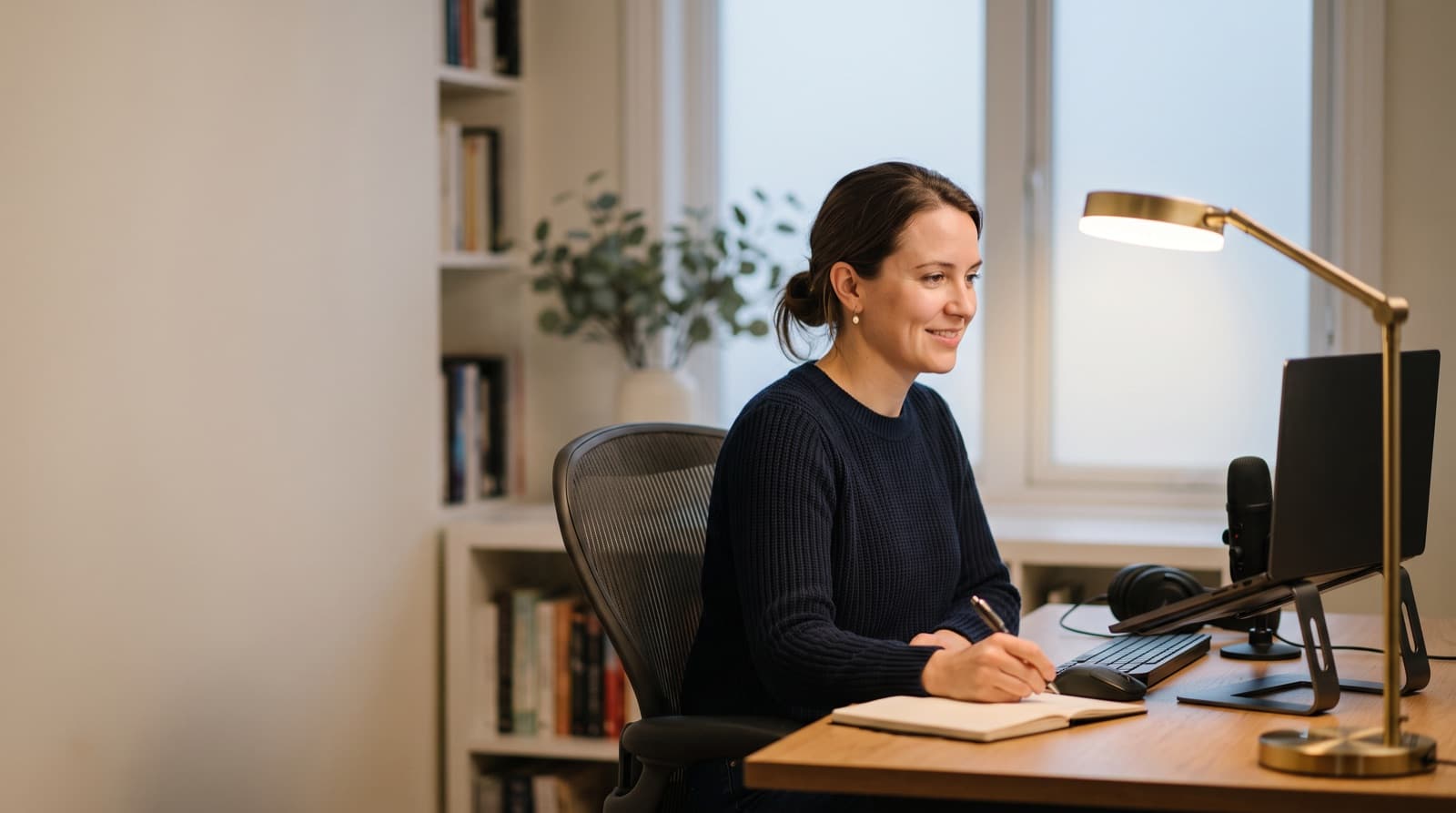
The best desk lamp for eye strain and video calls is often a smart bulb. You need the right shade too.
In practice, pick tunable white, smooth dimming, and off-axis placement. Choose CRI 90+ when you can.
Because your monitor already shines at you, diffusion matters more than raw brightness.
Key takeaways
- For dual-use desk lighting, aim for tunable white from about 2700K to 6500K, 1-100% dimming, and CRI 90+ when available.
- For video calls, place the light in front of you and slightly above eye level, about 30-45 degrees off center.
- A 1600-lumen bulb helps only when shaded, bounced, or diffused. Bare bright bulbs can create glare and shiny skin.
- Our top pick is Govee A21 Smart LED Light Bulb E26 1600lm because it has 1600 lumens, CRI >90, and 1000K-10000K tuning.
- Decorative Edison bulbs are style-first picks. At 500 lumens, they are weak as the main face light.
| product name | Best for | Key spec | Price band |
|---|---|---|---|
| Govee A21 Smart LED Light Bulb E26 1600lm | Bright shaded desk lamps | 1600 lumens, 13W, 100W equivalent, CRI >90 | $70-90 for 4-pack |
| Linkind A19 Matter Smart CCT Light Bulb | Budget white light | 800 lumens, 9W, 60W equivalent, 2700K-6500K | $25-35 |
| Govee A19 Smart LED Light Bulb E26 1000lm | Small desks | 1000 lumens, 9W, 75W equivalent | $35-55 for 4-pack |
| Linkind Matter Smart RGBTW A21 1600lm | Matter-first smart homes | 1600 lumens, 14W, 100W equivalent, 1800K-6500K | $20-35 |
| Govee ST19 Smart Edison Light Bulb E26 500lm | Visible accent lamps | 500 lumens, 5.5W, 40W equivalent, CRI >90 | $50-70 for 4-pack |
What is the best desk lamp setup for eye strain and video calls?
The best setup uses a diffused, tunable bulb in an adjustable lamp. Place it near the webcam line.
So, light your face without lighting your monitor. Your screen already acts like a bright light source.
High CRI, smooth dimming, and glare control matter more than max lumens. CRI means color rendering index.
In practice, CRI tells you how natural colors look under a light. Tunable white shifts from warm to cool light.
Here, the best "lamp" is really a bulb upgrade. You use it in a shaded lamp.
The Govee A21 Smart LED Light Bulb E26 1600lm gives 1600 lumens. It also has CRI >90 and 1000K-10000K tuning.
The Linkind A19 Matter Smart CCT Light Bulb gives 800 lumens. It also offers 2700K-6500K tuning, 1-100% dimming, and CRI >=90.
That framing matters because these picks are smart bulbs. They are not full desk lamps.
So, a cheap exposed-bulb lamp still needs help. The bulb alone won't fix glare.
The Canadian Centre for Occupational Health and Safety says task lamps should light documents. They should not light the monitor.
That matches real desk use. Your monitor already shines light into your eyes.
However, notebooks, keyboards, and papers still need separate light.
If you are comparing this setup with a monitor bar, read our BenQ ScreenBar vs desk lamp guide. Screen bars work well for desk light.
However, they do less for your face on calls.
Which product should most remote workers buy first?
Most remote workers should start with the Govee A21 Smart LED Light Bulb E26 1600lm. Use it only with a soft shade.
It has enough output for bounced light. Its CRI >90 helps skin tones look more natural.
Because it has 1000K-10000K tuning, it covers more moods than most bulbs. You can switch from deep warmth to daylight.
Lumens measure visible light output. So, 1600 lumens is bright for a desk lamp bulb.
The bulb draws 13W and rates as a 100W equivalent. That gives you useful headroom.
Use that headroom with a fabric shade, wall bounce, or larger desk. Do not aim it bare at your eyes.
Its official price was $79.99 for a 4-pack when checked. Govee also claims LuminBlend+ consistency.
That matters when you dim for writing. It also helps when you brighten for calls.
Best for remote workers who use one lamp for Zoom calls, reading, and late writing sessions.
What it is: a bright A21 E26 smart bulb with 1600 lumens, 13W draw, 100W-equivalent output, CRI >90, and 1000K-10000K tuning.
Honest downside: it is too bright bare. Do not put it in a tiny clip lamp.
Instead, use a fabric shade, wall bounce, or diffuser. Keep the LED dome hidden.
In our experience, a 1600-lumen source near a screen gets annoying fast. That happens when you can see the bulb.
Instead, aim it into a white wall. You can also use a shade that hides the LED dome.
Who is it not for? It is not for people who want a simple knob.
You need app or smart-home control. That is how you get full tuning.
What is the best budget option under about $30?
The Linkind A19 Matter Smart CCT Light Bulb is the clean budget pick. Choose it when you want white light.
It gives 800 lumens. That is enough for a shaded task lamp near your face.
Because it covers 2700K-6500K, it handles night work and video calls. It avoids the RGB extras.
Matter is a smart-home standard. It helps devices work across Apple Home, Alexa, Google Home, and SmartThings.
Linkind also lists 1-100% dimming and CRI >=90. I would not skip those for eye comfort.
Its official price was $27.99 when checked on the current product page. It uses 9W.
Because it is a 60W-equivalent bulb, it works best close to you.
Best for writers, students, and renters using a nearby shaded lamp.
What it is: an A19 E26 tunable-white smart bulb with 800 lumens, 9W draw, 2700K-6500K tuning, CRI >=90, Matter support, and 1-100% app dimming.
Honest downside: 800 lumens may feel weak from far away. A dense shade can also block too much light.
It is also not for traditional wall dimmer switches. Linkind says dimming uses the app or smart devices.
For example, I would choose this for a 24-inch deep desk. Place the lamp just left of the webcam.
However, I would skip it for a deep L-shaped desk. Three feet away, it can feel weak.
Need more eye-comfort basics before buying? Our guide to whether LED desk lamps are good for eyes covers glare, flicker, and brightness in more detail.
How we picked
We picked bulbs as desk-lamp upgrades. We did not treat them as complete lamp bodies.
That is an important limit. You still need the right lamp, shade, and socket.
We compared current public specs, official pricing, and color-temperature range. We also checked dimming, lumens, CRI, and smart-home support.
Because desks vary, we judged likely fit too. A student needs different light than a creator on calls.
We analyzed five product types from the allowed list. First, we looked for CRI 90+.
Poor light hurts webcam skin tone. It also makes desk colors look worse.
Second, we favored tunable white over decorative RGB. Third, we judged brightness by placement.
A 1600-lumen bulb wins only when you can soften it. Bare brightness is not comfort.
Finally, we checked ergonomic guidance from OSHA computer workstation lighting advice, CCOHS office eye discomfort guidance, and Zoom lighting concepts.
What I learned: desk-setup chatter still asks for lamps under about $150. People want comfort through 10-hour study and work days.
The useful pattern is simple. Do not buy the brightest lamp first.
Instead, buy controllable light. Then place it so the screen stays clean.
Should you use a bright bulb or a softer bulb for eye strain?
Use enough brightness to stop squinting. Then soften the light.
Eye strain often comes from contrast, reflections, and glare. It does not only come from low lumens.
A brighter bulb works best when bounced off a wall or ceiling. A lower-output bulb works better close to your monitor.
Glare means bright light or reflection that makes a task harder to see. It can come from the bulb or screen.
OSHA says diffuse light cuts hot spots and glare surfaces. CCOHS says office light should avoid bad reflections.
Because of that, a bare 1600-lumen bulb can feel worse than an 800-lumen bulb. The shade matters.
Your monitor is already lit. Paper documents, notebooks, and desk objects need more help.
So, should you buy the brightest bulb? Only if your lamp can control it.
The Govee A19 Smart LED Light Bulb E26 1000lm is the middle-ground pick. It is less aggressive than 1600 lumens.
Still, it is stronger than most 800-lumen budget bulbs. Govee lists it as 1000 lumens.
It uses 9W and rates as 75W equivalent. Current 4-pack pricing sits around $38.99 on its bulb page.
Best for small desks where 1600 lumens is overkill.
What it is: an A19 E26 smart bulb with 1000 lumens, 9W draw, 75W-equivalent output, CRI90+ positioning, and Matter-friendly smart control.
Honest downside: it gives less bounce-light headroom than the Govee A21. The brighter A21 suits farther wall bounce.
For instance, a 1000-lumen bulb can balance a small fabric-shade lamp. It works well beside a 27-inch monitor.
However, the same bulb may look weak in a large room. Dark walls make that worse.
If your main question is computer work, our deeper guide on whether an LED desk lamp is good for eyes at a computer explains why screen glare changes the answer.
What color temperature looks best on webcam without tiring your eyes?
For video calls, start around 4000K-5000K. Then adjust by room and skin tone.
Warmer 2700K light feels easier at night. However, it can look yellow on camera.
Cooler 6500K light can sharpen webcam exposure. Still, it may feel harsh during long writing sessions.
Color temperature means the warmth or coolness of white light. You measure it in Kelvin.
Linkind's A19 Matter CCT bulb covers 2700K-6500K. The Govee A21 stretches from 1000K-10000K.
That range is more than most people need. However, it gives useful edge cases.
You can run very warm light late at night. Then switch near neutral daylight before a client call.
Zoom's lighting guidance says to measure light at face position. Do not only measure the desk surface.
In our comparison, 4000K is the best starting point for long calls. It looks cleaner than amber light.
That said, 4000K does not feel as sharp as 6500K.
The Linkind Matter Smart RGBTW A21 1600lm is the best Matter-first bright option. It gives broad smart-home support.
Best for smart-home users who want a bright bulb in a shaded E26 lamp.
What it is: an A21 E26 smart bulb with 1600 lumens, 14W draw, 100W-equivalent output, 1800K-6500K tuning, Matter support, and high-CRI color rendering.
Honest downside: RGB modes add features you may never use for work. Linkind also warns about dimmers.
Do you really need RGB for a desk lamp? Usually no.
However, RGBTW bulbs can make sense. Use them when the room also serves as a studio.
They also fit gaming spaces and evening reading corners.
Where should the lamp go to avoid screen glare?
Put the lamp in front of you and slightly above eye level. Set it 30-45 degrees off center.
Then check the monitor from your normal seat. If you see the bulb, the placement is wrong.
A bright screen reflection also means the placement is wrong. The desk can look good and still fail.
Off-axis lighting means light sits away from the direct eye-webcam-monitor line. That angle helps control glare.
OSHA recommends placing task light so it does not reflect on the screen. Zoom says to measure face light.
In practice, your best call light may sit outside the monitor's reflection angle. Matte desks and blinds also help.
Start with the lamp on the opposite side of your mouse hand. Then move it in small steps.
If your forehead shines, raise the shade and dim the bulb. If your glasses reflect, move the lamp wider.
If the screen shows a bright blob, rotate the shade away from the panel.
The placement that flatters your face may create monitor glare. So, try a diffused shade first.
Then make small angle changes before buying another light. The same thinking applies to call gear.
For example, a quiet keyboard for video calls also depends on setup. Product choice is only part of it.
Who should not buy these smart bulbs?
Do not buy these if you need a complete desk lamp. They are not clamp arms or battery lights.
They also lack professional key-light controls. These are bulb upgrades.
So, they only help if you already have three things. You need a stable lamp, an E26 socket, and diffusion.
E26 is the common medium screw base in many North American household lamps. Check your lamp before buying.
Govee and Linkind need app or smart-home control for full tuning. That adds scenes and schedules.
However, it also adds friction compared with a physical dimmer knob.
Linkind says its smart bulbs are not compatible with traditional dimmer switches. It handles dimming through the app.
You can also dim with voice control or compatible smart devices.
Exposed-bulb desk lamps are the worst match here. They show the light source.
As a result, they throw hard reflections. They can also make webcam skin look shiny.
The Govee ST19 Smart Edison Light Bulb E26 500lm is the style-first exception. It can look good behind the desk.
Still, it should not be your main face light.
Best for creators who want a decorative visible bulb in the background.
What it is: an ST19 E26 Edison-style smart bulb with 500 lumens, 5.5W draw, 40W-equivalent output, 2700K-6500K tuning, and CRI >90.
Honest downside: 500 lumens is marginal for face lighting. Buy it for visible style, not task brightness.
For a full desk setup, lighting is only one piece. Keyboard noise, microphone distance, screen glare, and chair height matter too.
For call-heavy workdays, see our guide to the best quiet mechanical keyboard for home office calls.
Scenario verdict
Get Govee A21 Smart LED Light Bulb E26 1600lm for the strongest shaded-lamp upgrade. It suits both task light and face light.
Get Linkind A19 Matter Smart CCT Light Bulb for the cleanest budget white-light option. It suits nearby shaded lamps.
Get Govee A19 Smart LED Light Bulb E26 1000lm if 1600 lumens sounds like too much. It fits compact desks.
Get Linkind Matter Smart RGBTW A21 1600lm if Matter support matters most. It is the smart-home pick.
Get Govee ST19 Smart Edison Light Bulb E26 500lm only if the bulb appears on camera. It is not my main eye-strain pick.
FAQ
Is warm light or daylight better for eye strain?
Warm light is easier at night, especially around 2700K. However, neutral 4000K-5000K usually balances comfort and webcam clarity better. Very cool 6500K light can look crisp, but it may feel harsh after hours.
How many lumens do I need for video calls?
Around 800-1600 lumens can work. However, diffusion and placement matter more than the number. An 800-lumen bulb near your face can beat a bare 1600-lumen bulb aimed at your monitor.
Should the desk lamp face my monitor?
No. Aim it at the desk, wall, shade, or your face indirectly. If the bulb reflects in the screen, move it wider, raise it, dim it, or add a shade.
Is CRI important for video calls?
Yes. CRI 90+ helps skin tones, wood desks, books, and wall colors look more natural than low-CRI lighting. It will not fix a bad webcam, but it helps.
Can a smart bulb replace a ring light?
Sometimes. A bright, diffused smart bulb near the webcam line can work for normal calls. However, it will not match a dedicated key light for exact angle, output, and physical control.
Written by Evan Park for Nestway. About our editorial team · Contact us. Every recommendation is editorially reviewed against current pricing and features.