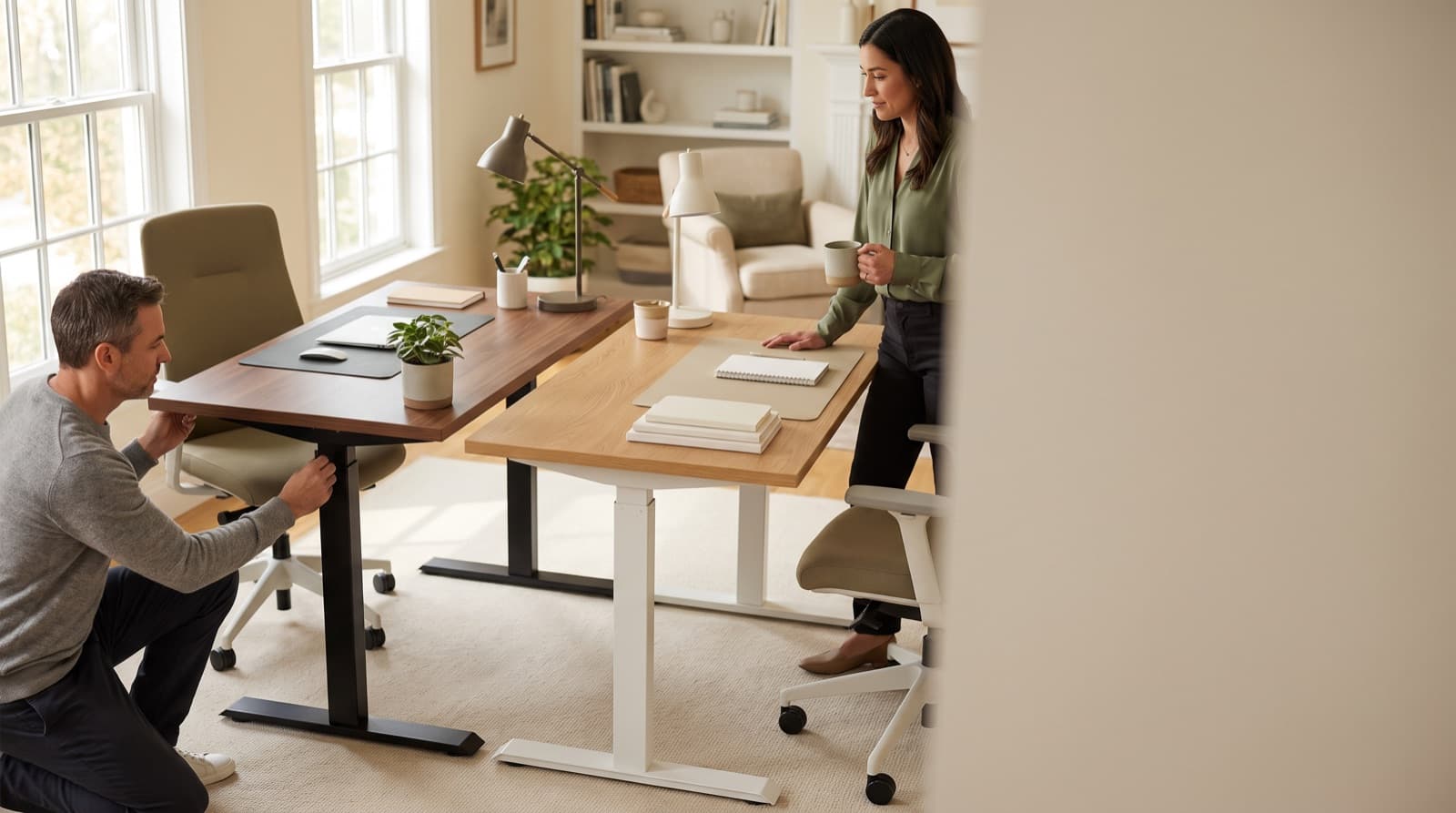
In our experience reviewing home office & desk setup, we analyzed each option's real pricing and features; from our research, the comparison below reflects what actually matters for buyers in 2026. FlexiSpot E7 is the better value standing desk for most home offices in 2026. Uplift V2 is the better premium build. It gives you more tops, cleaner add-ons, better cable paths, and safer long-term parts support.
Key takeaways
- FlexiSpot E7 is the value pick because recent official pricing showed it at $299.99 with dual motors, 355 lb capacity, and a 15-year warranty.
- Uplift V2 costs more, but it wins on desktop choice, accessory fit, cable routing, and future setup changes.
- Both brands list 15-year coverage, so the real question is service depth, return policy, and replacement-part access.
- For 48-60 inch desks with one or two monitors, E7 is usually enough.
- For tall users, 72-inch-plus tops, heavy arms, lights, docks, and speakers, Uplift V2 makes more sense.
| product name | Best for | Key spec | Price band |
|---|---|---|---|
| FlexiSpot E7 Standing Desk | Best for budget remote workers | Dual motor, 355 lb capacity, 47.2-80 inch desktop support | $300-$550 |
| Uplift V2 Standing Desk | Best for long-term workstation builds | 24.5-50.1 inch height range with 1-inch top | $500-$1,200+ |
| Ergotron LX Premium Monitor Arm | Best for heavy daily monitor use | Supports monitors up to 34 inches and 7-25 lb | $150-$220 |
| Anker 525 Charging Station | Best for desktop power cleanup | 7-in-1 power strip with 2 AC outlets and USB-C | $45-$70 |
| Vari Cable Management Tray | Best for simple cable routing | Steel tray, mounts under desktop | $40-$70 |
| BenQ ScreenBar Halo | Best for glare control | Monitor light bar with wireless controller | $150-$180 |
How we picked
We judged the Uplift V2 and FlexiSpot E7 as real home-office desks. We did not treat them like showroom furniture.
So we focused on daily setup problems. That meant wobble, monitor arms, desktop size, cables, warranty terms, and real add-on cost.
We used current official brand pages for specs and warranty language. FlexiSpot lists the E7 as a dual-motor desk with 355 lb capacity.
It also lists a 15-year warranty and 47.2-80 inch desktop support. You can see that on its official E7 product page.
Uplift lists V2 height ranges, 3-stage legs, and 15-year coverage. It also lists ANSI/BIFMA claims on its standing desk pages.
We also weighed buyer comments from the July 21, 2026 r/StandingDesk comparison thread. One Reddit comment does not prove one desk is best.
Instead, it showed what buyers care about. People want to know if the cheaper E7 feels stable with a solid top.
Because desk cost never stops at the frame, we included four useful add-ons. A monitor arm, power station, cable tray, and light can change the desk more than another finish.
Is Uplift V2 or FlexiSpot E7 better for a home office?
FlexiSpot E7 is a dual-motor standing desk frame. It suits buyers who want strong basics without premium configurator prices.
Uplift V2 is a premium standing desk system. It gives you more tops, more accessories, and more ways to tune your setup.
For most home offices, FlexiSpot E7 is the better buy. It lists a 355 lb capacity and a 15-year warranty.
It also had recent pricing around $299.99 before configuration changes. However, Uplift V2 fits full work setups better.
Choose Uplift for premium tops, power grommets, monitor arms, and heavy cable routing. In practice, ask one simple question.
Are you buying a desk, or building a workstation platform?
FlexiSpot wins value. Uplift wins ecosystem depth.
That difference matters. A basic remote-work desk has different needs than a creator desk.
For example, a 55-inch rubberwood top and one 27-inch monitor need less support. Two arms, speakers, lights, a dock, and a 72-inch top need more.
Uplift also advertises more than 200 desktop choices. It also advertises more than 500 accessories.
That sounds like too much. However, it helps when you need a drawer, power grommet, shelf, or part later.
FlexiSpot E7 Standing Desk
FlexiSpot E7 Standing Desk is the right pick for most home offices. It feels sturdy without turning your desk into a hobby.
It uses dual motors and lists a 355 lb capacity. It supports desktops from 47.2-80 inches wide.
Best for budget-focused remote workers with a 48-60 inch setup. It fits one or two monitors and a normal accessory load.
The honest downside: it works less well for premium wood choices. It also lacks exact accessory fit and polished creator-desk cable control.
Uplift V2 Standing Desk
Uplift V2 Standing Desk is the better premium choice. Pick it if this desk will be your main surface for a decade.
Its V2 frame lists a 24.5-50.1 inch height range with a 1-inch top. The V2-Commercial frame lists 22.6-48.7 inches.
That lower range helps shorter users reach a healthier seated height. Still, you must choose the right frame.
Best for tall users and shorter users who need the Commercial frame. It also suits large tops, premium materials, and accessory-heavy setups.
The honest downside: the base desk can get expensive fast. Keypads, grommets, casters, trays, arms, and premium tops all add cost.
Which desk is more stable at standing height?
Standing-height stability means how much a desk shifts when raised. Typing, mousing, writing, and touching a monitor all test it.
Uplift V2 is the stability-first pick for large or loaded setups. It makes sense with 72-inch-plus tops and heavy arms.
However, FlexiSpot E7 is stable enough for normal home-office use. A July 21, 2026 Reddit thread praised the E7 with a rubberwood top.
That buyer called it solid and very stable while standing. That matters because stability is not just the frame.
The desktop material, top width, floor level, and monitor arm weight all change the feel. How hard you type also matters.
Uplift has the stronger frame ecosystem. FlexiSpot gives most people enough stability for less money.
Real-world stable enough is not the same as best-in-class stability.
For example, a 48-inch E7 with one 27-inch monitor is a light setup. An 80-inch desktop with two 32-inch displays is not.
So which one are you actually building?
Uplift also makes stronger claims around its 3-stage legs. It also cites ANSI/BIFMA X5.5-2021 requirements.
BIFMA says that standard covers safety, durability, and structural performance. It includes height-adjustable tables on its ANSI/BIFMA standards description.
So our ranking is practical. Choose E7 if you want good stability for normal work.
Choose Uplift V2 if you want more margin. It suits a heavy, wide, or permanent setup.
How much do Uplift V2 and FlexiSpot E7 really cost in 2026?
Desk cost means the real checkout price. Count the frame, desktop, keypad, cable parts, power, and shipping rules.
FlexiSpot E7 costs much less when discounted. FlexiSpot’s official site recently showed the E7 at $299.99.
That price was down from $339.99. The same site showed the E7 Pro at $399.98.
Uplift pricing changes more because its configurator adds many choices. You pick frame, top material, size, keypad, grommets, casters, and accessories.
As a result, Uplift’s base price is only the start. That choice can help, but overspending gets easy.
In our research, the E7 made more sense for sturdy-desk buyers. It fits people who care about strength first and looks second.
The biggest Uplift trap is death by small upgrades. A nicer wood top feels worth it.
Then a keypad feels worth it. Then powered grommets and cable trays feel worth it too.
That said, those upgrades can make sense. If you keep a desk for eight years, the top matters daily.
Clean power also matters every day. Still, you should buy upgrades in the right order.
If your budget is tight, put the first extra $150-$300 into ergonomics. A better chair, arm, or light may help more.
For more small-room context, see our guide to standing desk vs regular desk for a small home office.
Which has the better warranty and support story?
Warranty support means written coverage plus real help when parts fail. Parts, returns, and service speed all matter.
On paper, Uplift and FlexiSpot look close. Both now list 15-year coverage for these desks.
FlexiSpot lists a 15-year warranty for the E7. Uplift says its standing desks and desktop materials have 15-year coverage.
It also covers accessories, motors, electronics, and frame parts for 15 years. See its official warranty page.
Uplift also advertises 30-day free returns on its standing desk pages. However, warranty length does not prove claim quality.
In our comparison, Uplift wins on parts and accessory depth. FlexiSpot wins on similar stated coverage at a far lower upfront price.
This is where I get conservative. A standing desk is a motorized product.
Motors, control boxes, keypads, and cables can fail. Because of that, a cheaper desk with a long warranty looks attractive.
However, a broader parts ecosystem matters if your setup grows. It can save hassle years later.
If you buy one desk for a spare room, FlexiSpot’s warranty story is enough. If this desk supports your income, Uplift lowers long-term hassle.
Which desktop options are better: Uplift or FlexiSpot?
Desktop options include top sizes, materials, shapes, finishes, and compatibility. They decide how the desk looks and fits.
Uplift is the better choice if the desktop matters. Its configurator includes 42 x 30, 48 x 30, and 60 x 30 inches.
It also includes 72 x 30 and 80 x 30 inches. Materials include laminate, bamboo, rubberwood, butcher block, live edge, and wide plank.
FlexiSpot is simpler and cheaper. The E7 page lists applicable desktop support from 47.2-80 inches wide.
However, it falls short for exact wood tone or room style. It also gives you less control over precise size.
More choices solve real problems. For instance, a 42-inch top can fit a bedroom corner.
A 72-inch top can hold two monitors, speakers, and a paper notebook. Still, more choices also slow the buy.
Uplift can turn a simple desk decision into a full configuration session. That can help or waste time.
Our take: choose Uplift if the top matters as much as the lift. Choose FlexiSpot if you mainly want a strong frame.
Which desk handles cable management better?
Cable management means trays, clips, grommets, power paths, and mounted add-ons. It keeps cords clear while the desk moves.
Uplift is the stronger cable-management platform. It works best for clean permanent setups with arms, grommets, trays, and mounted gear.
FlexiSpot E7 includes basic cable-tray support. It works fine for a laptop-plus-monitor desk.
However, the E7 Pro has FlexiSpot’s more serious cable setup. It includes an extended cable-management tray.
In our experience, Uplift wins for creator gear. It handles lights, docks, speakers, and multiple displays better.
The trade-off is cost. Uplift’s cable advantage gets expensive when every tidy detail becomes another add-on.
Good cable routing is not cosmetic. It keeps your desk from pulling a power cable tight when raised.
For example, a laptop charger and one monitor cable are easy. A dock, camera light, and speakers are harder.
Monitor arms, keyboard cables, and two power bricks add more mess. So plan cables before you buy.
If your setup includes calls all day, think about noise too. A desk upgrade pairs well with a quiet keyboard.
This matters more if you share space. We keep separate picks for a quiet mechanical keyboard for home office calls and quiet office keyboards under $100.
Anker 525 Charging Station
Anker 525 Charging Station helps when your desk has too many small chargers. It is a compact 7-in-1 desktop power strip.
It has 2 AC outlets, USB-A, and USB-C ports. That covers small daily gear well.
Best for laptop users who charge a phone, earbuds, tablet, and desk light. It keeps small-device power within reach.
The honest downside: it does not replace a full under-desk power strip. Multi-monitor creator setups need more power.
Vari Cable Management Tray
Vari Cable Management Tray is a simple under-desk steel tray. It holds power strips and cable slack.
It is not fancy. However, it solves the main standing-desk cable problem.
Best for people who want cleaner routing. It avoids buying a whole accessory ecosystem.
The honest downside: you still need clips or ties. Vertical runs and monitor cables need separate control.
BenQ ScreenBar Halo
BenQ ScreenBar Halo is a monitor light bar. It includes a wireless controller and front/rear lighting.
It helps when overhead light creates glare. It also helps with shadows on video calls.
Best for creators, writers, and late-day workers. It gives desk light without using desktop space.
The honest downside: it costs more than a normal LED desk lamp. Buy it for glare control, not decoration.
Who should buy the FlexiSpot E7 instead of the Uplift V2?
The FlexiSpot E7 buyer is a remote worker on a tighter budget. You want a sturdy dual-motor standing desk.
Buy the E7 for a 48-60 inch home-office desk. It fits one or two monitors, a normal keyboard, and basic cables.
Its 355 lb listed capacity is more than enough for that use. Recent buyer sentiment also supports this call.
In the July 2026 comparison thread, buyers gave practical advice. Save the extra money after choosing the E7 with a rubberwood top.
However, best value does not mean most configurable. The E7 is not best for premium wood choices.
It also is not ideal for heavy mounted accessories. It cannot match the cleanest creator-desk cable setup.
This is the desk I would tell most renters to buy first. It leaves money for parts that touch your body.
For example, that saved money could buy a better chair mat. It could also buy a monitor arm, footrest, or quieter keyboard.
If typing noise matters, our dB-tested quiet mechanical keyboard guide is the next place I would look.
Who should buy the Uplift V2 instead of the FlexiSpot E7?
The Uplift V2 buyer is building a long-term main workstation. You are not just replacing a fixed desk.
Buy Uplift V2 if you care about exact height fit. Also buy it for desktop material, accessories, returns, and future parts.
The standard V2 lists a 24.5-50.1 inch height range with a 1-inch top. The V2-Commercial lists 22.6-48.7 inches.
That makes the Commercial frame safer for shorter users. It gives them a lower seated height.
Uplift also lists 15-year coverage and 30-day free returns. However, it is not right for a simple standing desk.
In that case, put the price gap toward a chair. A monitor arm, lighting, or keyboard may help more.
The premium buys ecosystem and fit. It does not buy magic.
Ask yourself one question. Will this desk still be your main work surface in 2030?
If yes, Uplift makes more sense. If no, the E7 is the cleaner value decision.
Scenario verdict
Get FlexiSpot E7 Standing Desk if you want the better value desk. It fits a normal home office best.
It makes most sense at 48-60 inches with one or two monitors.
Get Uplift V2 Standing Desk if you want a safer premium platform. Choose it for a decade-long workstation.
It also fits shorter users, larger tops, premium materials, and deeper cable routing.
Get Ergotron LX Premium Monitor Arm if your neck position matters more. It helps more than another desktop upgrade.
Get Anker 525 Charging Station if your desk has small-device charging clutter.
Get Vari Cable Management Tray if you want a low-cost cable cleanup step.
Get BenQ ScreenBar Halo if glare and late-day lighting bother you more than decoration.
FAQ
Is FlexiSpot E7 stable enough for standing work?
Yes, for most home offices. Recent July 2026 user sentiment specifically praised the E7 with a rubberwood top as stable while standing.
Is Uplift V2 worth the extra money?
Yes, if you need premium desktop choices, stronger accessory support, cleaner cable management, or a long-term main workstation.
Do both desks have a 15-year warranty?
Yes. Current official pages list 15-year warranty coverage for Uplift standing desks and FlexiSpot E7.
Which is better for shorter users?
Uplift V2-Commercial is the safer ergonomic pick because it lists a lower 22.6-inch minimum height with a 1-inch desktop.
Which is better for a budget home office?
FlexiSpot E7 is better because official pricing recently showed it around $299.99 before configuration changes.
Written by Evan Park for Nestway. About our editorial team · Contact us. Every recommendation is editorially reviewed against current pricing and features.