
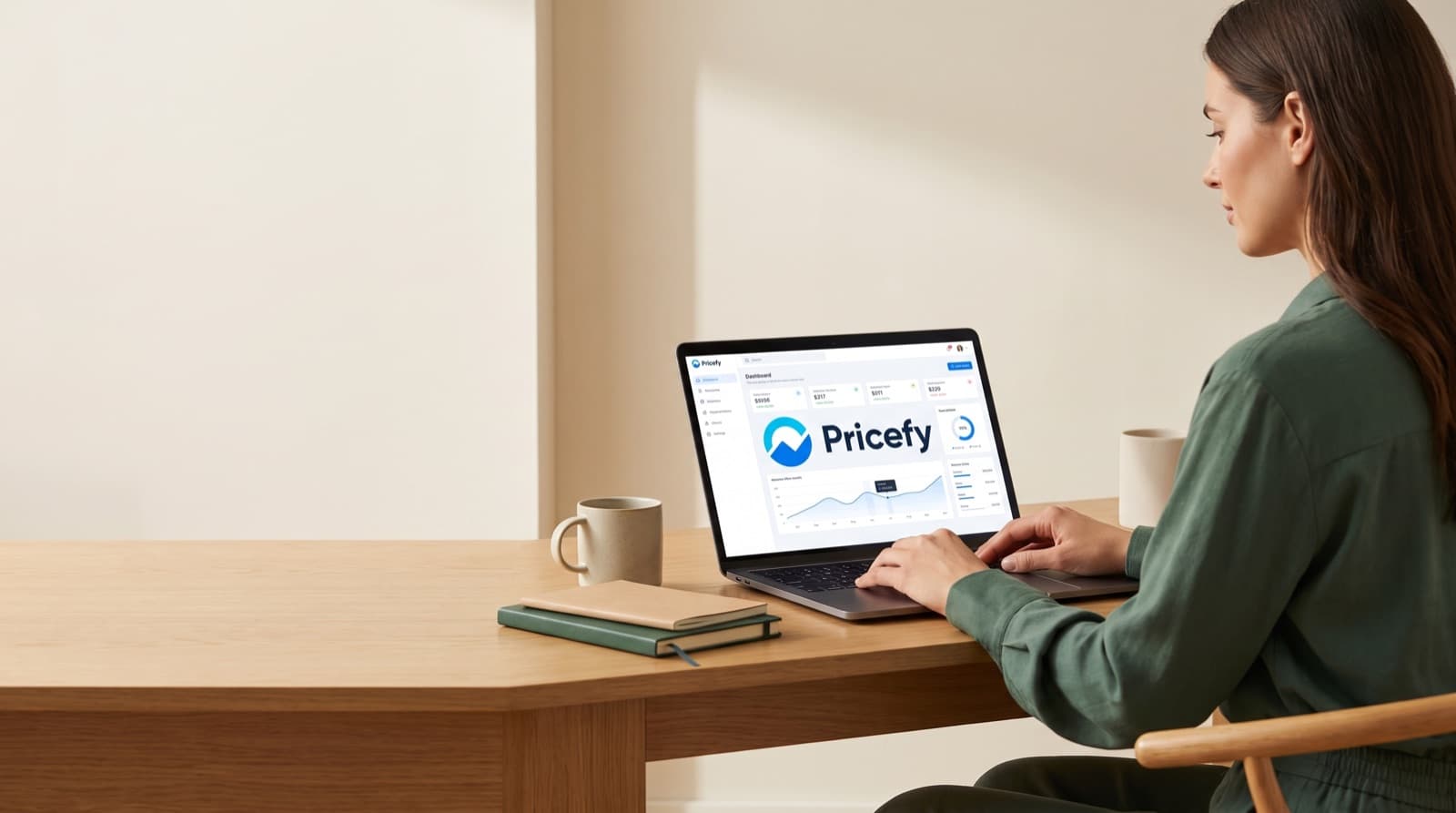
Pricefy pricing makes sense when your store can save more than $49/month. It can save money through fewer pricing mistakes. It can also save time on competitor checks. However, it is not right for every store. The real test is protected margin, not feature count.

Key takeaways
- Pricefy starts at $49/month on a usage-based Basic plan, according to Capterra.
- A store with $20 gross profit per order needs about 3 saved orders per month.
- Pricefy fits repeatable SKUs, visible competitors, and frequent price changes.
- The public review signal is thin, since Capterra shows 0.0 from 0 user reviews.
- Buyers should verify SKU limits, competitor limits, refresh frequency, and repricing controls before paying.
Is Pricefy pricing worth it in 2026?
Pricefy pricing is worth it if it protects more margin than it costs. Pricefy monitors competitor prices and supports dynamic repricing for ecommerce brands. It tracks prices across marketplaces and online stores. It uses AI product matching, stock checks, and custom repricing rules. According to the Capterra Pricefy profile, the Basic plan starts at $49 per month on usage-based pricing. However, Capterra lists no free trial and 0 public user reviews. So our view stays narrow and practical. Pricefy is a good buy only when one saved pricing error covers the fee. For a tiny catalog, manual checks may still win.
Pricefy fits growing ecommerce catalogs that need price monitoring and rule-based repricing. It suits ecommerce managers, founders, marketplace analysts, and lean merchandising teams. However, those teams should already know which SKUs matter.
Reference price: $49/month starting Basic plan, usage-based. Honest downside: real scale cost stays unclear until you confirm limits.
The key phrase is "usage-based." A $49 entry price looks low. However, it does not prove your final monthly bill. Usage-based plans often depend on monitored products, sources, update frequency, or repricing volume. Pricefy may still be cheap. Still, it is cheap only if the plan fits your real catalog.
In our comparison work, we treat pricing tools like insurance against bad calls. The question is not, "Does this have AI?" Instead, ask, "Which SKUs are losing margin right now?"
For example, a $49/month tool makes sense if one missed price move costs $80. On the other hand, it is harder to justify for 20 slow items. That store may change prices only twice per quarter.
Capterra lists Pricefy under pricing optimization software. It says Pricefy offers competitor tracking, automated repricing, marketplace analytics, stock monitoring, and MAP/MSRP monitoring. MAP means minimum advertised price. MSRP means manufacturer suggested retail price. Both matter when sellers must follow brand or channel rules.
Because public user data is thin, do not treat Pricefy as a proven default. Capterra shows 0.0 based on 0 reviews. That does not mean Pricefy is bad. It means you should test a small SKU sample first.
What do you actually get for the $49/month Basic plan?
Treat the $49/month Basic plan as an entry point, not a return guarantee. Price intelligence means watching market prices and matching similar products. Then you use that data to make pricing decisions. Pricefy bundles competitor tracking, AI matching, custom repricing rules, stock monitoring, and MAP/MSRP monitoring. Capterra lists Shopify, WooCommerce, Ecwid, and BigCommerce integrations. In practice, that bundle matters only if it replaces manual checks. It also matters if it prevents real pricing errors. However, confirm SKU limits, competitor limits, update frequency, and repricing controls first.
The feature mix makes sense for a lean ecommerce team. Competitor tracking shows where your price sits. AI product matching links your SKU to the same or similar item elsewhere. Repricing rules then turn that data into action.
That workflow can save time. However, it can also create risk. A bad rule can push prices below your floor fast. So setup matters more than the feature list.
When we analyzed value, we ranked repricing controls above dashboards. A dashboard can make a team feel informed. A clean rule set can protect margin. Those are different outcomes.
Before buying, ask whether repricing rules support:
- Floor price controls
- MAP and MSRP constraints
- Stock status rules
- Manual approval before price changes
- Logs of every automated change
- API or export access for audit work
Capterra lists Pricefy features like activity dashboard, alerts, API, competitive analysis, monitoring, and web tracking. It also lists real-time analytics and competitor price tracking. However, having features does not mean the workflow fits.
For example, a Shopify seller with 800 repeatable SKUs may get value from daily tracking. A catalog with custom bundles may need manual QA. Matching can get messy there. What happens when two bundles look similar but include different accessories? That is where AI matching needs human review.
Pricefy also lists support and training options on Capterra. These include email/help desk, knowledge base, phone, chat, documentation, webinars, and live online training. Those details matter if your pricing team is small. A rule-based repricing tool can fail from poor setup.
If you compare pricing math across tools, read break-even pricing logic for paid tools. It uses the same basic test. The fee must map to saved labor, recovered revenue, or fewer errors.
How should a growing catalog calculate Pricefy ROI?
Pricefy ROI should start with margin protection. Do not start with vague productivity claims. ROI means the financial gain from a tool compared with its cost. Use this formula. Monthly subscription divided by average gross profit per order equals break-even saved orders. At $49/month, a store with $20 gross profit needs $49 / $20. That equals 2.45 saved orders. Round that to 3 orders per month. If Pricefy prevents 3 bad pricing outcomes, the entry plan pays for itself. Labor also counts. Two hours of spreadsheet checks at $35/hour equals $70. That already beats the $49 starting price.
That math is simple. However, it forces better buying discipline. Do not ask, "How many features do we get?" Instead, ask, "How many mistakes can this prevent?"
Here is the clean model:
Monthly subscription / average gross profit per order = break-even saved orders
So:
$49 / $20 gross profit = 2.45 saved orders
Because you cannot save 2.45 orders, call it 3 orders. If three fixes protect $60 gross profit, Pricefy clears its entry fee.
However, the formula works only when monitored SKUs matter. Tracking slow products may create a clean dashboard and little value. Instead, start with the 20 percent of SKUs that drive most revenue.
Labor savings can also beat direct margin recovery. For example, a founder may spend two hours each month checking competitor prices. At a $35/hour internal cost, that work costs $70. If Pricefy cuts that to exception review, $49 looks more rational.
That said, do not overstate the savings. Price monitoring still needs judgment. Someone must approve rules, inspect bad matches, and decide which prices deserve action.
In our experience, pricing tools pay back fastest with three things:
- A known set of revenue-driving SKUs
- Competitors with visible online prices
- Authority to change prices quickly
Without those three, the tool becomes reporting theater. You will see price movement. However, you will not act on it.
For a deeper cost lens, read our software pricing break-even framework. It uses the same operator-first test. A subscription is not expensive or cheap by itself. It becomes expensive when it fails to replace cost or protect margin.
Who is Pricefy best for?
Pricefy is best for ecommerce operators with repeatable items, visible competitors, and active price pressure. A repeatable catalog sells often enough for price changes to affect revenue soon. The strongest users are ecommerce managers, founders, marketplace analysts, and lean merchandising teams. They run Shopify, WooCommerce, Ecwid, or BigCommerce stores. Pricefy fits teams that need competitor tracking, stock monitoring, MAP/MSRP checks, and repricing rules. However, it works best when product matching is clean. Private-label catalogs, vague bundles, and custom kits need more manual review.
The best Pricefy buyer already knows their money SKUs. They can name the products that drive margin. They also know which competitor prices matter.
For example, a store selling branded accessories with stable model numbers has a cleaner setup. Product matching is easier because titles, SKUs, and prices line up. As a result, alerts and repricing rules can support daily work.
Instead, a store selling custom bundles has more risk. One competitor listing may include a case, warranty, or add-on. Another listing may not. If the tool treats them equally, your rule can make a bad move.
From our research, Pricefy works best as an operator tool. It is not an executive reporting toy. Value appears when a team uses alerts and rules to change decisions. If nobody owns pricing, the software will not fix the process.
Good Pricefy use cases include:
- Monitoring competitor prices on revenue-driving SKUs
- Watching stock status at competing stores
- Checking MAP or MSRP exceptions
- Building repricing rules with margin floors
- Reviewing alerts instead of rebuilding spreadsheets
The risk is automation without controls. Bad repricing can hurt margin faster than manual mistakes. So run Pricefy first on a small SKU group. Then expand after checking match quality and rule results.
If you need a broader peer view, read our SMB pricing test for repricing software. It goes deeper into pricing-tool fit. The same warning applies there: clean product data matters.
Who should not buy Pricefy?
Do not buy Pricefy if your catalog is tiny. Skip it if competitors rarely change prices. Also skip it if your team cannot act on pricing data. A tiny catalog is small enough to review by hand. Static B2B price lists are also a poor fit. Those prices may change by contract, quote, or account tier. Teams without pricing authority should be careful too. Price monitoring without action creates reports, not margin. Also avoid Pricefy if you need strong public review proof. Capterra lists Pricefy at 0.0 based on 0 reviews. It also shows no free trial.
This does not mean Pricefy lacks value. However, it means the proof burden sits with you.
If you run a 30-item catalog, a spreadsheet may be enough. That is especially true if you check prices once per month. If competitors change prices every week, software starts to make sense. The difference is cadence.
Ask yourself a blunt question. Will anyone change a price after the alert fires?
If the answer is no, do not buy yet. Fix pricing ownership first. Then revisit automation.
Static B2B catalogs are another weak fit. Many B2B prices depend on contract terms, volume bands, freight, credit, or account history. Public price monitoring can miss those hidden factors. As a result, a public competitor price may not show the real deal.
The public review gap also matters. We weighed Pricefy more carefully because Capterra shows 0 user reviews. The Google Search Central guidance on helpful content pushes buyers toward first-hand value and clear sourcing. In the same spirit, do not treat thin public proof as settled evidence.
The FTC's rule on consumer reviews and testimonials also raises the bar for review claims. So we would not invent confidence from a blank review profile. Use your own SKU sample instead.
What should buyers verify before subscribing?
Before subscribing, ask Pricefy for the exact usage metric behind the $49/month Basic plan. Usage metric means the unit that controls billing or plan limits. For Pricefy, key questions include SKU count and product monitoring limits. Also check competitor limits, marketplace count, refresh frequency, repricing volume, API limits, and approvals. The headline price matters only if it fits your catalog and update pace. Also ask whether repricing rules support floor price, MAP/MSRP, stock status, and manual approval. Automation can save hours. However, weak repricing rules can hurt margin faster than a spreadsheet mistake.
We would verify six items before paying:
- SKU or product monitoring limits.
- Competitor, source, or marketplace limits.
- Refresh frequency for price and stock checks.
- Repricing rule limits and change logs.
- Floor price, MAP/MSRP, and stock-status controls.
- Manual approval options before live repricing.
The most important item is floor price. A floor price is your lowest allowed SKU price. It should include cost, fees, shipping, and required margin. Without it, repricing can chase competitors into losses.
For example, a product selling for $80 with $20 gross profit may look healthy. But a rule could drop it to $70. If shipping cost rises, margin can vanish. That is why rule design matters.
We also recommend a limited rollout. Pick 25 to 50 meaningful SKUs. Include fast movers, margin-sensitive items, and a few messy matches. Then check the output for one full pricing cycle.
During that sample, track four numbers:
- Manual hours avoided
- Bad matches found
- Margin recovered or protected
- Price changes approved or rejected
Because Capterra lists no free trial, the sample may require a paid first month. That is acceptable if the test is tight. Do not connect the whole catalog on day one. Only do that if your product data is clean.
Our originality marker is simple. We rank Pricefy as a margin-protection tool first. We rank it as a monitoring tool second. Monitoring creates information. Guardrailed repricing creates financial impact.
Final verdict: is Pricefy worth the $49/month starting price?
Pricefy is worth $49/month when your catalog protects at least $49 monthly. That protection can come from margin or labor savings. For a store earning $20 gross profit per order, that means about 3 saved orders. For a lean team, two avoided spreadsheet hours at $35/hour can also cover the fee. However, public proof is thin, and usage-based pricing needs careful checks. Our pick is Pricefy for growing ecommerce catalogs with clean product matching. It also needs known competitors and pricing authority.
Do not buy Pricefy just because $49 looks small. Buy it when the monitored SKUs matter.
That means repeatable products, visible competitor prices, and rules with margin floors. It also means someone owns the pricing decision after each alert.
If your catalog is tiny, wait. If manual checks already cost real time, run a controlled SKU test.
FAQ
Is Pricefy free?
No. Capterra lists a $49/month usage-based Basic plan for Pricefy. It also lists no free trial.
What does Pricefy do?
Pricefy monitors competitor prices and uses AI to match products. It tracks stock, supports MAP/MSRP monitoring, and reprices inventory with custom rules.
Is Pricefy good for Shopify stores?
Yes. Capterra lists Shopify as one of Pricefy's integrations. It also lists WooCommerce, Ecwid, and BigCommerce.
How many sales does Pricefy need to pay for itself?
At $20 gross profit per order, the $49/month entry price needs 2.45 saved orders. In practice, that means 3 saved or recovered orders per month.
Is Pricefy proven by user reviews?
Public review evidence is thin. Capterra shows 0.0 based on 0 user reviews. So buyers should validate Pricefy with their own SKU sample.
Written by Daniel Brooks for Nestway. About our editorial team · Contact us. Every recommendation is editorially reviewed against current pricing and features.