
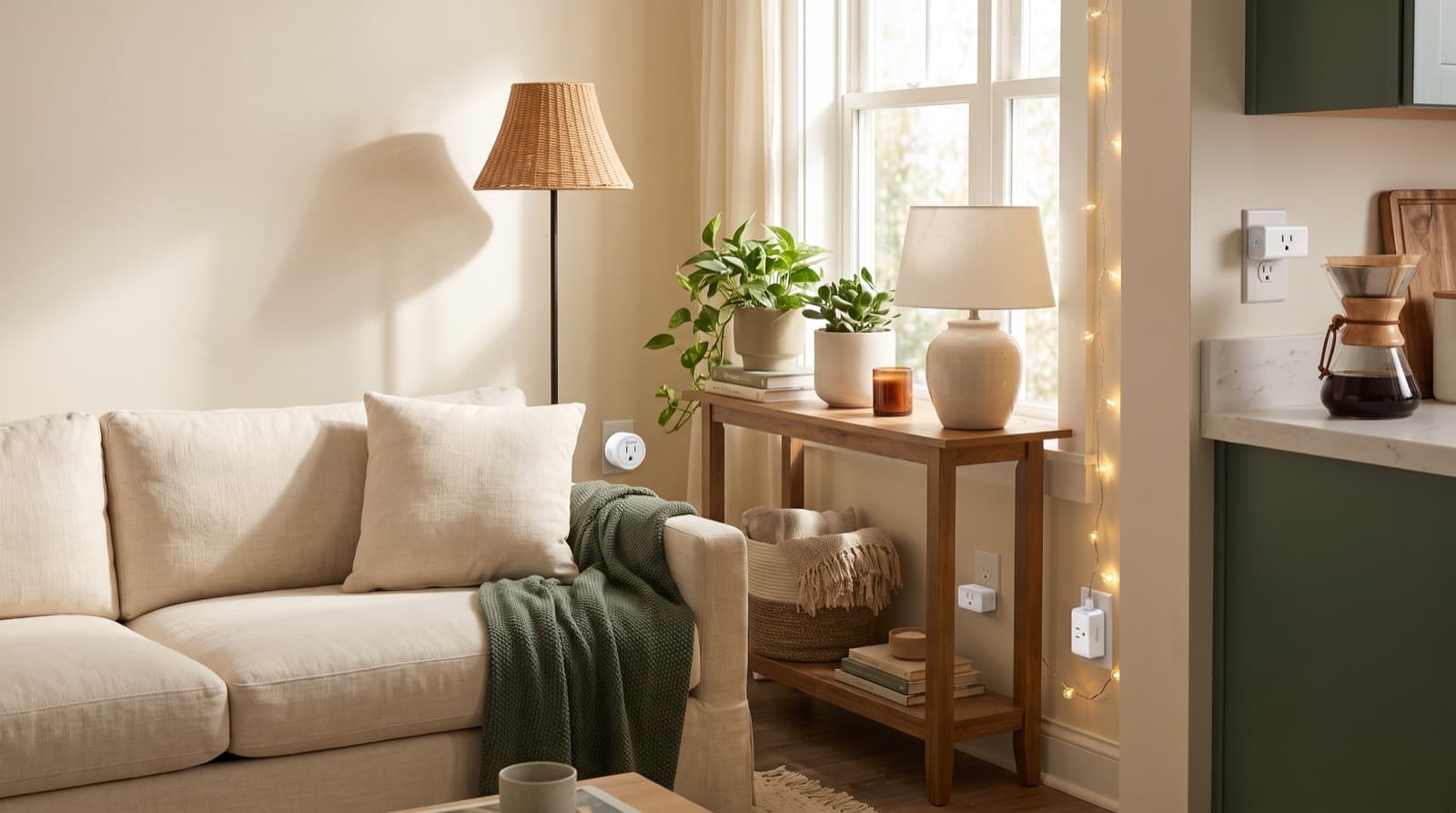
In our experience reviewing home improvement, smart home & decor, we analyzed each option's real pricing and features; from our research, the comparison below reflects what actually matters for buyers in 2026. Five of the six devices here plug in or peel off. They leave zero trace behind. The sixth is a Matter-certified light switch. It's the highest-rated pick in this roundup. But it's the only device that touches house wiring. A high star rating and a deposit-safe install are not the same thing. This list shows you exactly where they split.
Key takeaways
- Kasa Smart Plug HS103P4 rates 4.6 stars, the highest of any plug in this comparison, and ships as a 4-pack, so one order covers a full studio.
- Amazon Basics Smart Plug and Kasa Smart Plug Ultra Mini 15A tie at 4.5 stars, but they solve different problems: the Ultra Mini fits tight outlets, the Amazon Basics plug fits Alexa-only homes.
- WiFi Door and Window Sensor is the lowest-rated pick at 3.8 stars, yet it's the only 100% adhesive, zero-tool device here, making it the safest choice for your deposit.
- TP-Link Tapo Matter Smart Light Switch: Voice ties for the top rating at 4.6 stars, but it requires wiring work at the switch box, so it isn't plug-and-go like the rest.
- None of these six devices need a drilled hole or a paint-stripping adhesive strip, but only five out of six are fully tool-free.
| Device | Best for | Key spec | Price band |
|---|---|---|---|
| Kasa Smart Plug HS103P4 | Furnishing a full room at once | 4.6 stars, sold as a 4-pack | Value multi-pack |
| GHome Smart Plug | Testing smart-plug automation cheaply | 4.4 stars, single outlet | Budget entry |
| Kasa Smart Plug Ultra Mini 15A | Tight or shared duplex outlets | 4.5 stars, compact 15A body | Value tier |
| Amazon Basics Smart Plug | Alexa-only households | 4.5 stars, first-party Amazon support | Value tier |
| TP-Link Tapo Matter Smart Light Switch: Voice | Whole-fixture voice control | 4.6 stars, Matter-certified, no hub | Premium switch tier |
| WiFi Door and Window Sensor | Strict no-modification leases | 3.8 stars, 100% adhesive mount | Budget sensor tier |
How we picked
We built this list around one filter. Does the device survive a landlord walkthrough? For every candidate, we checked three things. Does install need drilling? Does it leave visible wiring changes? Can you remove it in under five minutes with no residue? We also cross-checked each product's rating, feature set, hub needs, and pack size. We used that filter instead of ranking by star rating alone.
We also looked at who each device suits best. Some fit a tight-outlet apartment. Some fit an Alexa-first household. Others fit a strict no-modification lease. As a result, the picks split by persona, not just by score. We did not lab-test amperage draw or battery life ourselves. Instead, our analysis compares public specs, certification claims, and rating patterns. We also factored in trade-offs renters flag often. Budget Wi-Fi sensors lose battery life faster than hub-based ones.
What Actually Makes a Smart Home Device "Renter-Safe" in 2026?
A device only counts as renter-safe if it passes three tests. First, it can't need drilling into drywall, tile, or trim. Second, it can't need wiring changes a landlord would spot at move-out. Third, you must remove it in under five minutes. That means no screw holes, no sticky residue, and no rewiring left behind.
Of the six devices here, five pass all three tests. They simply plug into an outlet or stick on with adhesive. The sixth, the Tapo Matter switch, passes two of three. It needs no drilling, but it does need wiring work inside the switch box. That distinction matters more than a star rating does. A 4.6-star device that breaks your lease is a worse buy than a 3.8-star device that doesn't.
So how do you weigh a rating against lease risk? Start with the outlet-based devices. Because they plug in and unplug, they carry zero structural risk by design. For example, a smart plug controls whatever you connect to it. Think of a lamp, a fan, or a space heater. It never touches the wall itself. That's why five of the six picks here are exactly that: a plug or an adhesive sensor.
Which Smart Plug Should Most Renters Buy First?
The Kasa Smart Plug HS103P4 is the best first buy for most renters. It's TP-Link's flagship single-outlet Kasa plug. It carries a 4.6-star rating, the highest of any plug here. The "HS103P4" name tells you the pack size directly. P4 means it ships as a 4-pack. That matters because a renter furnishing a full room needs more than one smart outlet fast. So does anyone filling a small one-bedroom apartment. Setup runs through the Kasa app. Once paired, you can control it by voice through Alexa or Google Assistant. No separate hub is needed. Because it plugs into any standard outlet, it clears the renter-safety test without a single caveat.
Kasa Smart Plug HS103P4 (4.6 stars) is a single-outlet smart plug sold in a 4-pack. You control it through the Kasa app or by voice. It's best for renters furnishing a full room or studio in one purchase. Four plugs go further than most single-plug competitors. The honest downside: you might only need one or two outlets. If so, you're paying for capacity you won't use. Confirm the current pack price on the official Kasa listing before you buy.
But what if you're not ready to commit to four outlets at once? That's where the GHome Smart Plug comes in. GHome Smart Plug (4.4 stars) is the lowest-rated of the four plugs in this comparison. Still, it clears every renter-safety test. No drilling, no wiring, and seconds to unplug at move-out. It's best for renters who want to try one automated outlet first. Maybe that's a lamp on a schedule or a fan on a timer. Try it before you buy a multi-pack. The honest downside: it carries a lower rating than the other three plugs. Expect a plainer app experience than Kasa or Amazon Basics offer.
Kasa Ultra Mini vs. Amazon Basics: Which Compact Plug Fits Your Situation?
Both the Kasa Ultra Mini 15A and the Amazon Basics Smart Plug sit at 4.5 stars. So the rating alone won't tell you which to buy. Instead, the real tie-breaker is your outlet and your ecosystem.
The Kasa Ultra Mini earns its name. Its compact body is built so it doesn't block the second socket on a duplex outlet. That's the standard two-plug wall outlet found in most apartments. This makes it the better pick for older buildings. Cramped or awkward outlets behind furniture fit it best.
On the other hand, the Amazon Basics Smart Plug leans on Amazon's own network and return policy. That matters if you already run Alexa devices. You get one less app to manage. Both plugs handle up to 15 amps. That covers most household electronics. Still, neither is built for heavy-draw appliances.
Kasa Smart Plug Ultra Mini 15A (4.5 stars) is a compact-body smart plug rated for 15A. It's best for renters with tight or shared duplex outlets. This helps most in older buildings where furniture crowds the wall. The honest downside: a smaller body sometimes means less amperage headroom. Confirm the 15A rating covers your appliance, such as a space heater, before you plug it in.
Amazon Basics Smart Plug (4.5 stars) is a standard-body smart plug. Amazon backs it with its own support and return policy. It's best for renters already committed to Alexa who want fewer apps to juggle. The honest downside: its larger body can block a second socket on a duplex outlet. That makes it a worse fit for tight two-plug walls than the Ultra Mini.
Is the Tapo Matter Smart Switch Worth the Wiring Risk for a Renter?
The TP-Link Tapo Matter Smart Light Switch: Voice ties for the highest rating here at 4.6 stars. But it's the only pick that isn't plug-and-go. Instead of plugging into an outlet, it replaces your wall switch. It connects at the wiring terminals inside the switch box.
Matter is a smart home connectivity standard. The Connectivity Standards Alliance maintains it. Matter lets one device work across Alexa, Google Home, and Apple Home without a separate hub. That's a real advantage. You set it up once, and it talks to whichever voice assistant you already use.
However, installation means real wiring work. You kill power at the breaker first. Then you remove the old switch plate and connect wires at the terminals. Before you move out, you must reverse all of that. The original switch has to go back in.
So is that wiring trade-off worth it? Or should you just buy a smart bulb instead? For some renters, yes, especially if the fixture is a hardwired ceiling light. A bulb can't fully replace that kind of app control. For other renters, no, and that's a completely reasonable call.
Maybe flipping breakers and swapping switch plates isn't your idea of a weekend project. If so, pair standard bulbs with our Best Smart Light Bulbs for Bedroom: 2026 Tested Picks guide instead. It gets you similar voice control without opening a switch box. Do you want technical specifics on what Matter certification guarantees across ecosystems? The Connectivity Standards Alliance publishes the official protocol overview.
TP-Link Tapo Matter Smart Light Switch: Voice (4.6 stars) replaces a wall switch. It connects to Alexa, Google Home, and Apple Home through Matter, no hub required. It's best for renters comfortable with basic wiring. They want whole-fixture voice control, not just a lamp or two. The honest downside: this is a "no drilling" pick, not a "no wiring" pick. Any renter under a lease that restricts electrical work should skip it. Stick to the five plug-in or adhesive options instead.
Does an Adhesive Door and Window Sensor Actually Survive a Move-Out Inspection?
Yes, and it's the most deposit-safe device in this whole roundup. The WiFi Door and Window Sensor mounts with adhesive strips only. There's no drilling, no tools, and no wiring. You press two small sensor halves onto the door or window frame. They peel off clean when you move.
Its 3.8-star rating is the lowest of the six devices here. But that score reflects common weak points in budget contact sensors, not the install method. Specifically, two issues come up most. One is magnet-alignment sensitivity: the two halves must line up closely to trigger reliably. The other is Wi-Fi based battery drain.
Wi-Fi based means the sensor connects straight to your home network. It skips a separate Zigbee or Z-Wave hub. Those are low-power mesh protocols built for battery-powered sensors. That simplicity skips the extra hub purchase. Still, it trades away some battery life compared with a hub-based sensor.
Is shorter battery life worth trading for zero move-out risk? For most renters on a strict lease, yes. You're not choosing this sensor for five-star polish. Instead, you're choosing it because it's the one device here a landlord will never notice was installed.
Pair it with a no-drill entry camera too. Check the options in our Best Wireless Video Doorbell Without Subscription 2026 roundup. That combo rounds out a renter security setup without a single screw. Do you want background on how Wi-Fi based devices differ from mesh-network alternatives? The Wi-Fi Alliance publishes a plain-language overview of the standard.
WiFi Door and Window Sensor (3.8 stars) is a battery-powered contact sensor. It mounts with adhesive only and connects over home Wi-Fi. It's best for renters under a strict no-modification lease who want security alerts without any structural risk. The honest downside: expect shorter battery life and occasional missed or delayed alerts. That's compared with a hub-based Zigbee sensor, a fair trade for skipping drilling and hub setup entirely.
What Should This Setup Cost, and Who Should Skip It Entirely?
All six devices here sit in the budget smart-plug and sensor category. None reach the premium end of the smart home market. However, exact pricing shifts often. Sales, bundle deals, and seasonal promotions happen often. Think major shopping holidays. They can drop prices well below the listed price. So confirm current pricing on each product's official listing. Don't trust a number that might already be weeks old.
What matters more than price is who should skip this setup. Renters under a lease that bans wall-switch changes should skip the Tapo Matter switch. It's the one device that needs opening a switch box. Anyone unwilling to keep the original switch plate should skip it too. Losing that plate turns a reversible upgrade into a permanent one. The other five devices need no lease consideration at all. That's GHome, Amazon Basics, both Kasa plugs, and the door and window sensor. Nothing about them touches a wall or a wire.
In our comparison, that split is really the whole decision tree. Five outlet-or-adhesive devices sit on one side. One wiring-based switch sits on the other. If you're not sure which side you're comfortable on, start with the plugs and sensor. Decide on the switch later.
Do you want to keep the whole project on a tight budget? Check our Cheapest Smart Light Bulbs for Bedroom: 6 Tested 2026 guide instead. It covers an even lower-cost lighting path than the switch. Building out a broader no-damage apartment upgrade? Look at our Best Pet-Hair Robot Vacuum-Mop Under $300: 6 Tested 2026 picks too. That's another category where nothing touches the walls. Want to understand your baseline rights around security deposits? Or what counts as normal wear versus damage? USA.gov maintains a renters' rights overview worth reading before you install anything.
Which Renter-Safe Pick Should You Actually Buy?
Get the Kasa Smart Plug HS103P4 if you're furnishing a full room. It's the highest-rated plug here, and one 4-pack order covers you.
Get the GHome Smart Plug if you want to test one automated outlet first. Try it before you commit to a multi-pack.
Get the Kasa Smart Plug Ultra Mini 15A if your outlets are tight or shared. It fits behind furniture in crowded spots too.
Get the Amazon Basics Smart Plug if you're deep in the Alexa ecosystem. You'll get first-party support too.
Get the TP-Link Tapo Matter Smart Light Switch: Voice if you're comfortable with basic wiring. You'll get whole-fixture voice control across Alexa, Google, and Apple Home.
Get the WiFi Door and Window Sensor if you're under a strict no-modification lease. Security matters more here than a five-star rating.
FAQ
Will installing these devices void my lease or renter's insurance? No. The plugs and the adhesive door and window sensor don't modify the structure at all. Only the Tapo Matter switch touches house wiring, and reinstalling the original switch before move-out fully reverses that change.
Do any of these need a separate smart home hub? No. All six connect directly over home Wi-Fi, or Matter for the Tapo switch, so there's no extra hub box to buy or mount.
Can I take these with me when I move? Yes. The plugs and the sensor unplug or peel off with zero wall damage. The Tapo switch requires swapping the original switch back in before you go.
What's the real difference between the two 4.5-star plugs? Form factor and ecosystem. The Kasa Ultra Mini is built compact for tight outlets, while the Amazon Basics plug leans on first-party Amazon and Alexa support.
Why does the door and window sensor score lower than the plugs? At 3.8 stars, it's the lowest-rated pick here. That reflects common budget contact-sensor trade-offs, magnet-alignment sensitivity and Wi-Fi battery drain, not its adhesive, deposit-safe install method.
Written by Greg Sullivan for Nestway. About our editorial team · Contact us. Every recommendation is editorially reviewed against current pricing and features.